
Case Rate OON
Streamline your billing process and reduce manual effort with the new patient rate adjustment feature. This enhancement helps automate how patient responsibility adjustments are made for out-of-network insurance providers and financial hardship programs. The system applies configured patient rates or hardship rules, using ERA patient responsibility data, so billing teams spend less time on calculations and more time on patient care.
Step 1: Open a patient case and locate the Patient Rate Adjustment toggle.
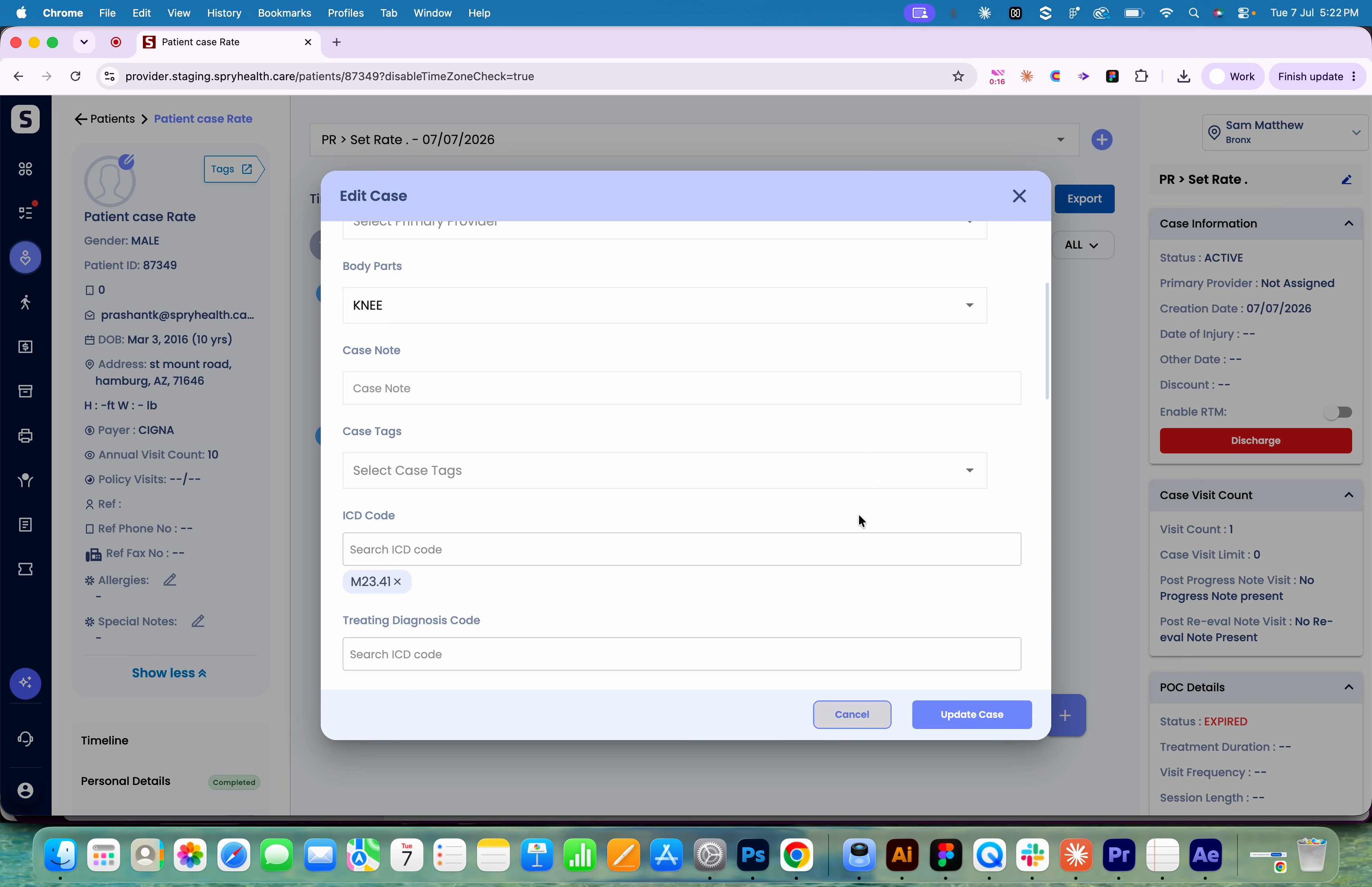
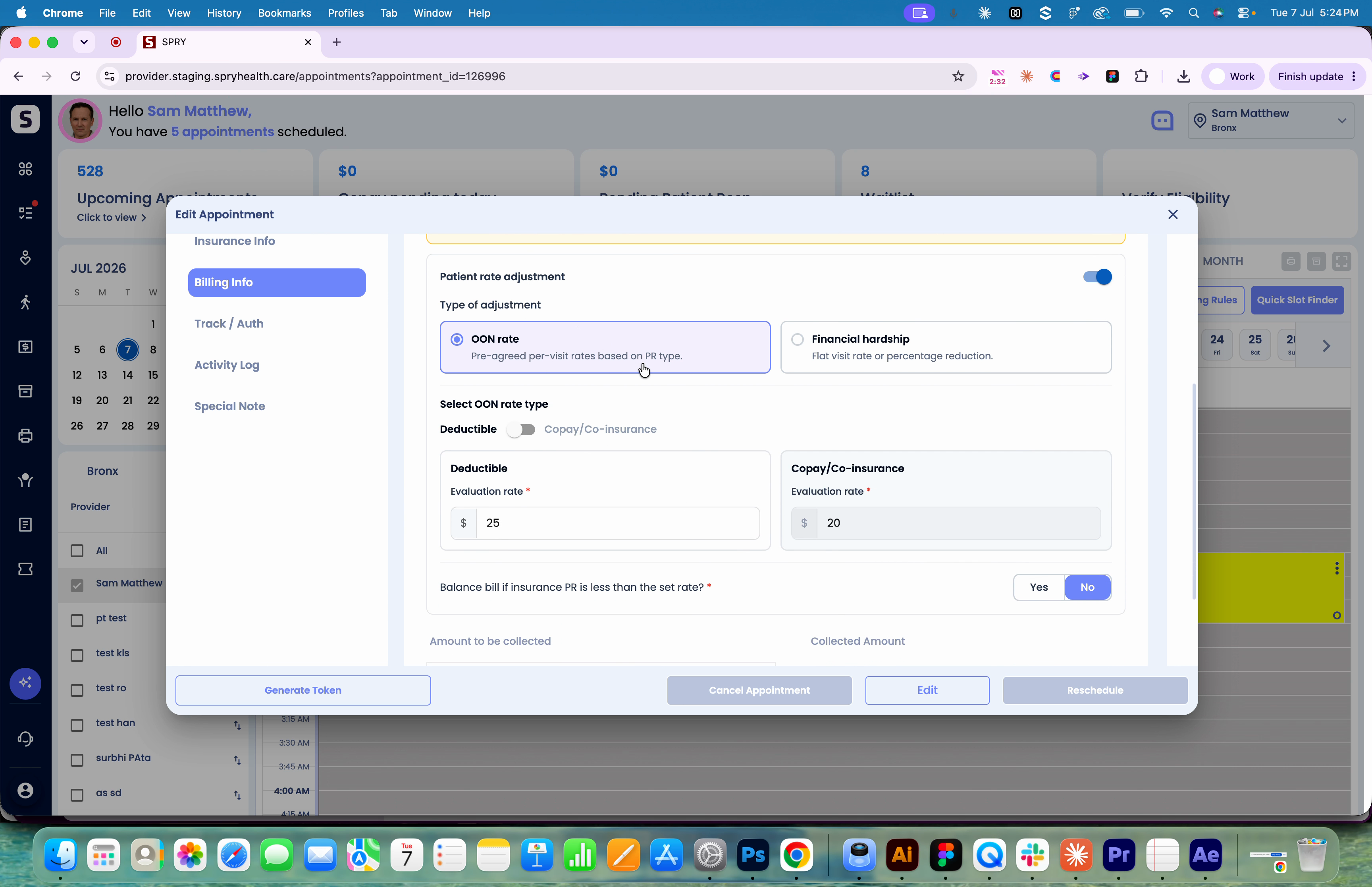
Step 2: Toggle on Patient Rate Adjustment to view two options: Out of Network Rate or Financial Hardship.
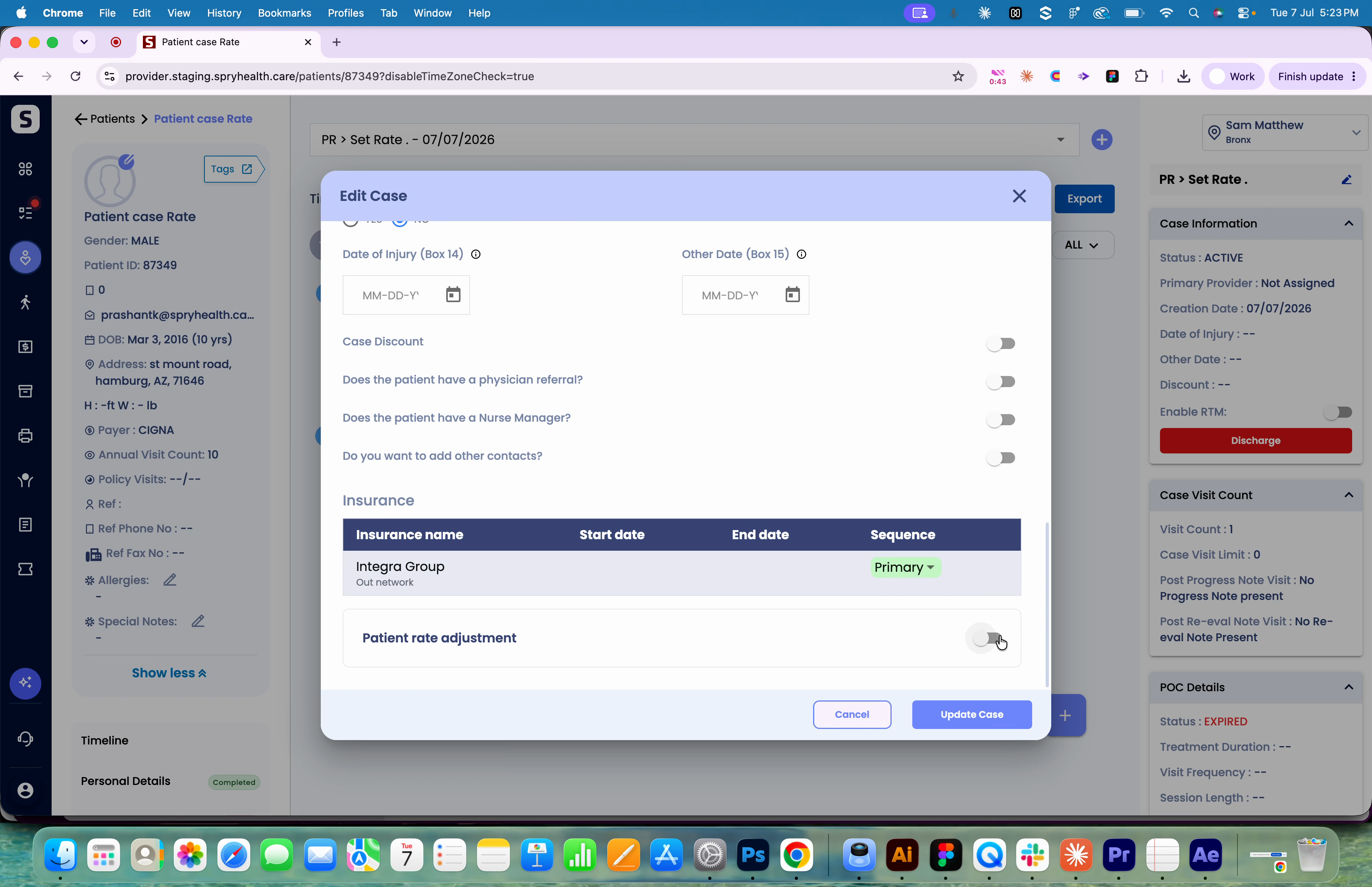
Step 3: Select either Out of Network Rate or Financial Hardship based on the patient’s scenario.
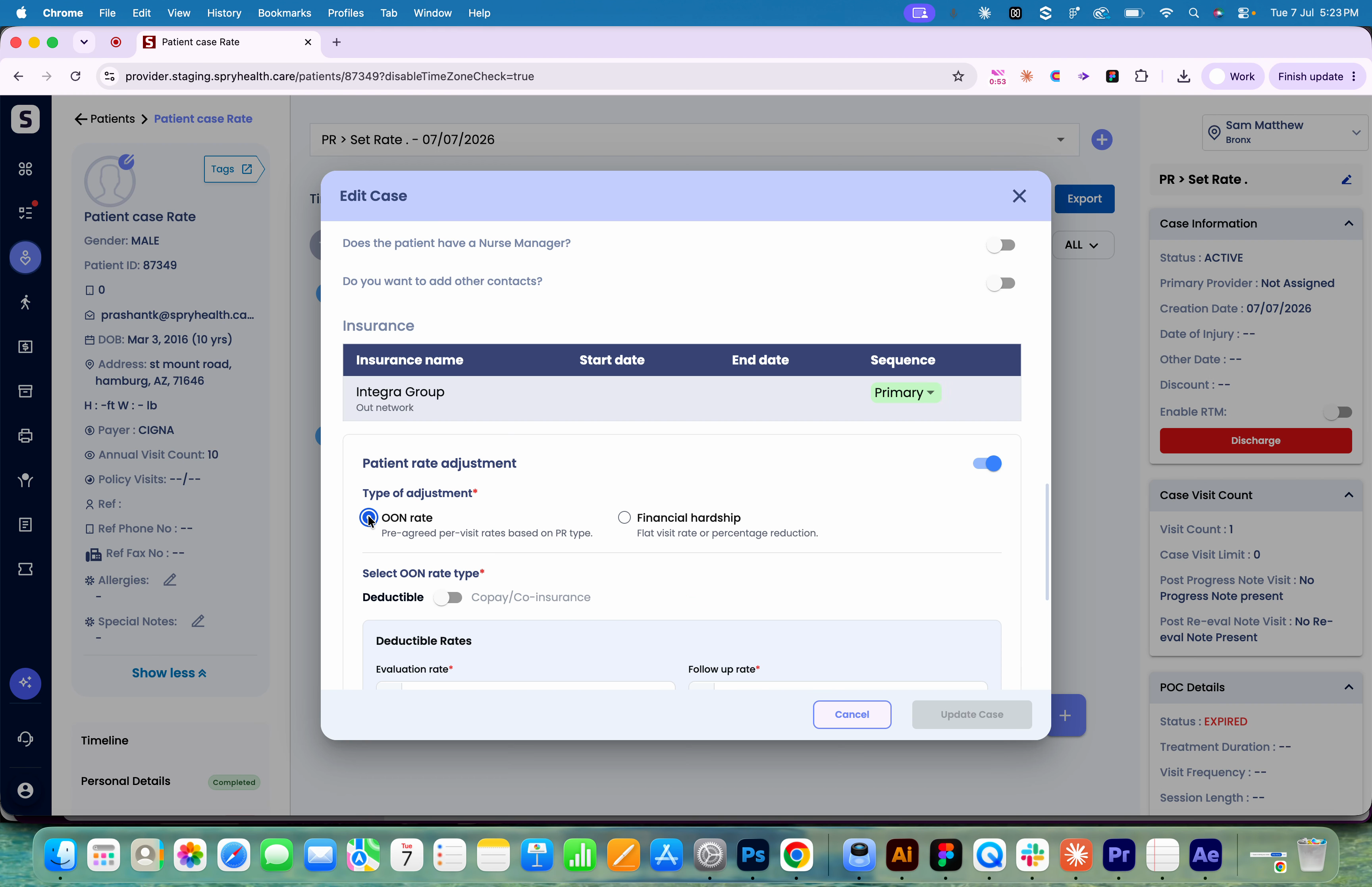
Step 4: Enter the Deductible and Copay/Coinsurance rates.
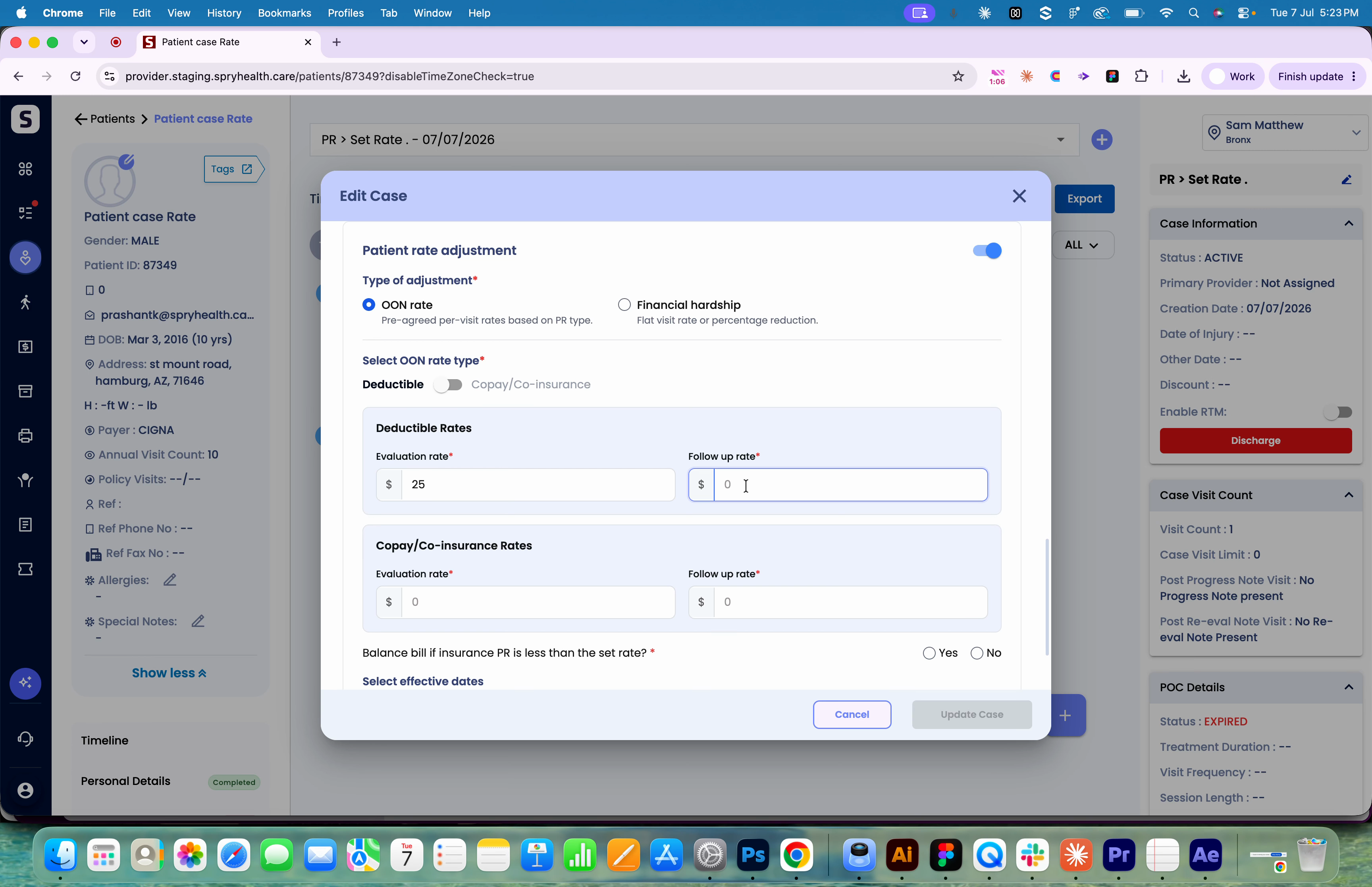
Step 5: Set the Balance Bill Indicator. Choose No if you want the system to consider only the set rate for patient responsibility and not allow balance billing if the insurance PR is less than your set rate.

Step 6: Specify the Effective Start and End Date to define when these rates apply.
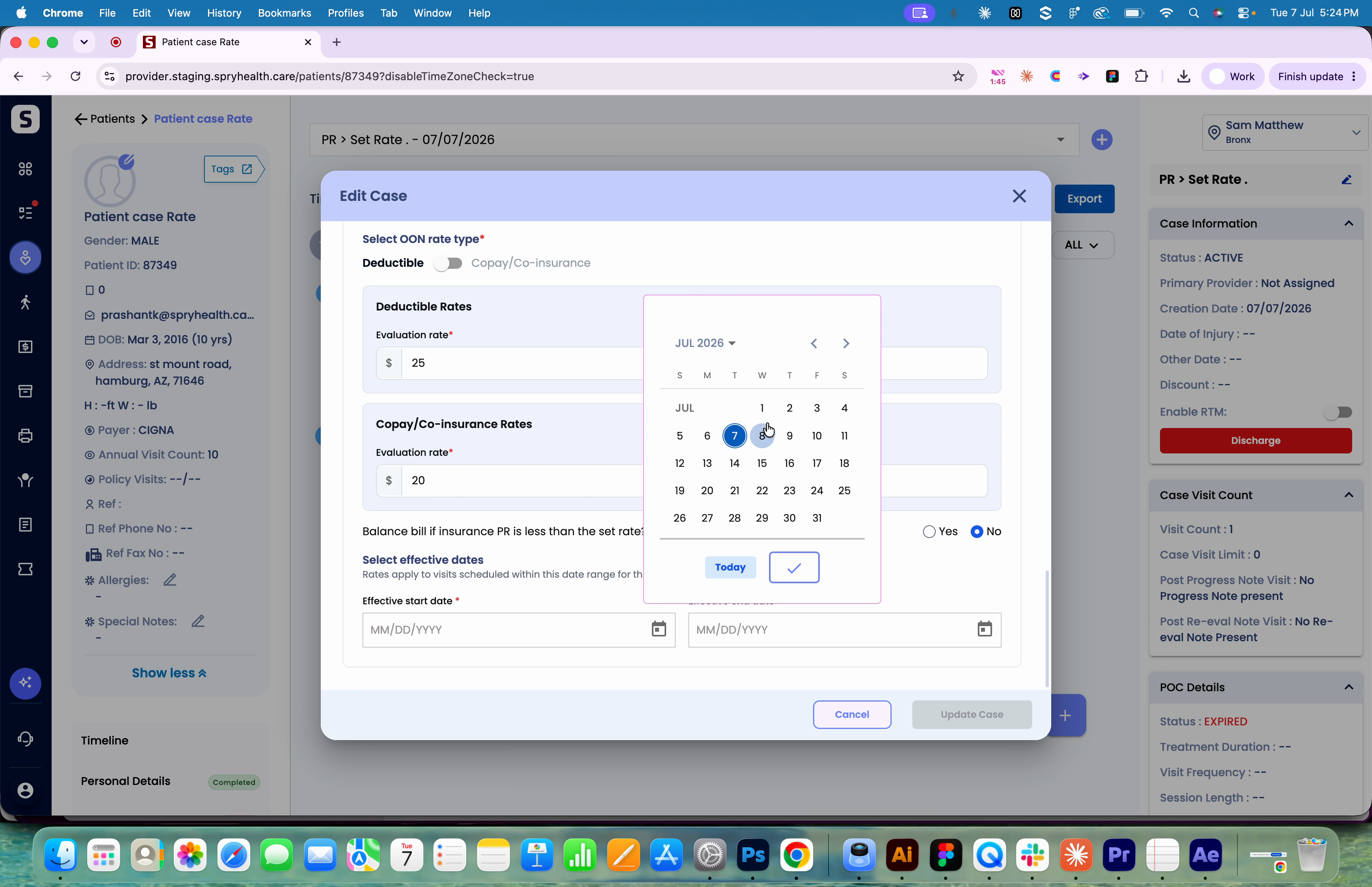
Step 7: Click Update to save your settings for the patient's case.
Step 8: Go to the Appointment screen. Under the Billing Info tab, confirm the out-of-network deductible and copay/coinsurance amounts are correctly assigned.
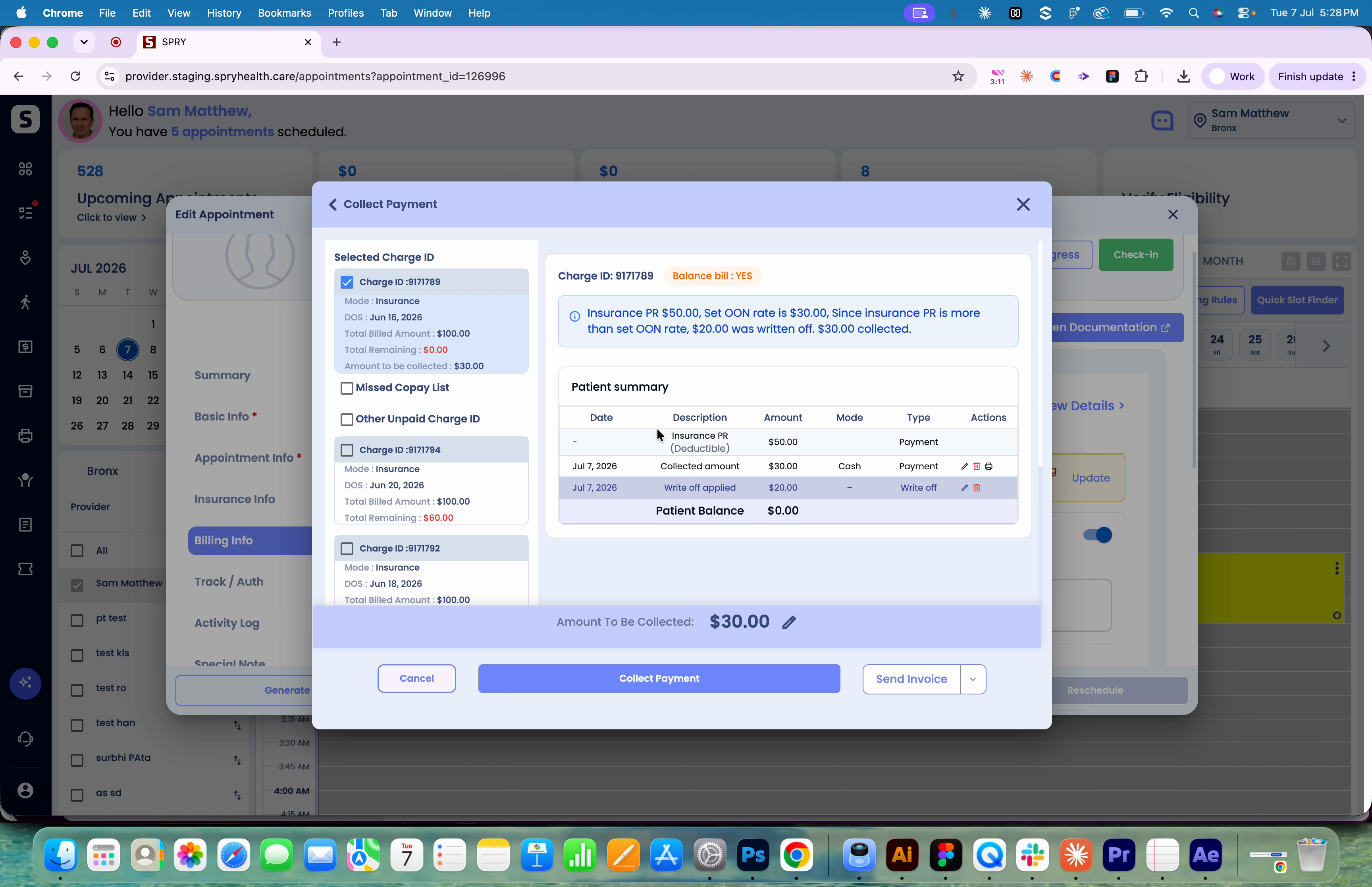
Step 9: When an ERA is received for the appointment, review the collected and written-off amounts in View Details. The system writes off any difference automatically, depending on the set rates and balance bill indicator.
Let’s look at three sample scenarios:
Scenario 1: Insurance PR Exceeds Set Rate
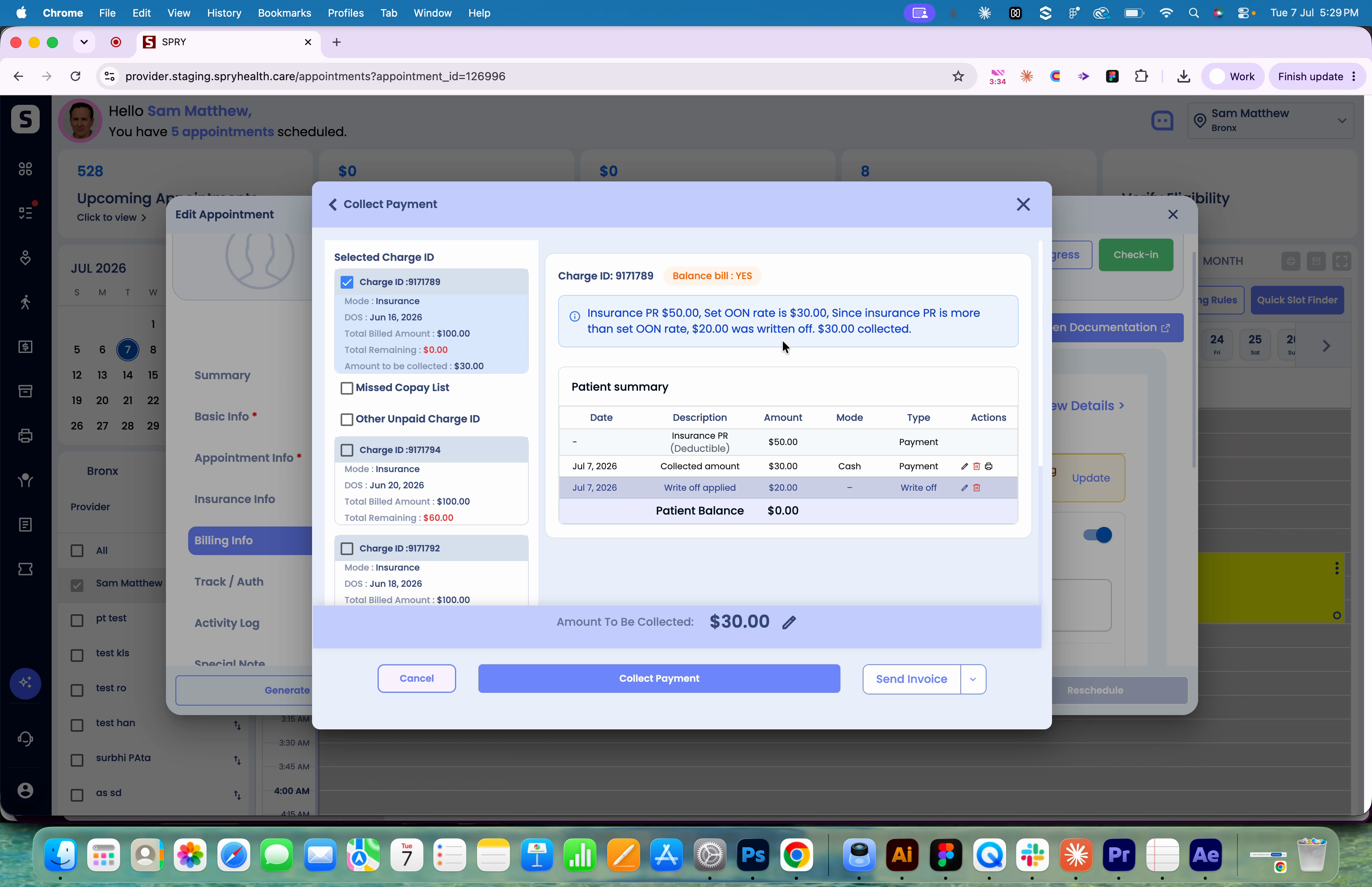
Step 1: Out-of-network set rate is $30, insurance PR is $50.
Step 2: System writes off $20 (since the PR is greater than your set rate), and notes what’s already collected (e.g., $30). No balance billing needed.
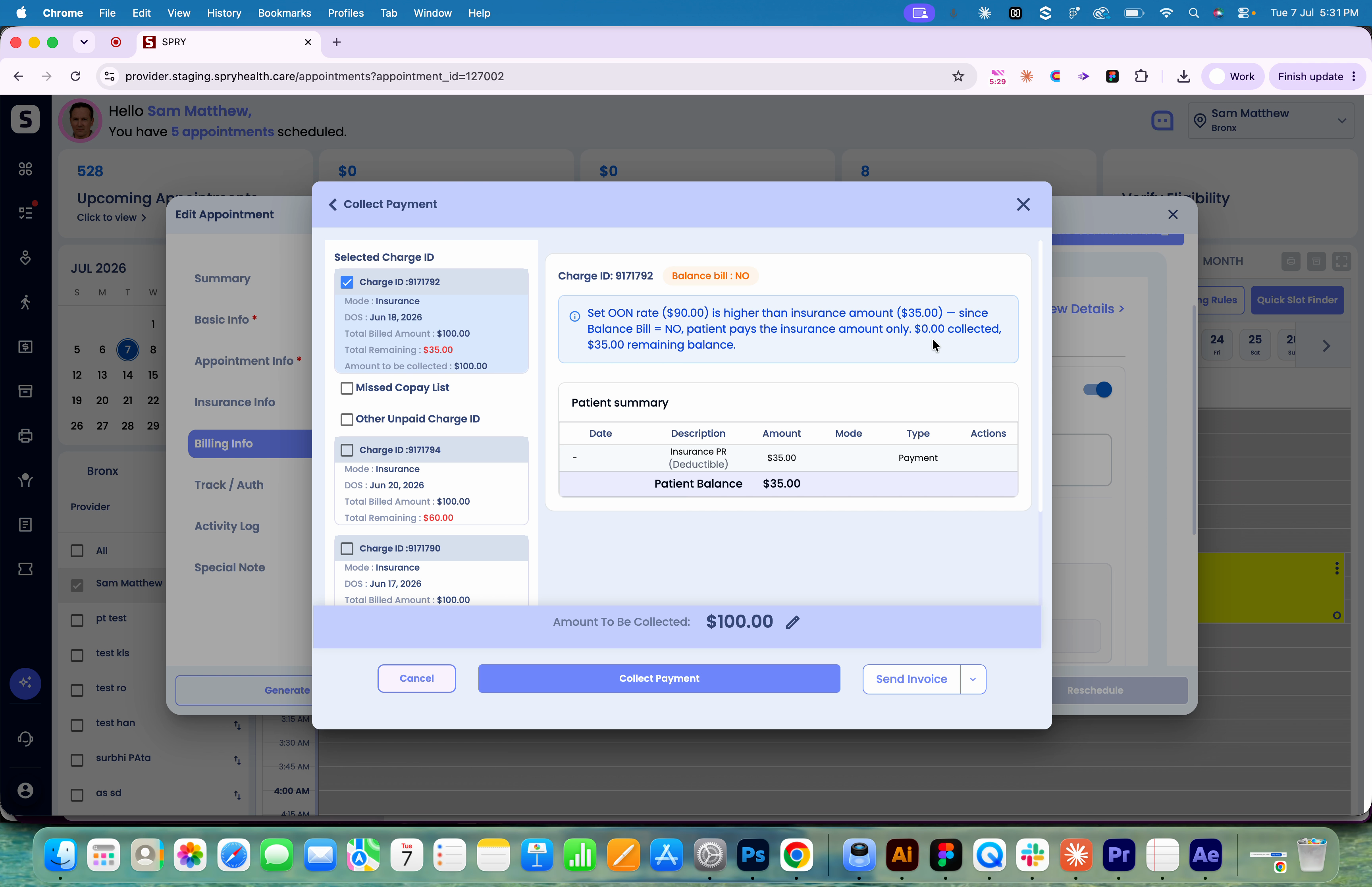
Scenario 2: Set Rate Higher than Insurance PR & No Balance Bill
Step 1: Out-of-network set rate is $90, insurance PR is $35, and Balance Bill Indicator is set to No.
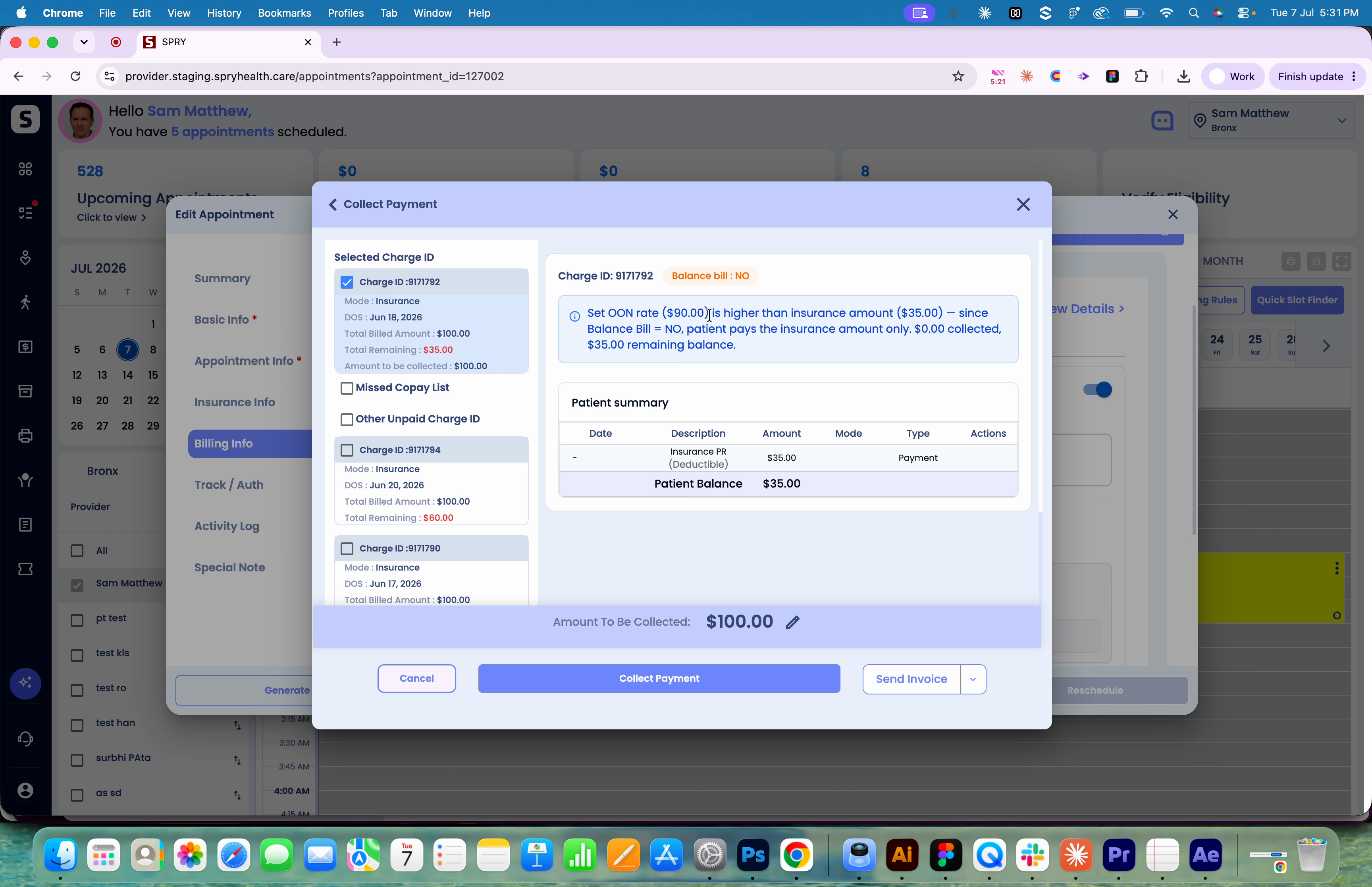
Step 2: Patient pays the insurance PR amount only. If nothing was collected upfront, the remaining balance is calculated and shown for collection.
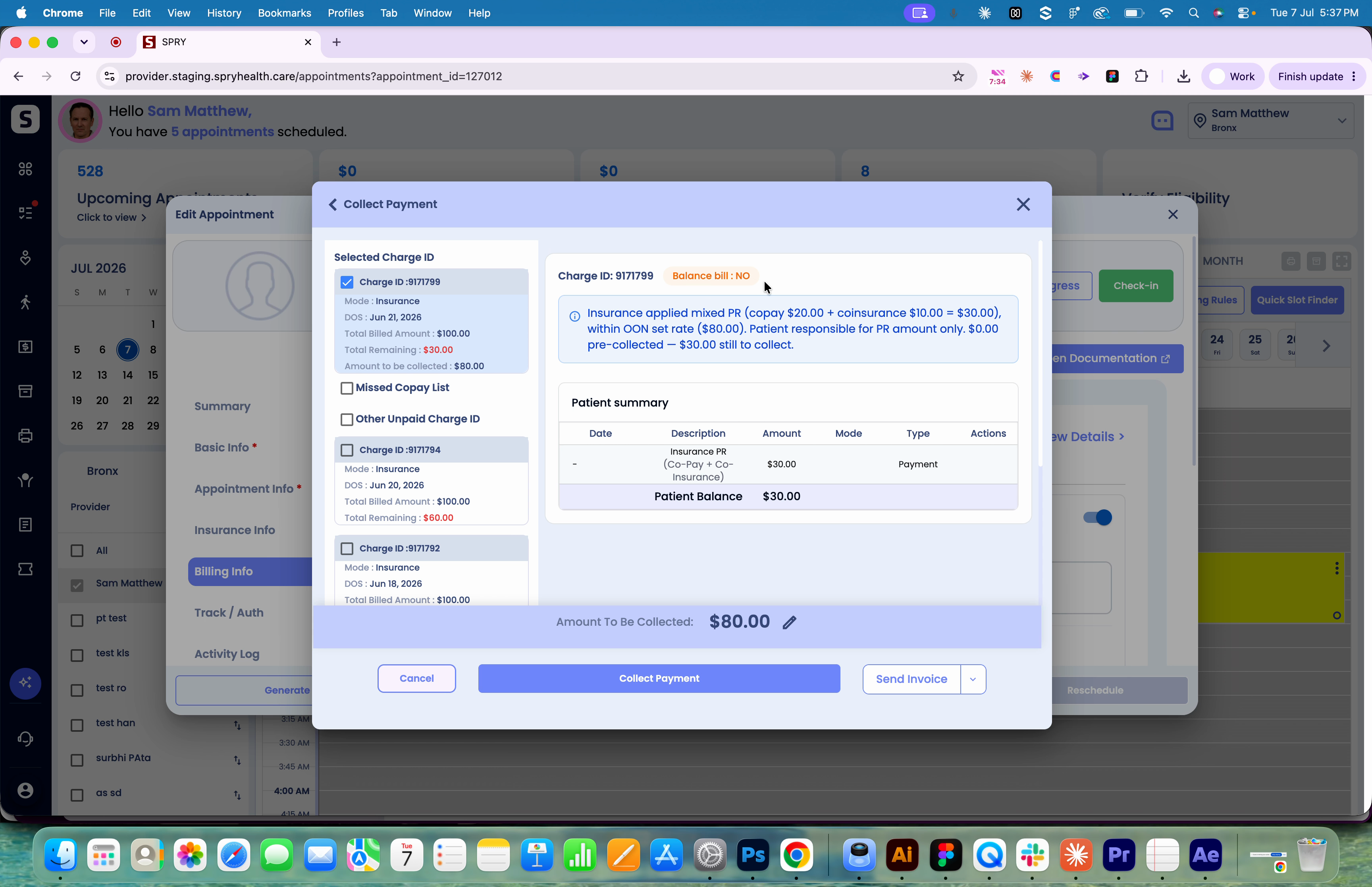
Scenario 3: Insurance PR with Copay Plus Coinsurance
Step 1: Copay/Coinsurance toggle is on, evaluation rate is $80.

Step 2: ERA shows mixed PR (copay plus coinsurance) totaling $30. This matches your set rate, so with Balance Bill Indicator at No, patient pays only the insurance PR ($30). The system automatically shows what’s already collected and any remaining balance.
Automated patient rate adjustments ensure billing accuracy, reduce write-offs, and minimize patient confusion. Experiment with different cases to see how the feature adapts to various insurance and financial hardship scenarios.