
Insurance and Self-Pay UI Update
In this article, you'll learn how to identify and define the 'Self Pay' and 'Insurance Pay' fields in the updated user interface.
Step 1: Look at the field strip, which represents the 'Insurance Pay'.
Step 2: Notice the zebra-like strips, which represent 'Self Pay'.
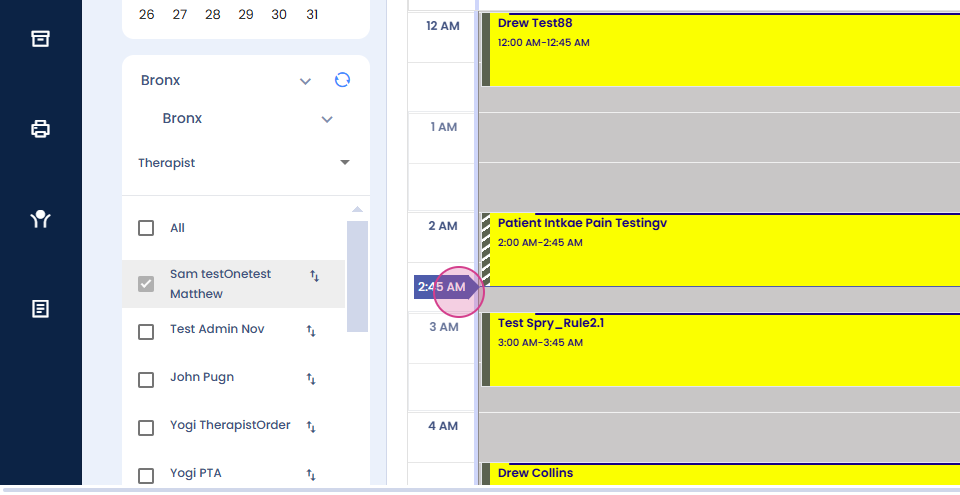
Step 3: Use this UI to define both 'Insurance Pay' and 'Self Pay'.
That's it! You're now familiar with the updated UI for 'Self Pay' and 'Insurance Pay'.