
Realization Report
Track Your Monthly Billing Performance with the Realization Report in Spry
The new Realization report in Spry makes it easy to monitor your monthly billing performance—right from within the platform. Here’s how to access and use this tool to get valuable insights into your practice’s financial health.
Step 1: Go to the Reports section. Select New Other Report, then choose the Realization report.
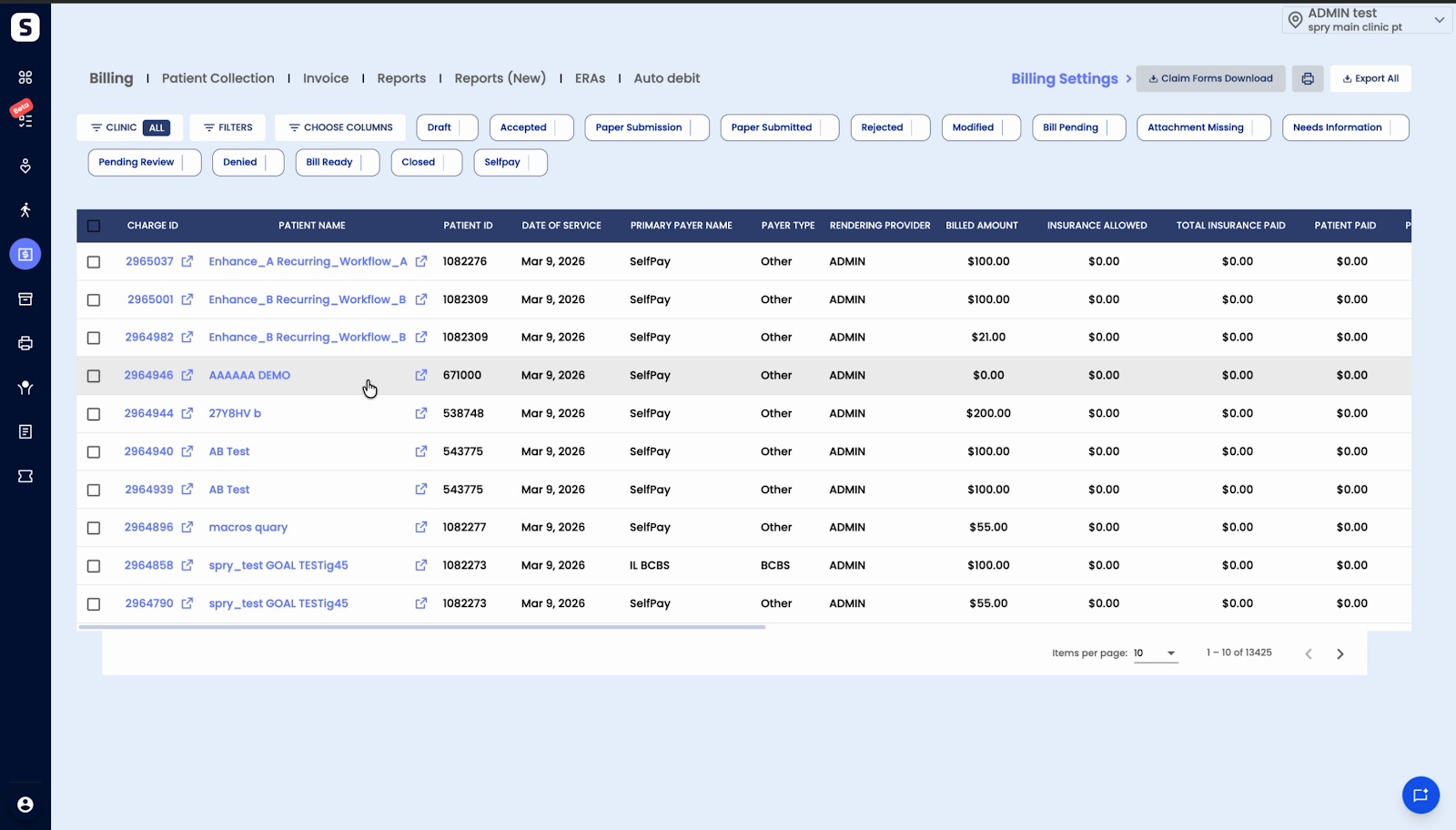
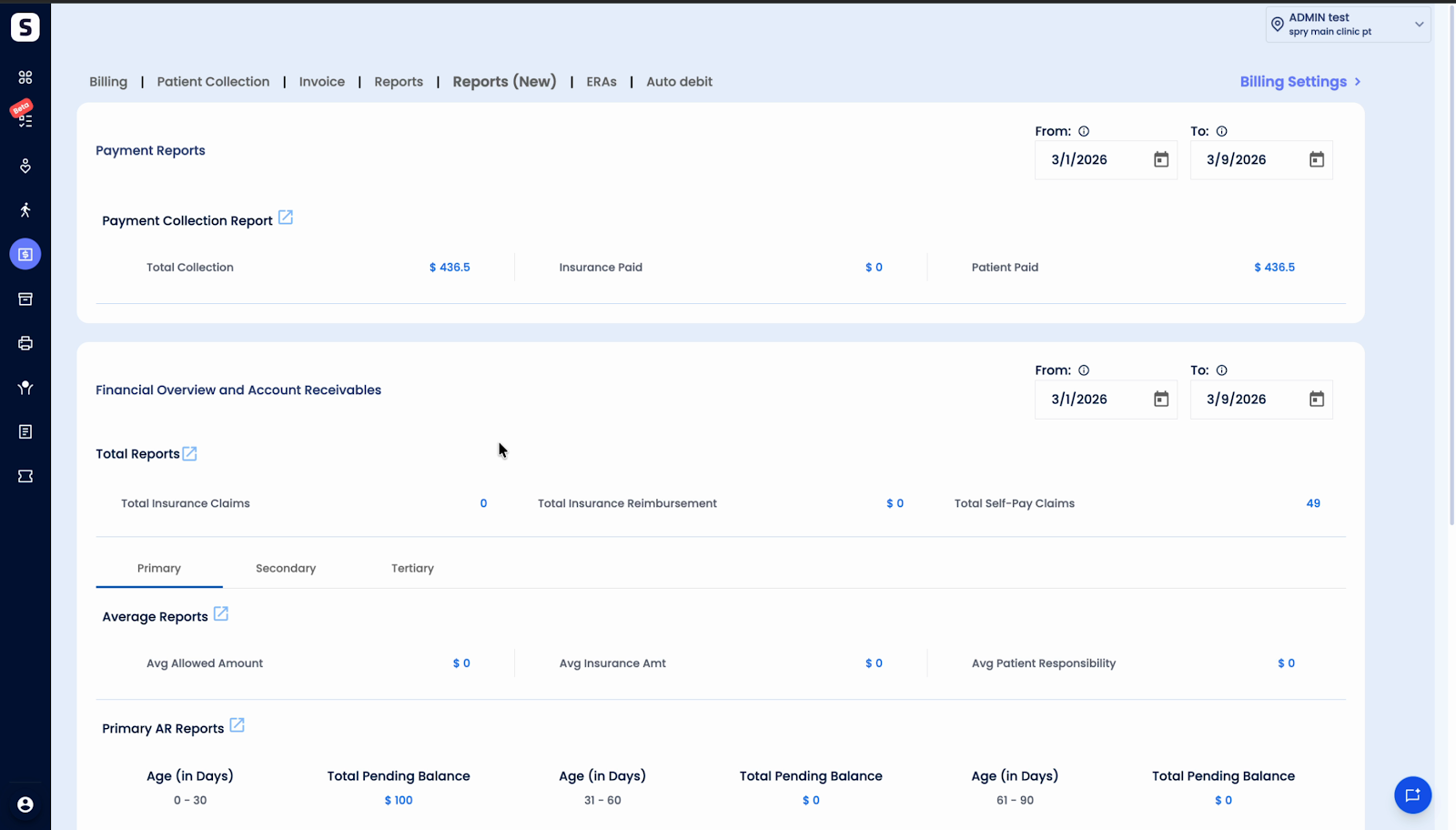
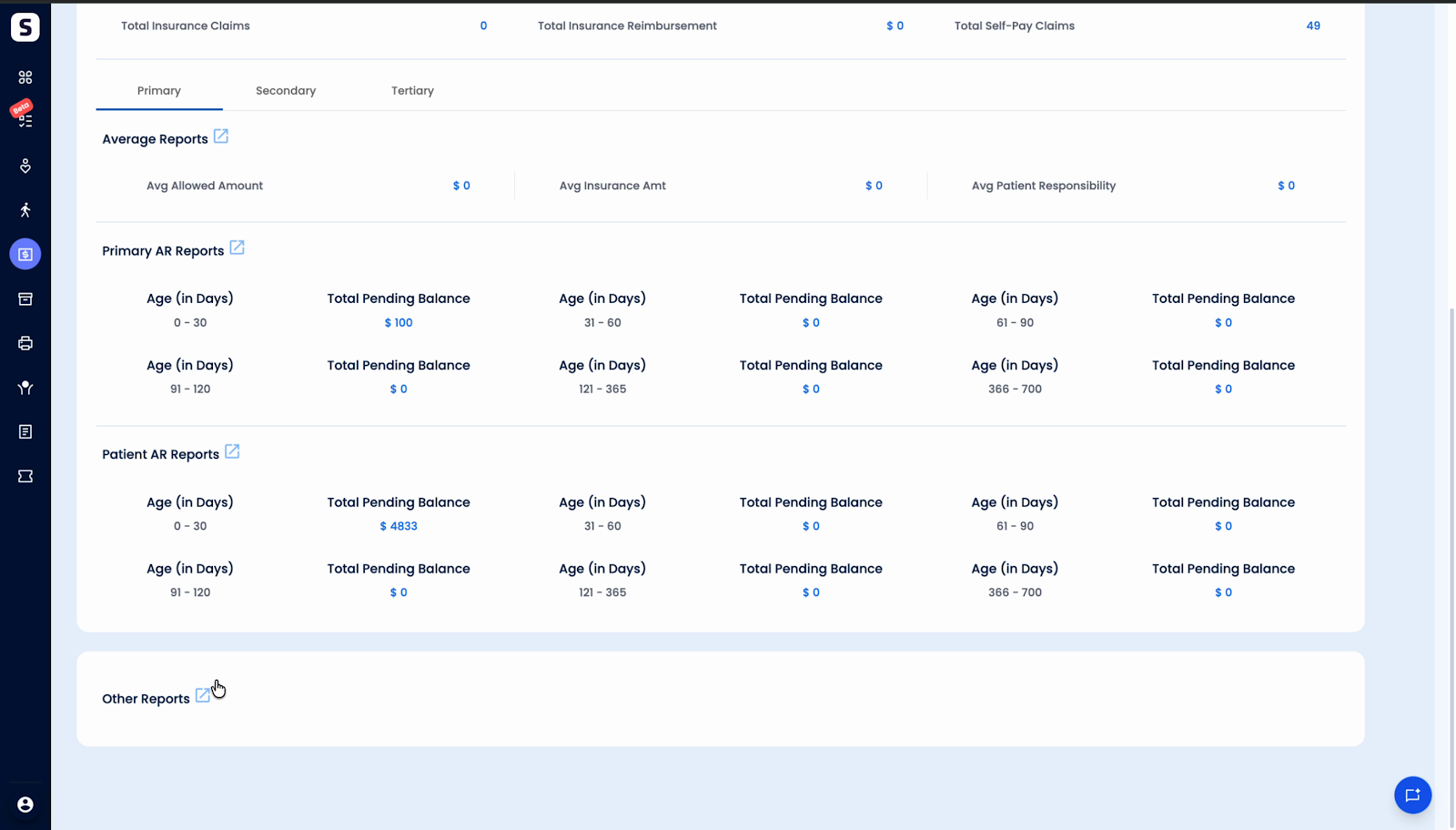
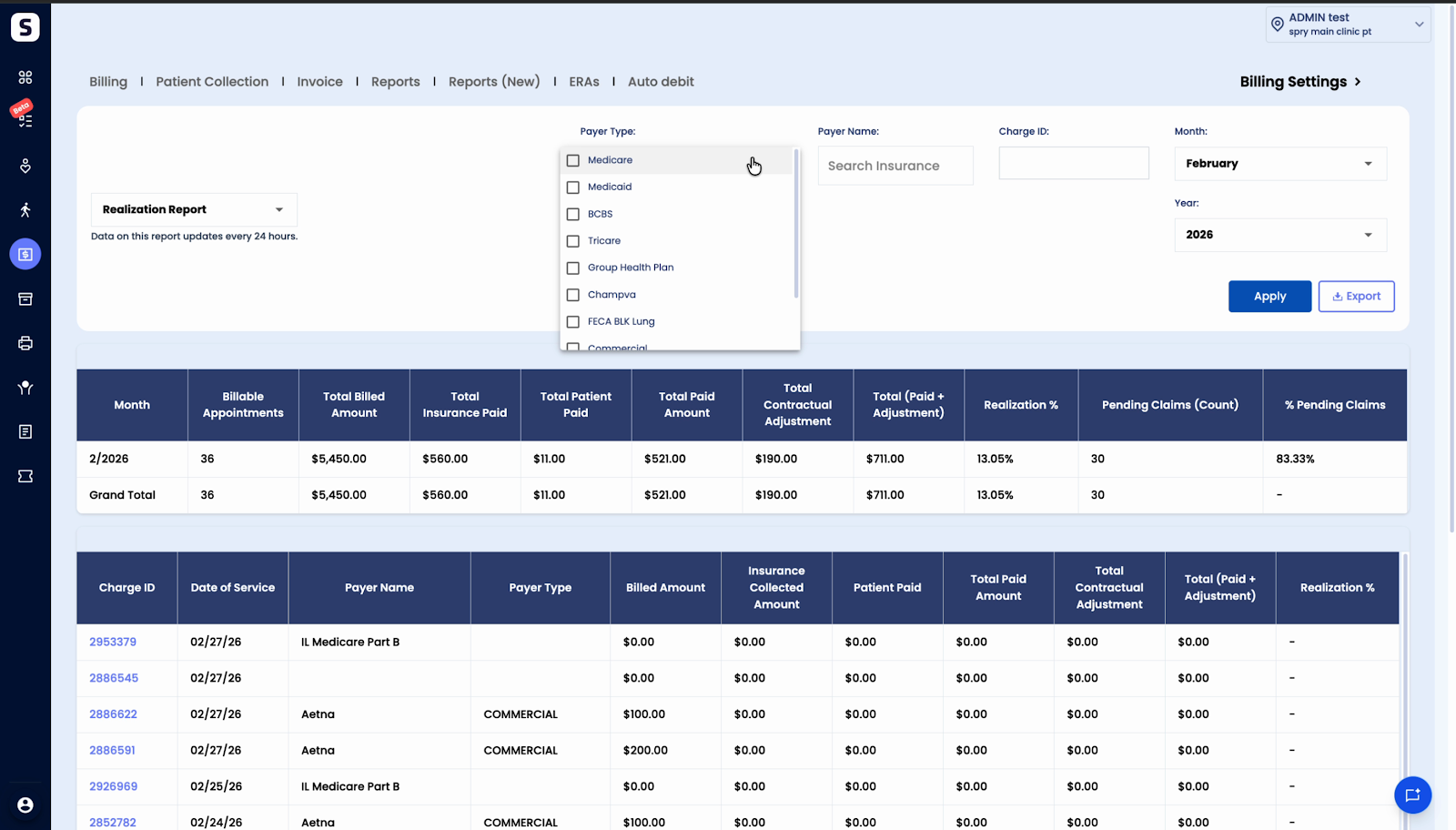
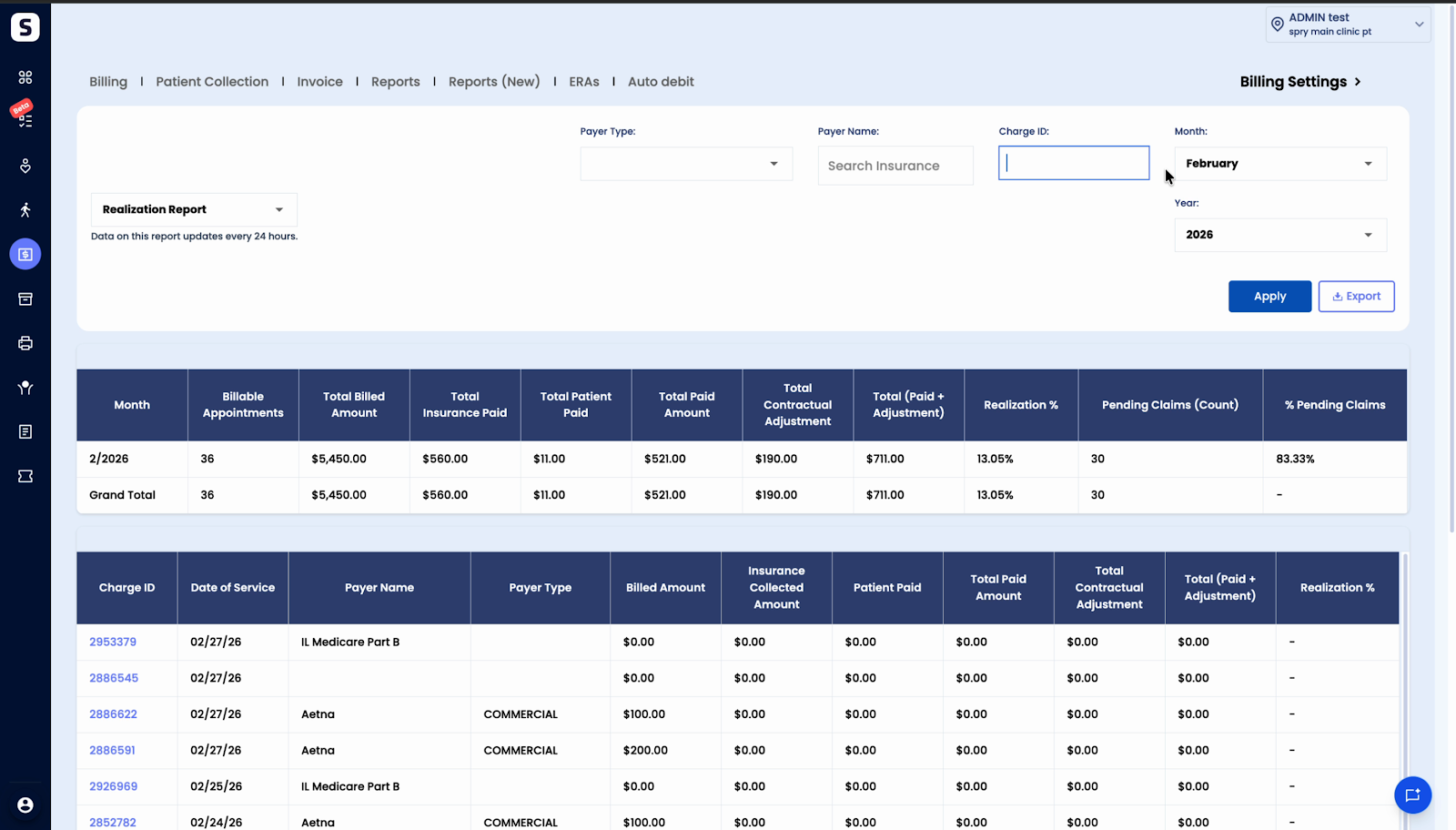
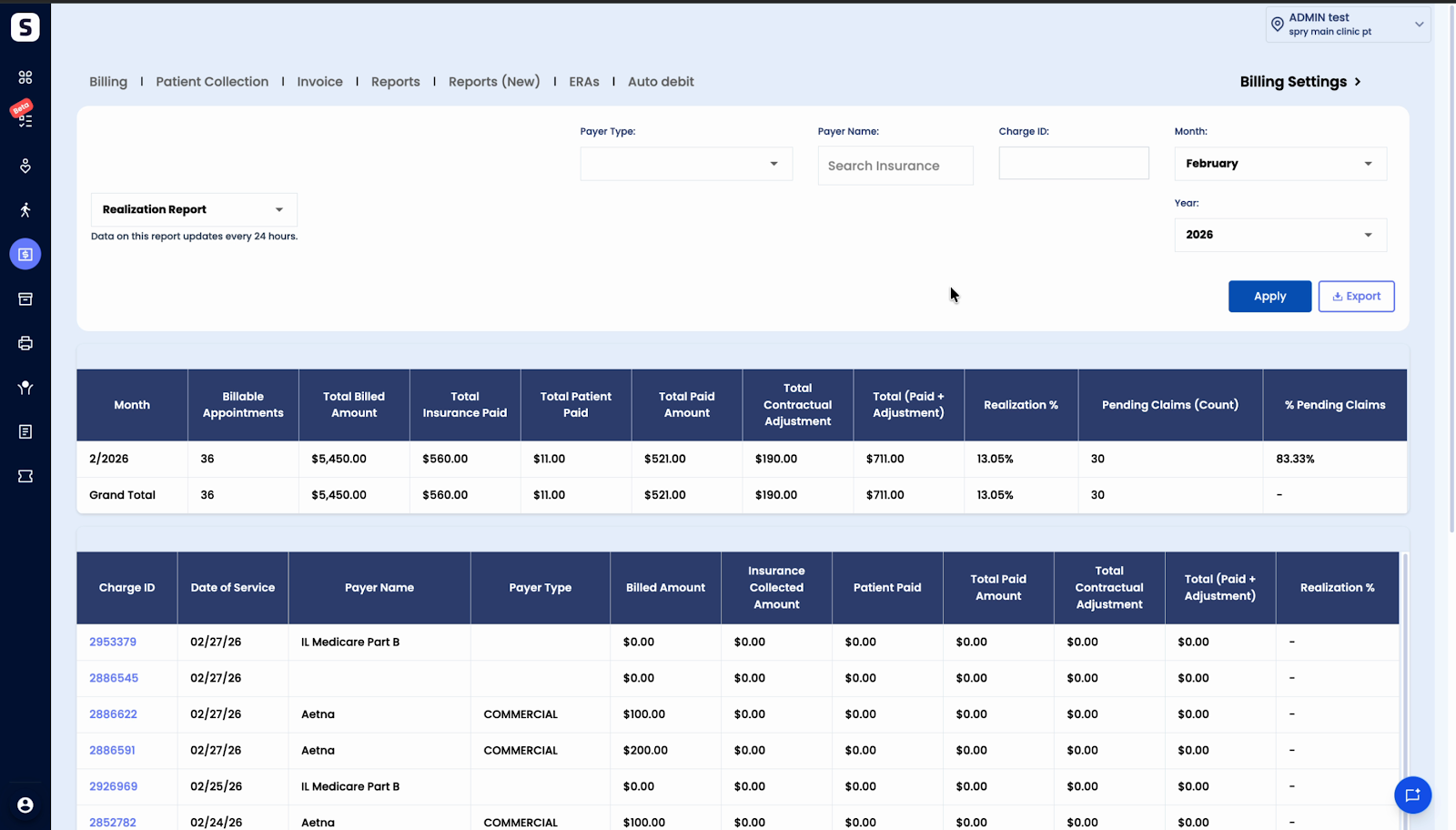
Step 2: View the high-level summary. At the top, see your monthly billing performance by date of service.
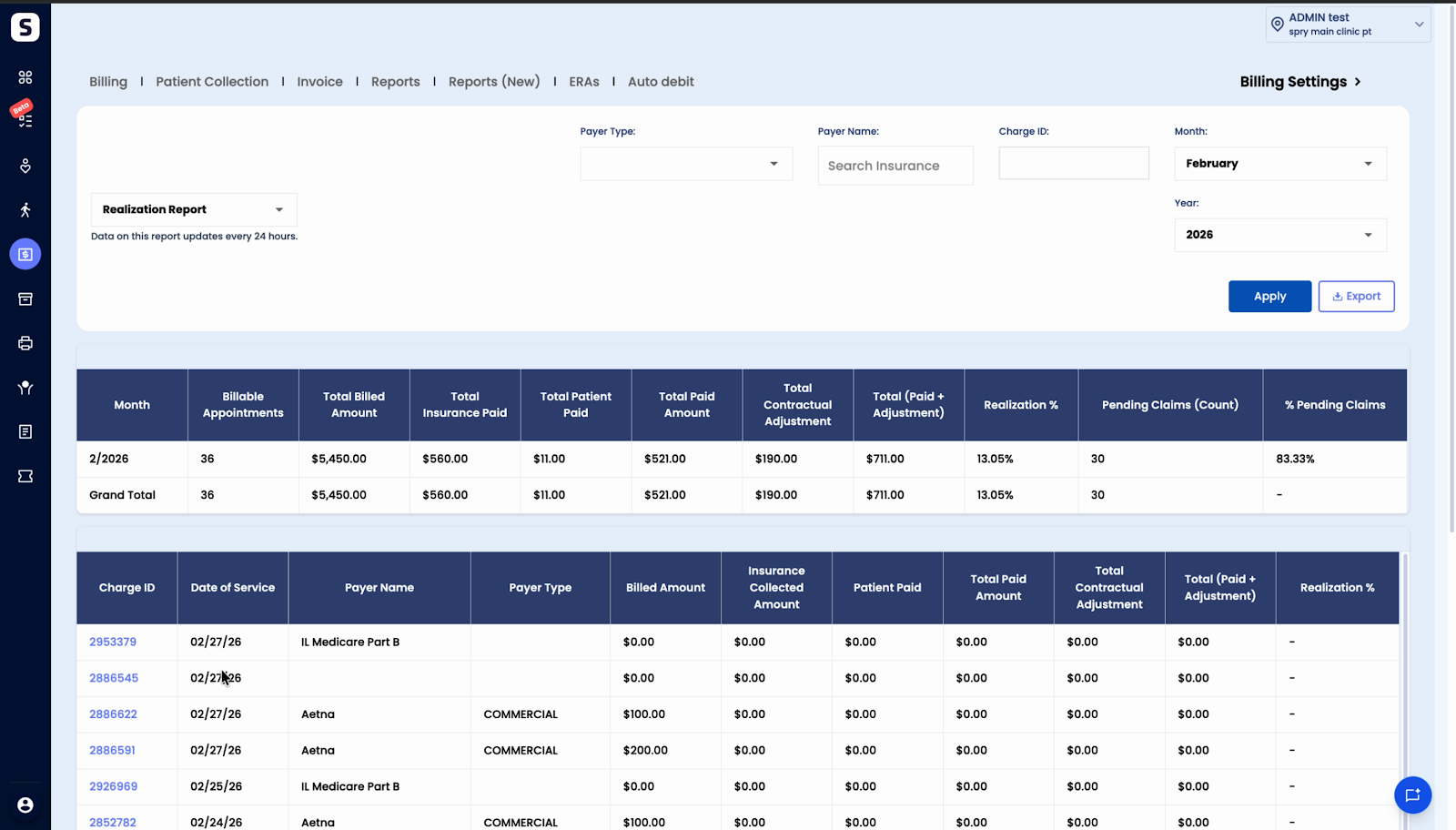
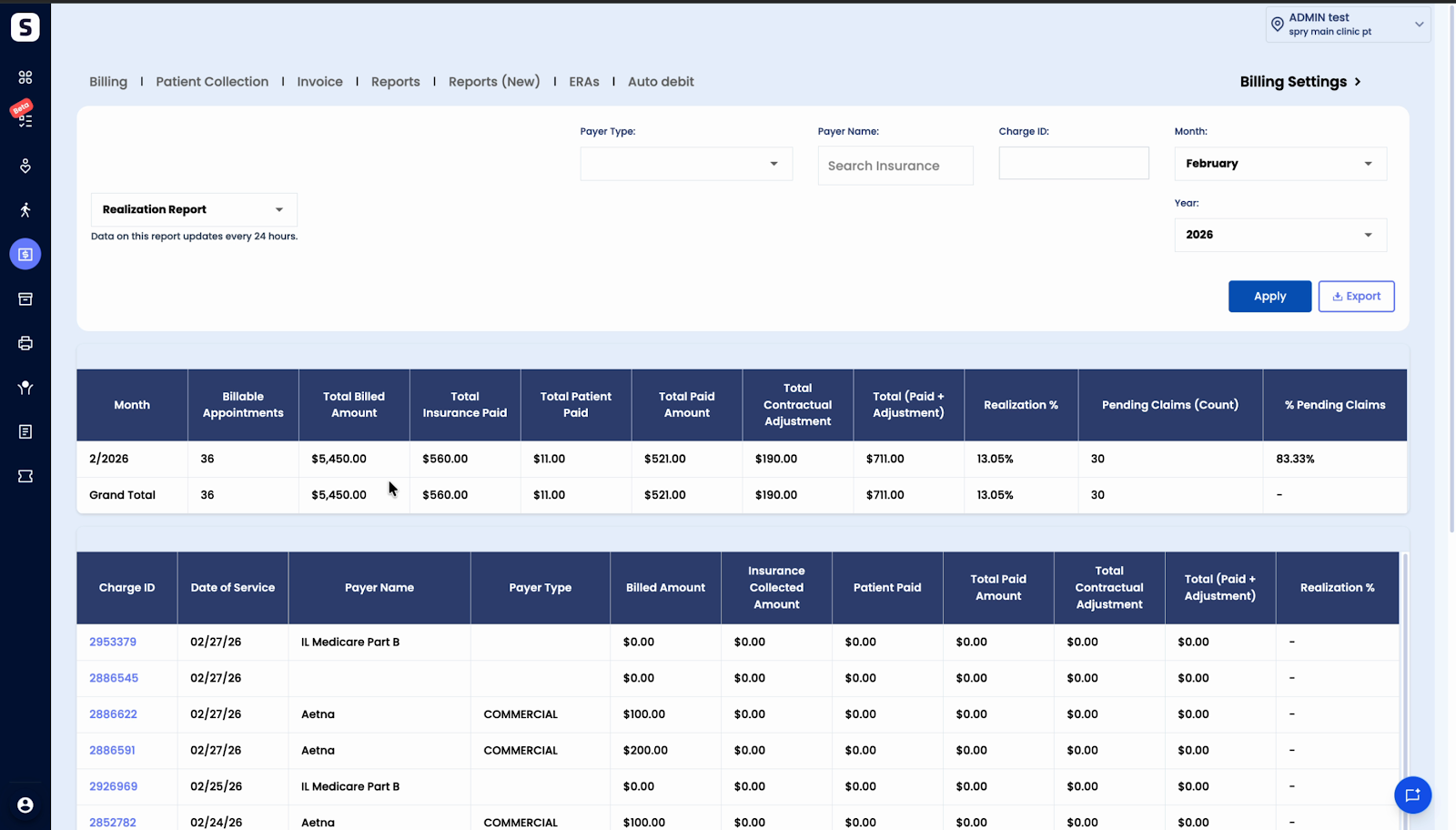
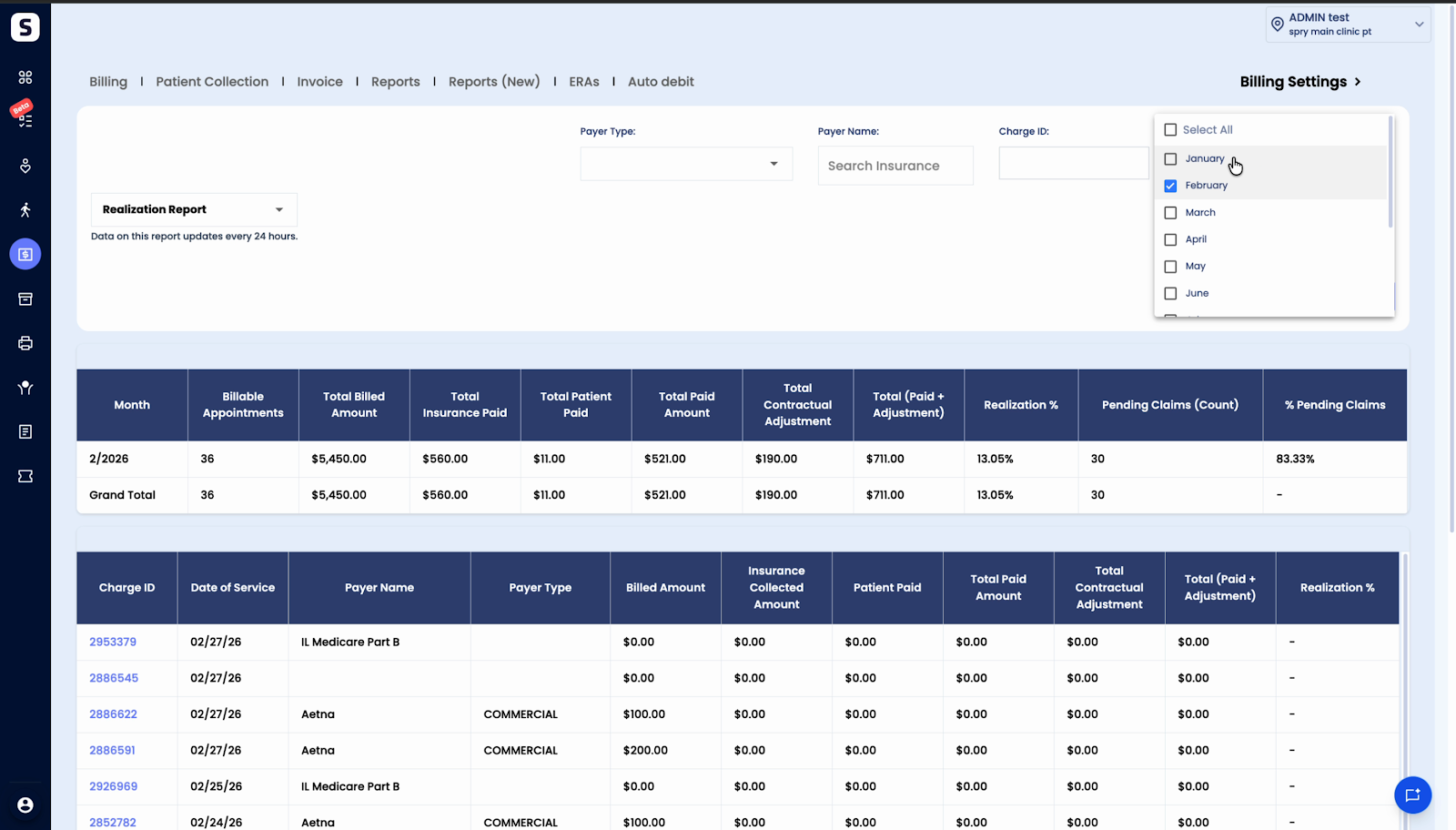
Step 3: Review metrics by month and year. Compare data across multiple months. Metrics include total appointments, total billable appointments, billed amounts, insurance payments, patient payments, total paid, contractual adjustments (insurance-only), total paid plus adjustments, and the realization percentage.
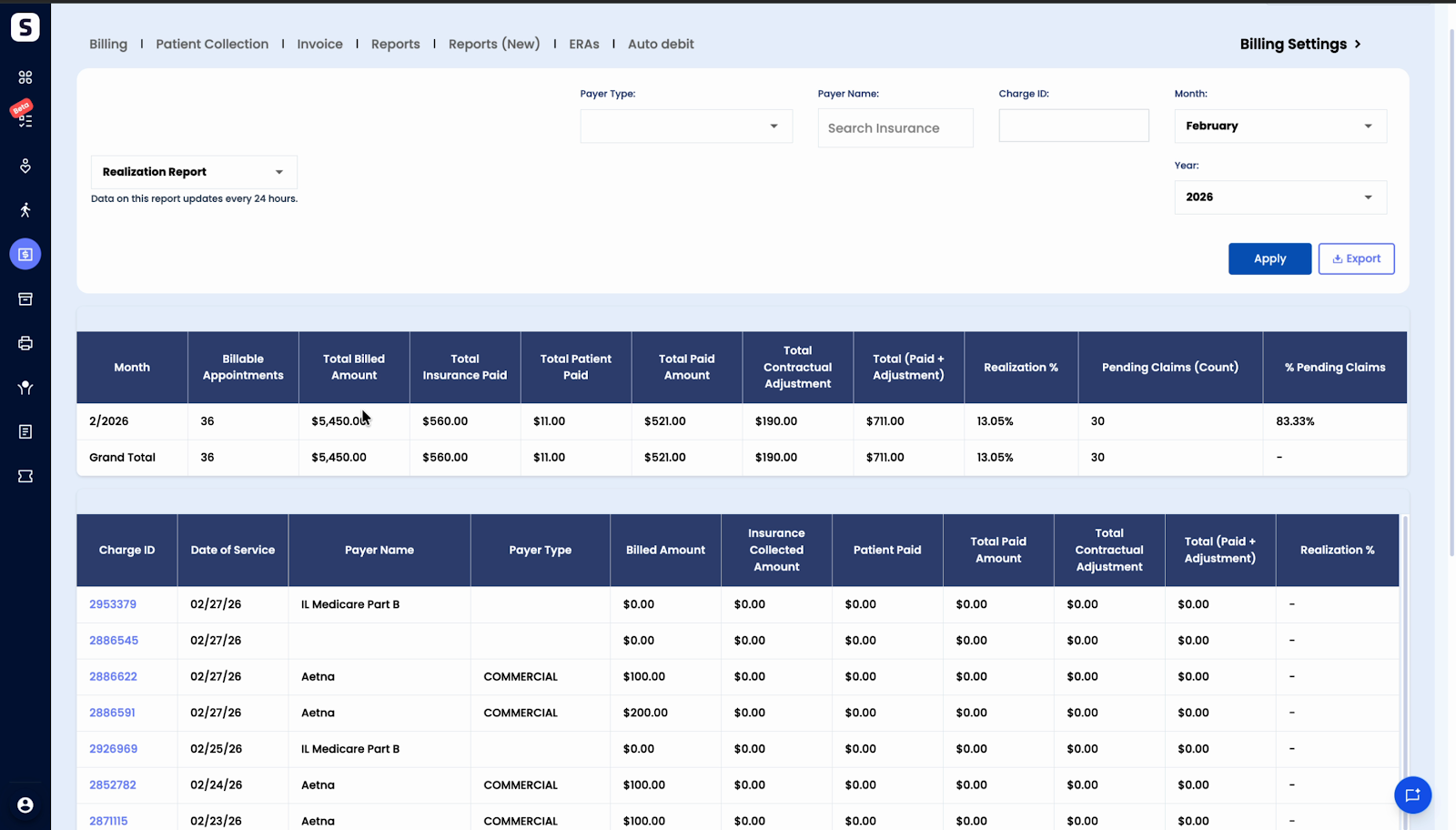
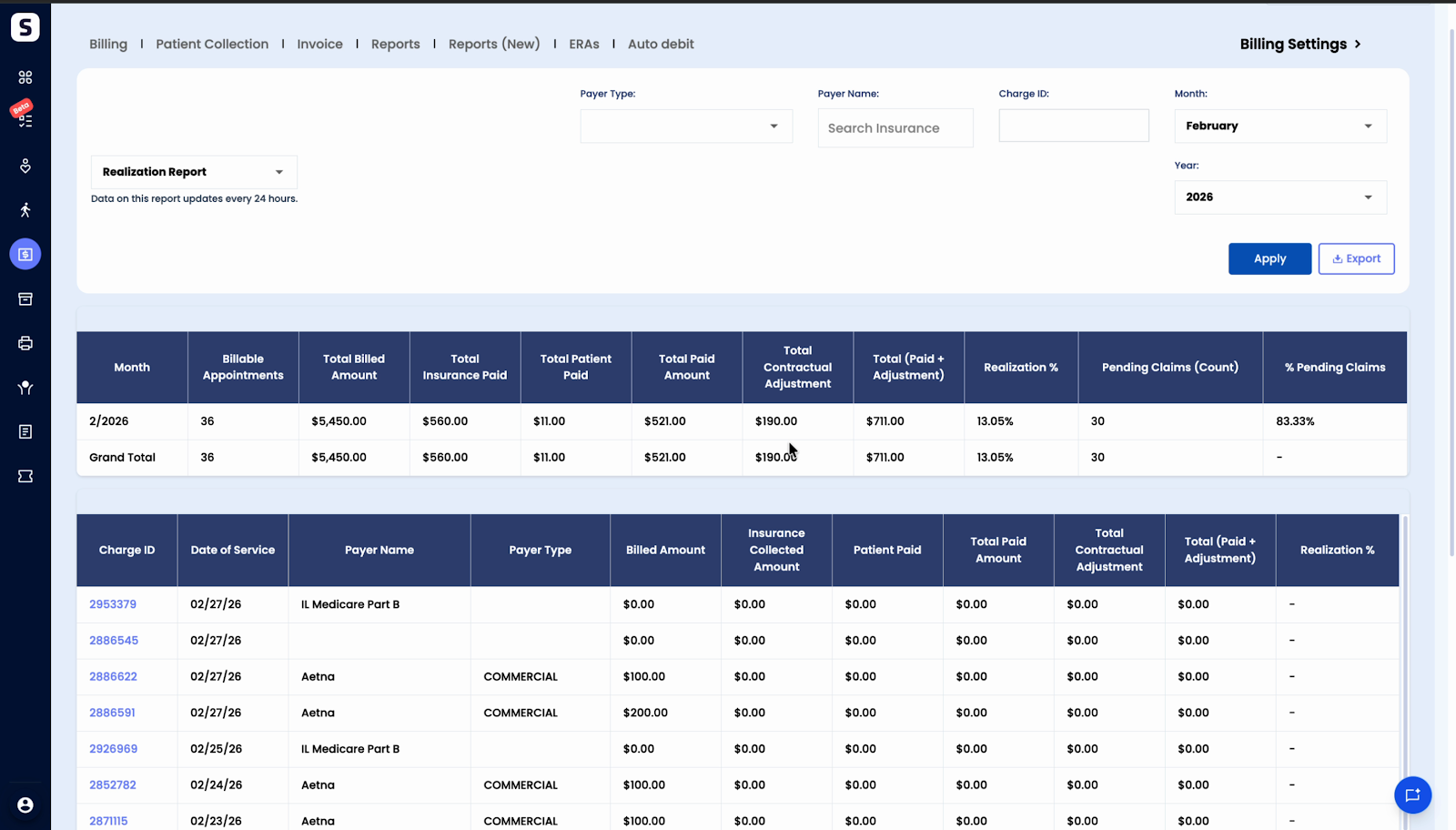
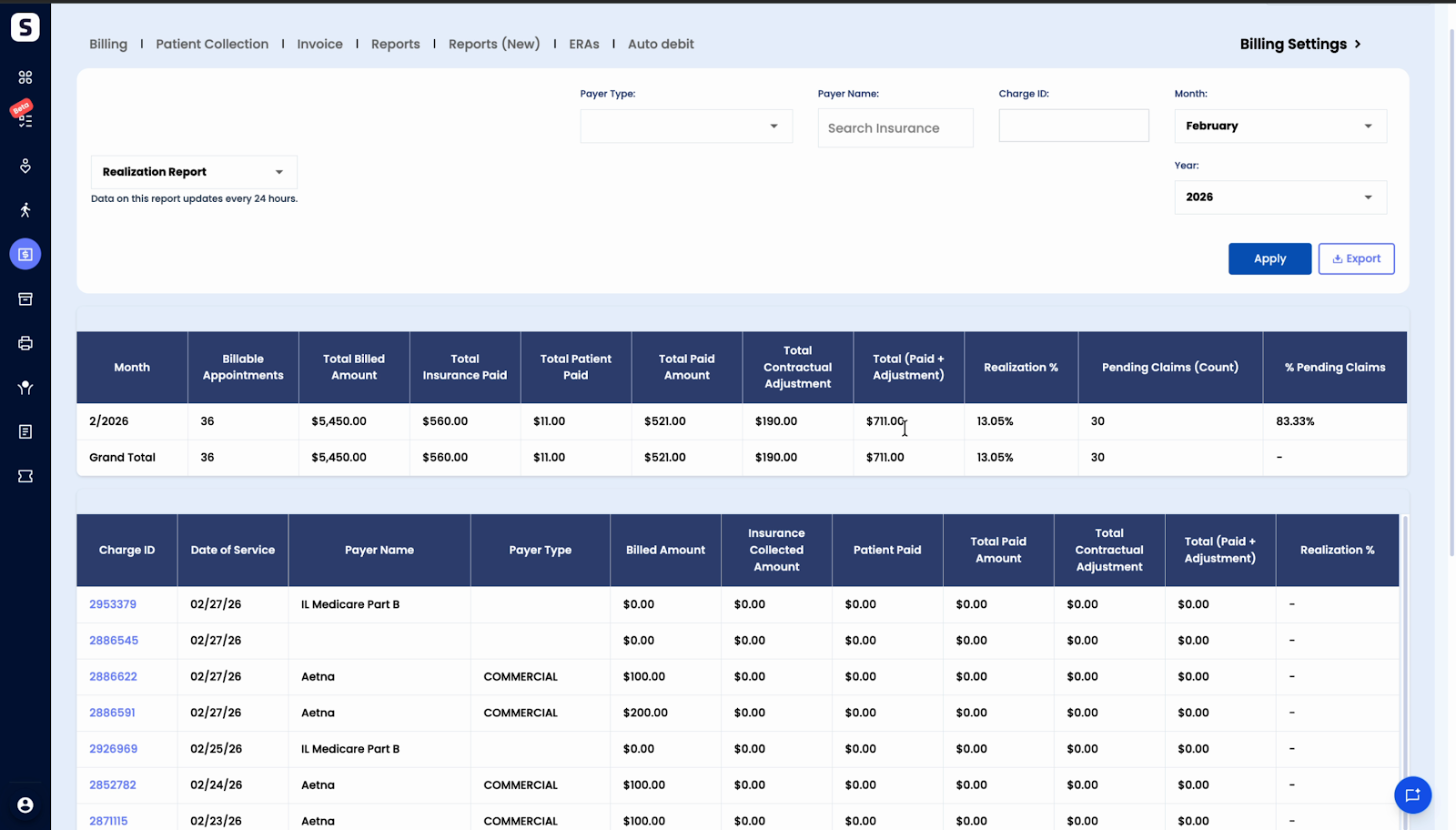
Step 4: Check pending claims for the selected months. Find out how many claims are still awaiting insurance processing.
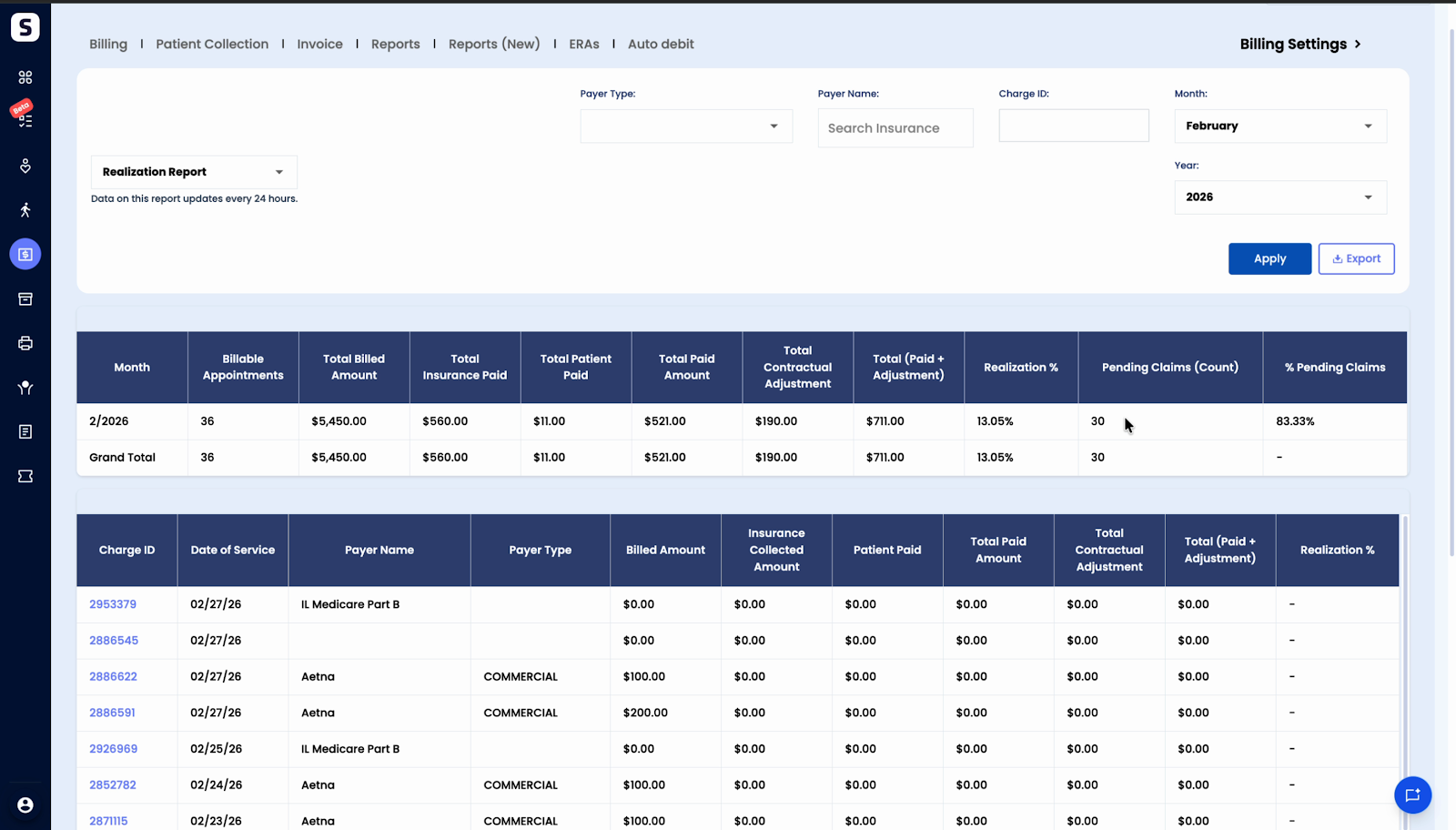
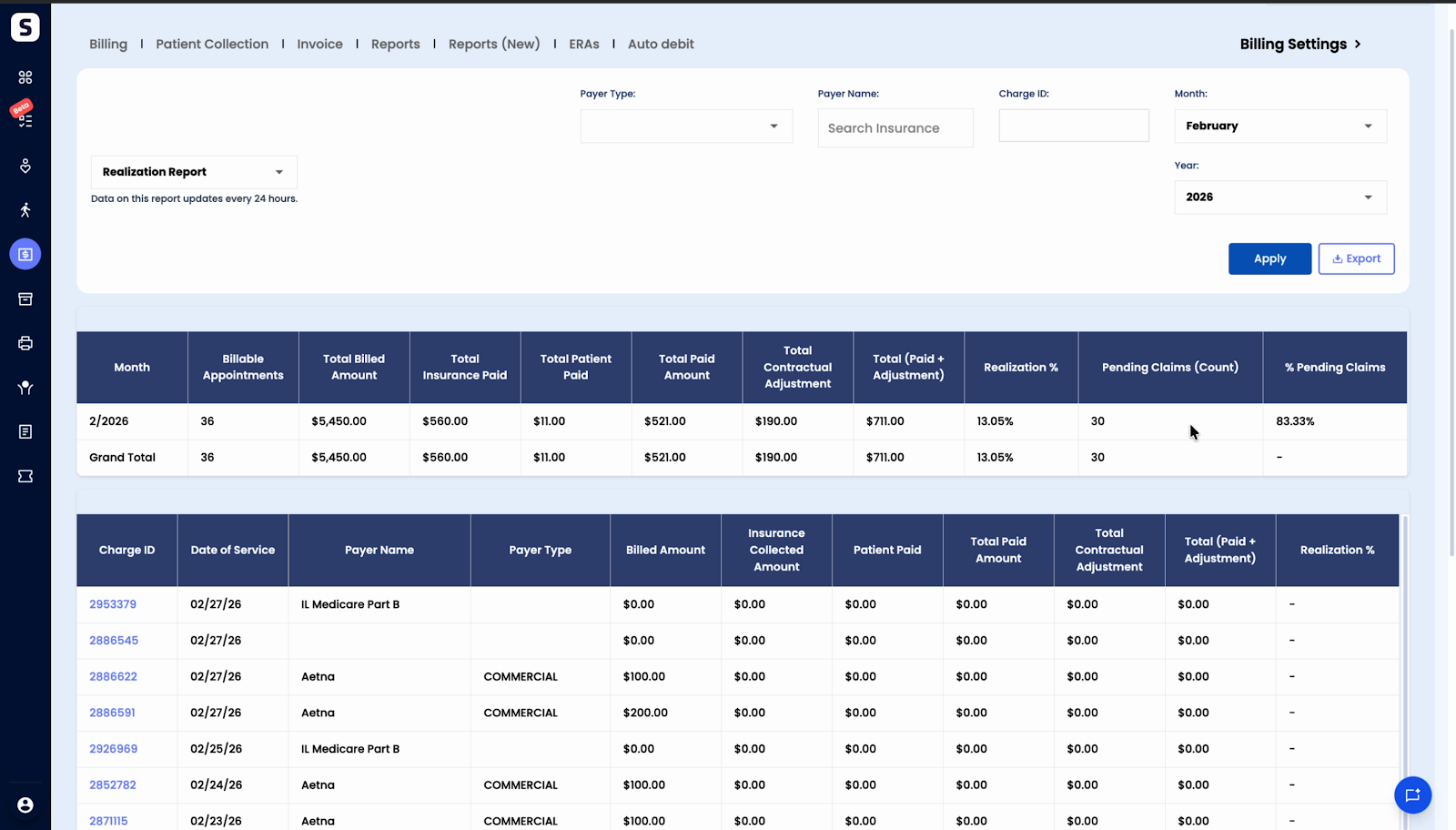
Step 5: Understand pending claim status. A "none" entry means there are no claims pending as bill, bill ready, or close status (applies to insurance claims).
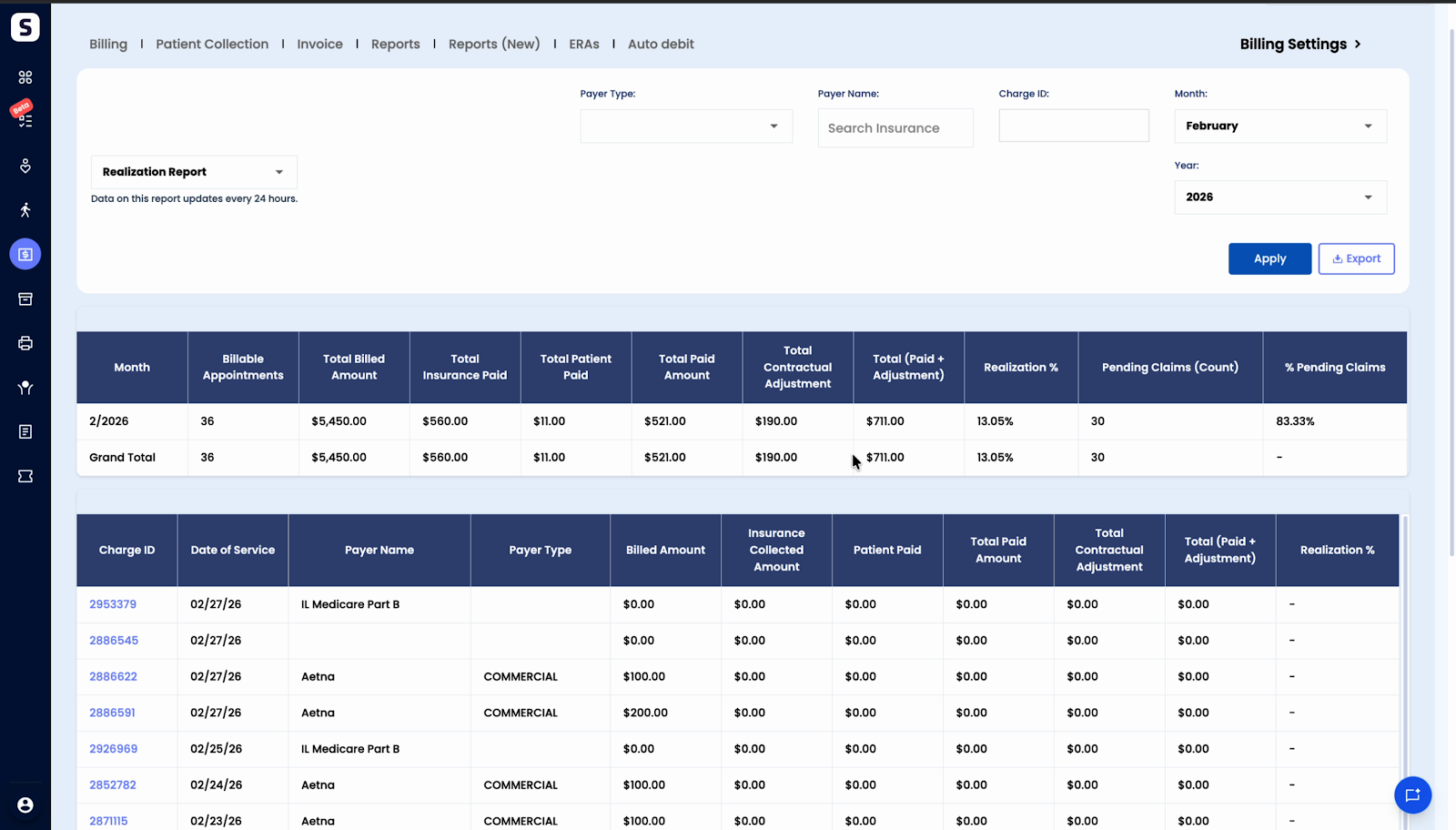
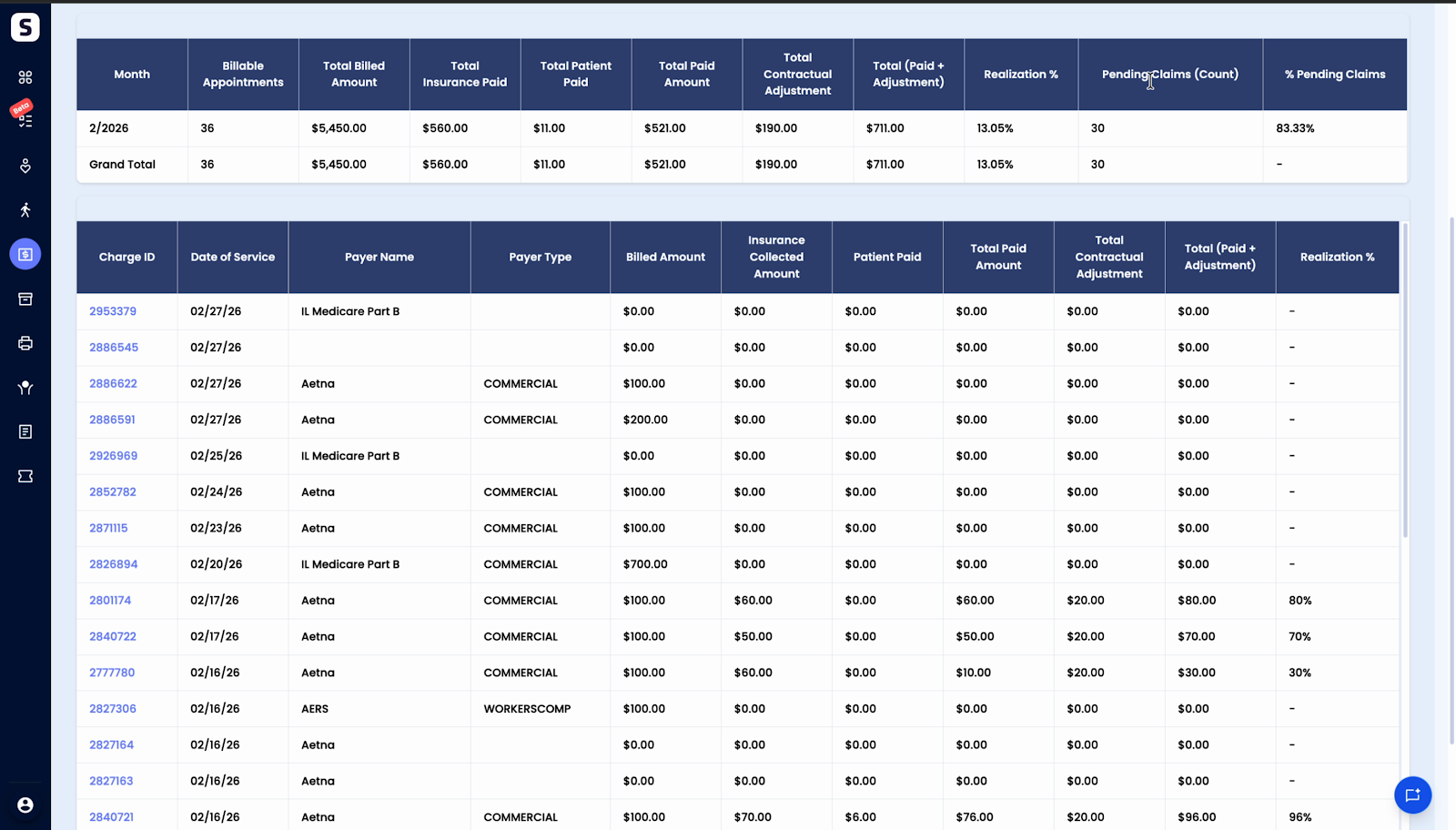
Step 6: Drill down to charge-level data. Beneath the summary, see details for each Charge ID: date of service, billed amount, payments, adjustments, and realization percentage. Use this to investigate specific charges.
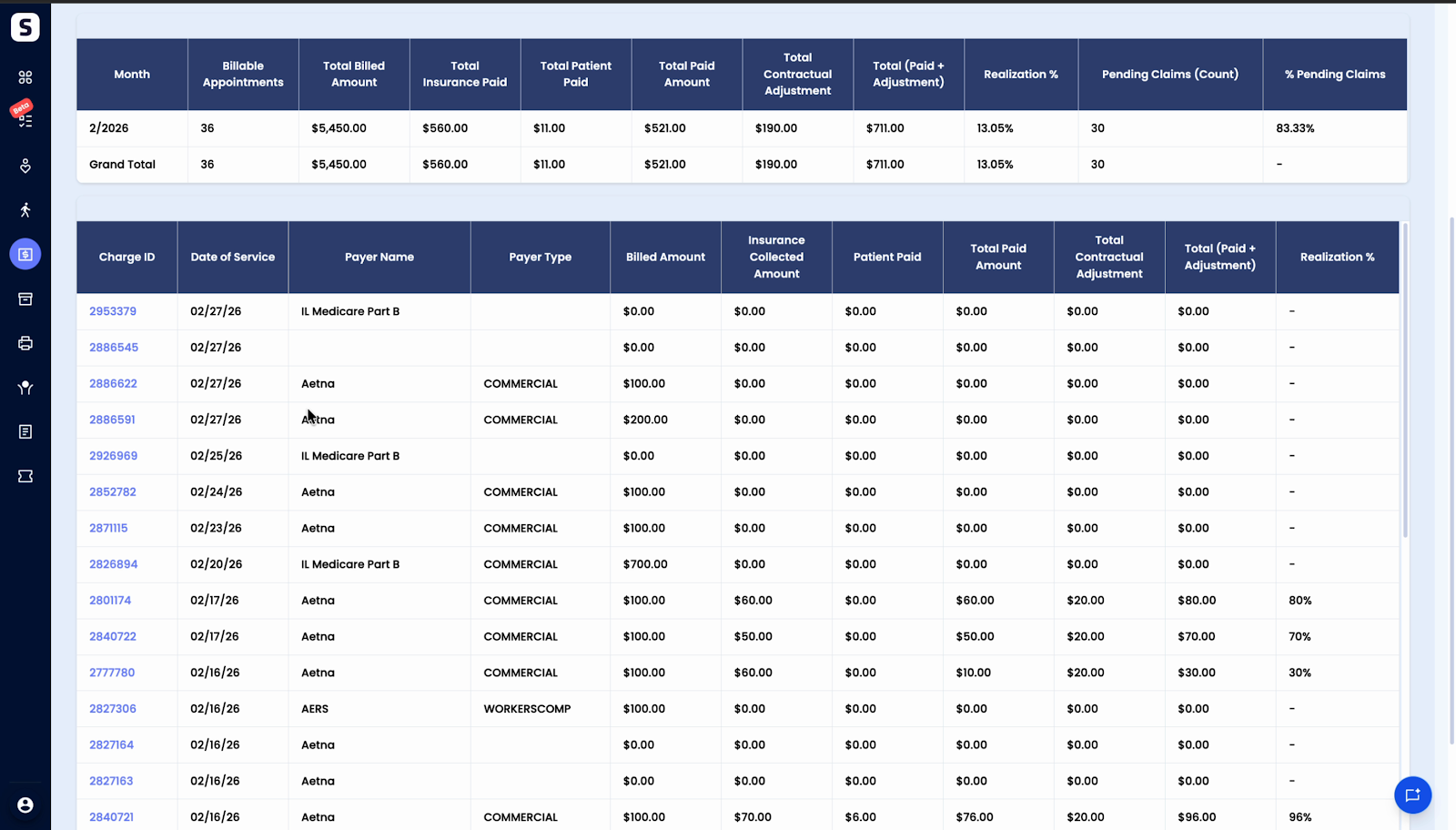
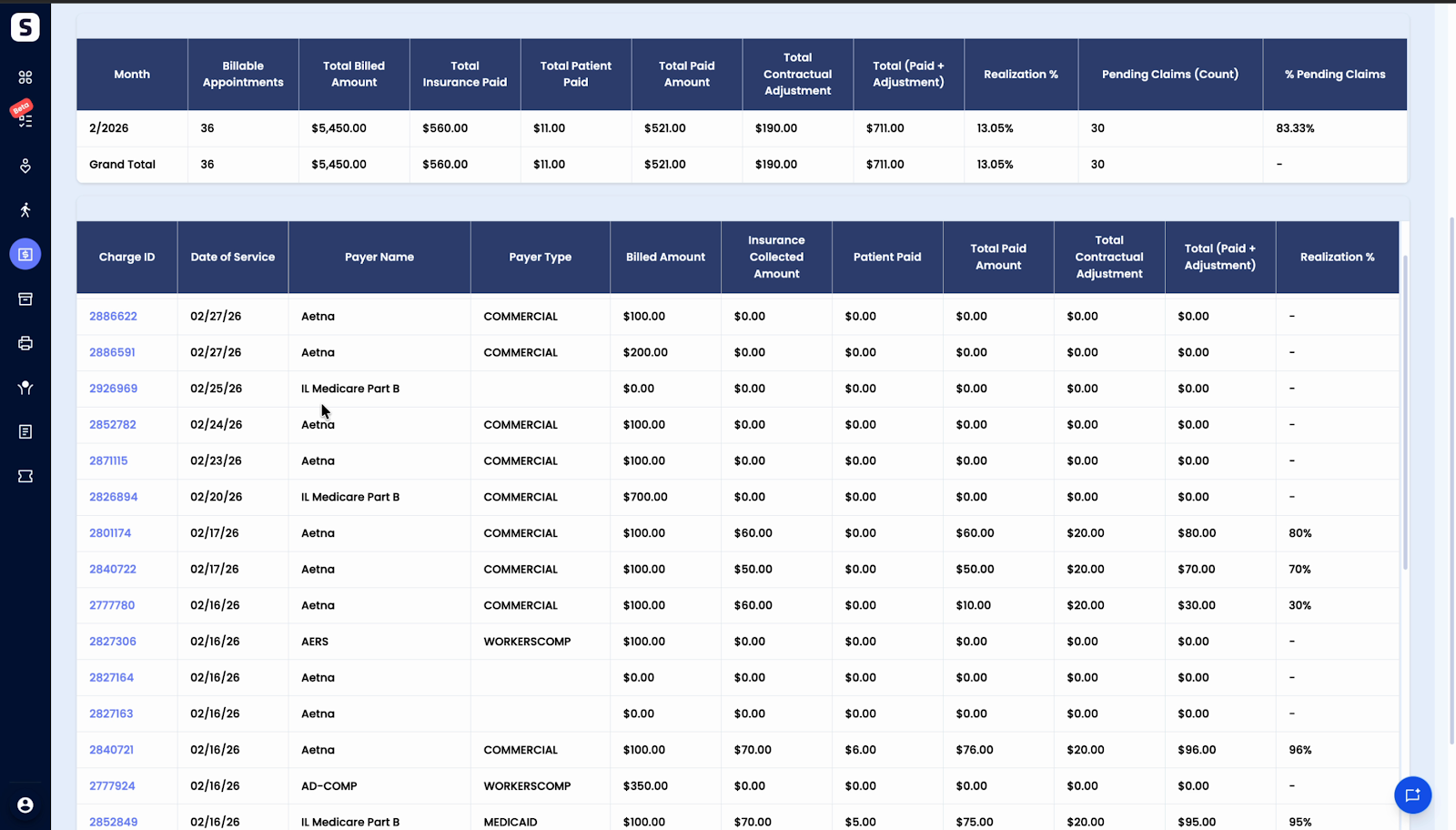
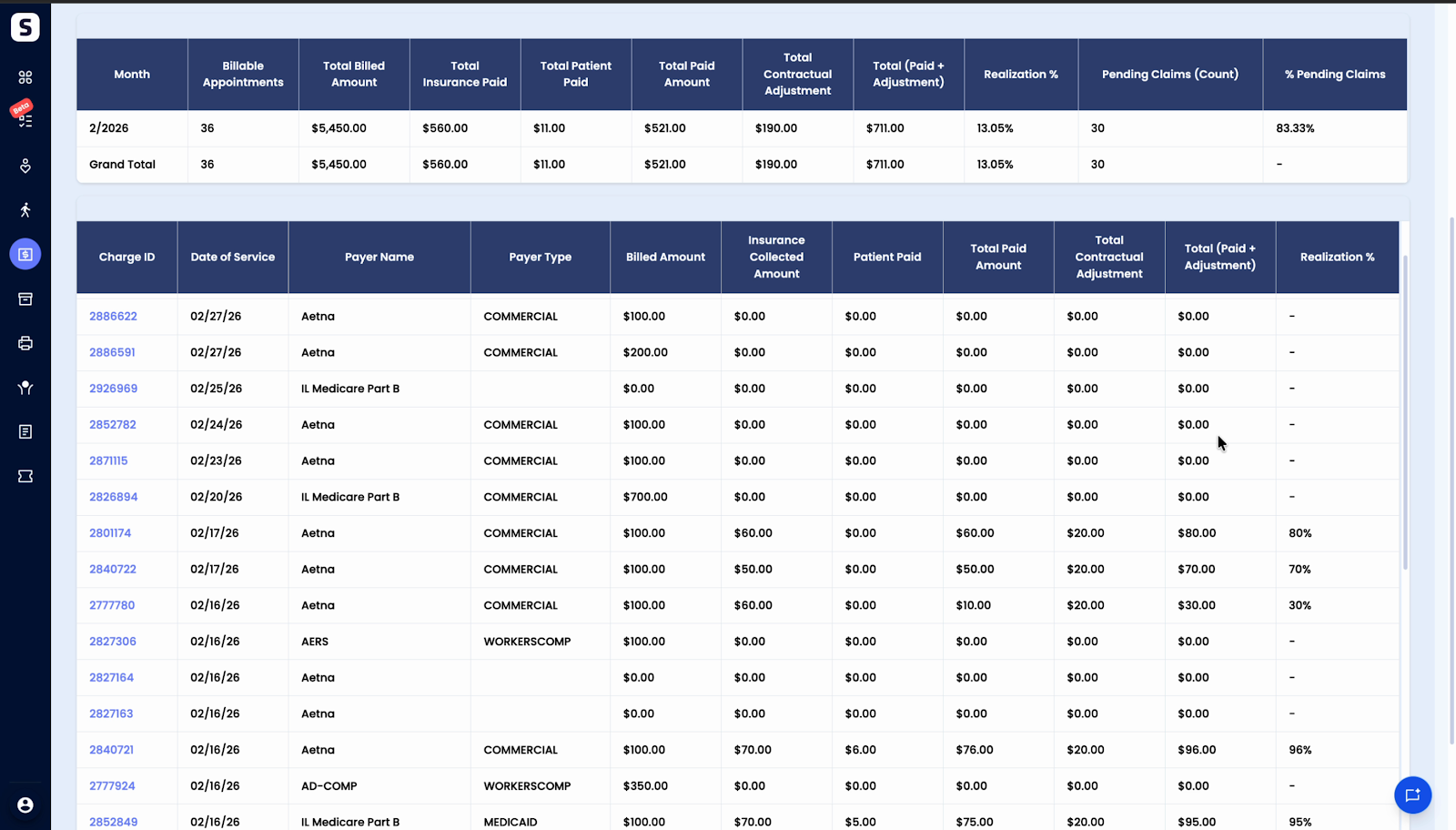
Step 7: Filter your data. Narrow the report by payer type, payer name, Charge ID, month, or year.
The Realization report gives you a transparent, standardized view of collections, adjustments, and pending claims—right within Spry.
Stay on top of your billing trends and empower your team to investigate and optimize revenue cycle performance with this insightful reporting tool.