
NPS Feedback Workflow for Clinics
This article will guide you through the process of using the NPS Net Promoter Score Feedback workflow, a tool designed to enhance your clinic's online presence and provide valuable insights for internal improvement.
Step 1: After a patient has attended a pre-set number of appointments, the clinic automatically sends them an email.
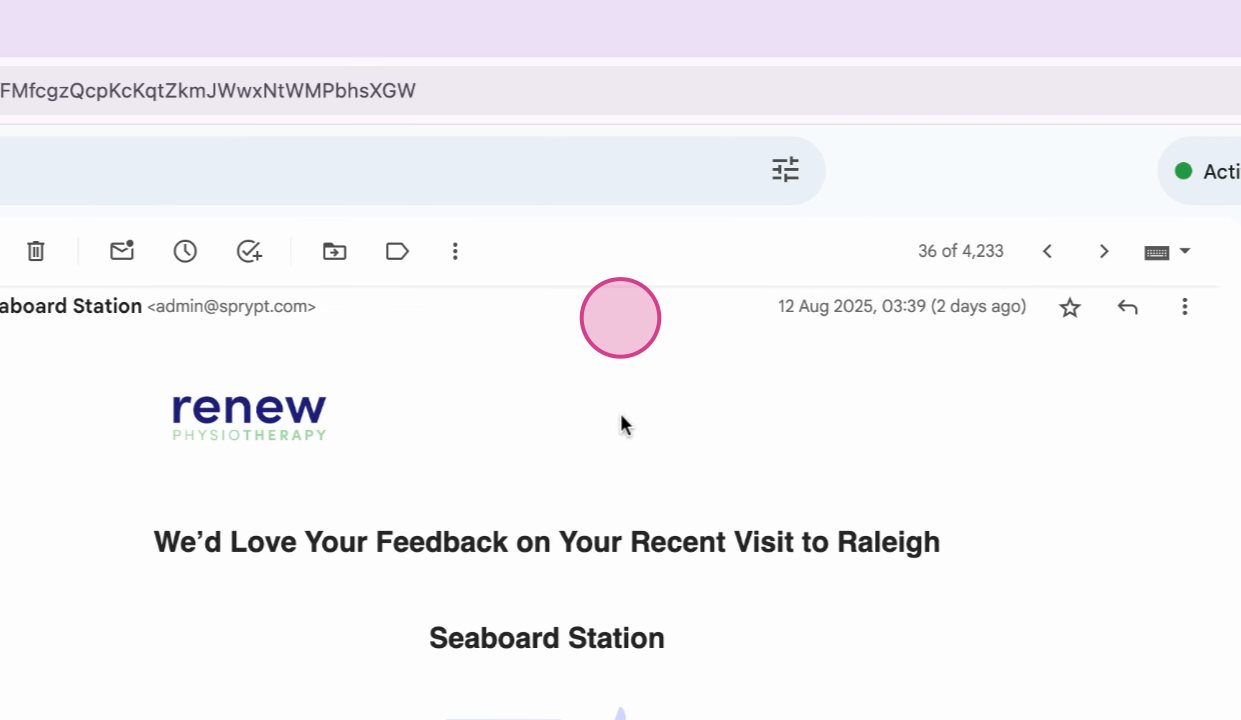
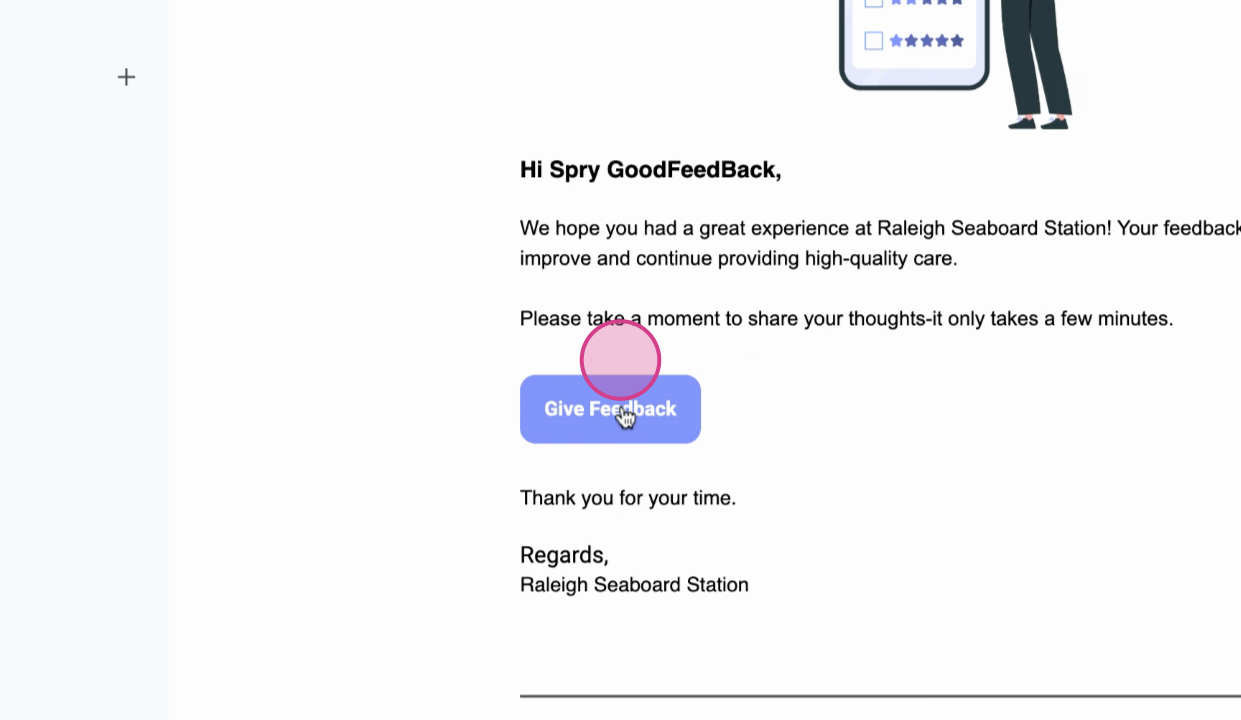
Step 2: The email prompts the patient to rate their experience using a simple NPS scale. To provide feedback, click on the feedback button.
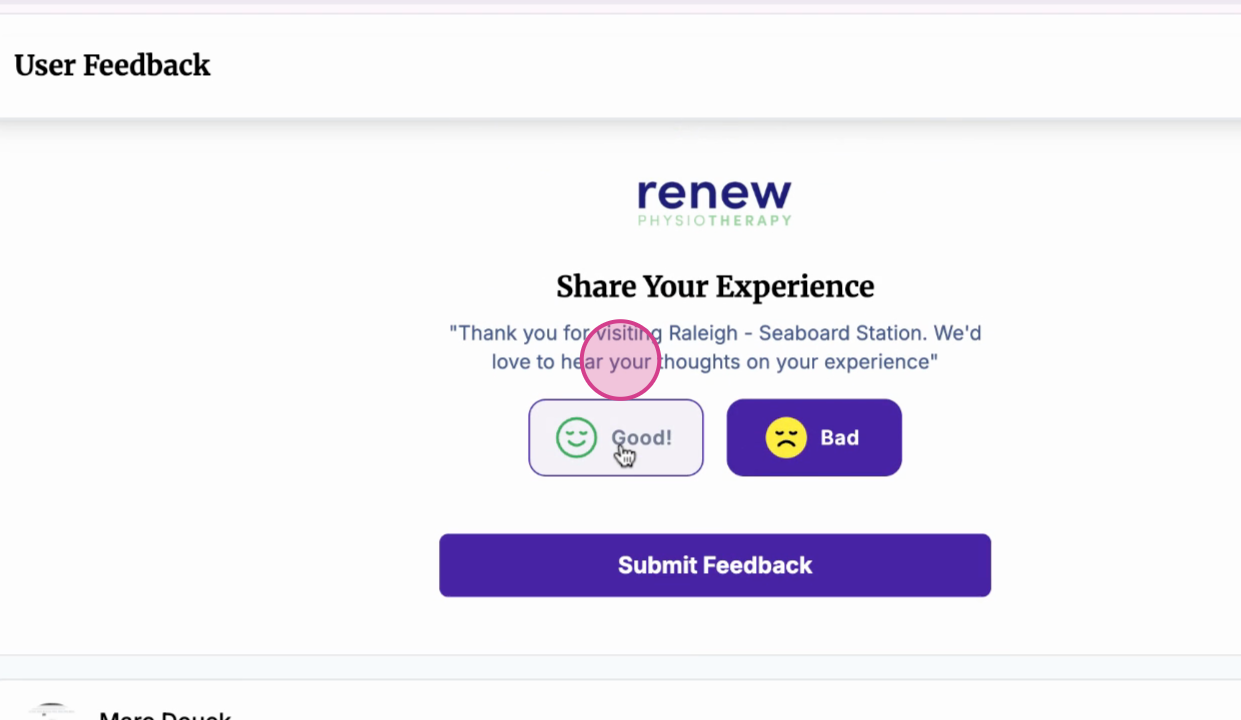
Step 3: If the feedback is negative or neutral, the workflow redirects the patient to a feedback form.

This process ensures that the clinic hears any concerns without impacting its public reputation, and it provides actionable insights to improve services.
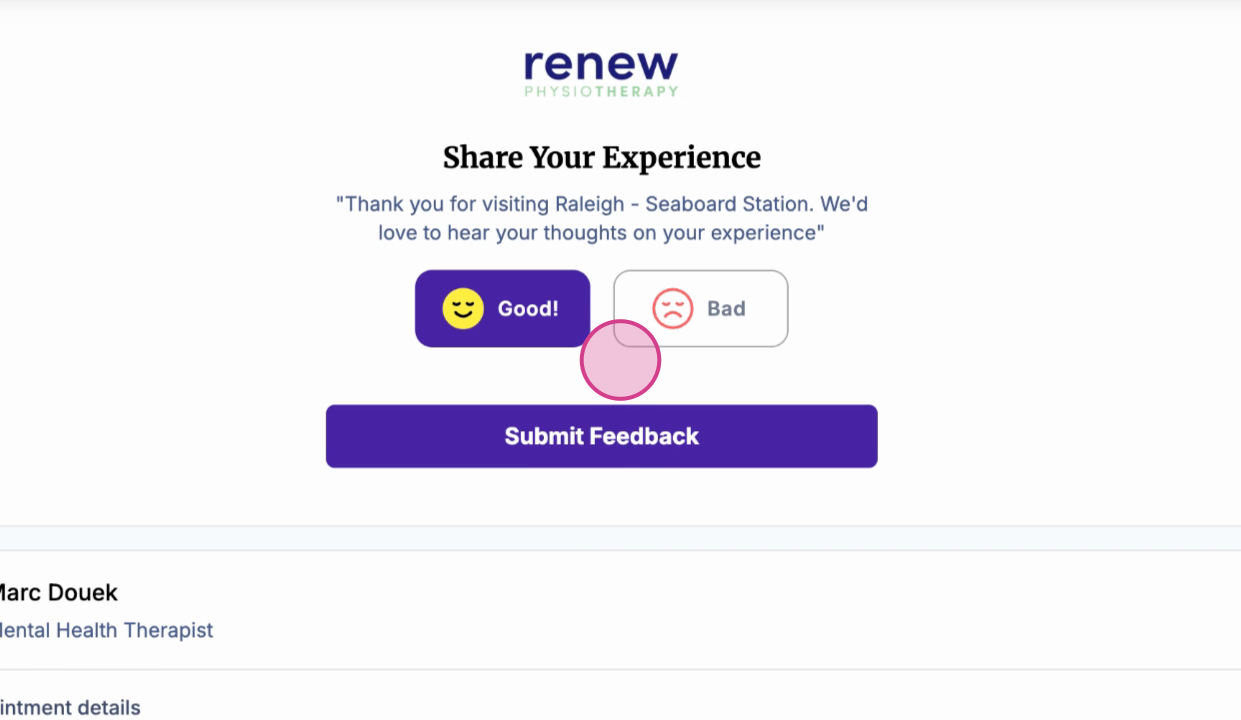
Step 4: After completing the feedback form, click on the Submit feedback button.
Step 5: If the feedback is positive, the workflow guides the patient directly to the clinic's Google review page, showcasing their positive experience to the public.
Step 6: After clicking on Submit feedback, you're redirected directly to a Google review page.
Thank you for participating in this process. Your feedback is invaluable in helping us improve our services.