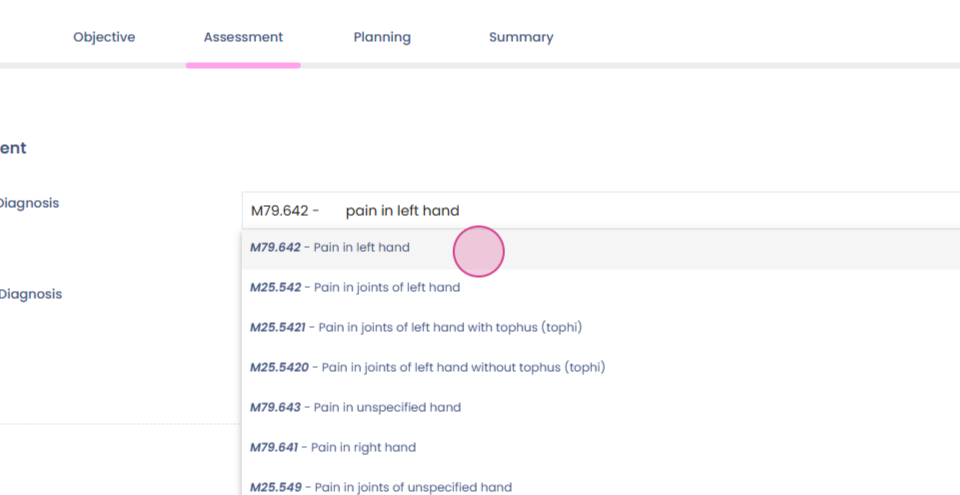
Add ICD Codes in SOAP
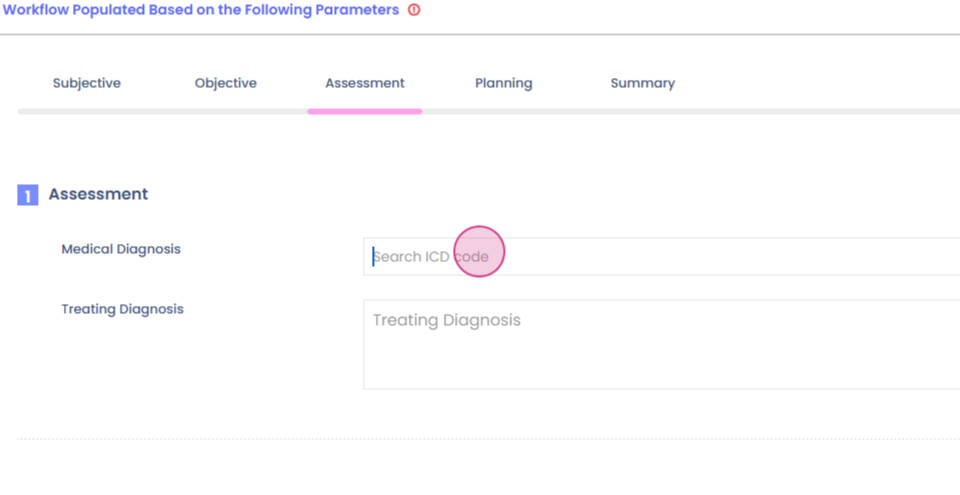
This guide provides a walkthrough of the improved ICD search feature, which allows for faster and more efficient searching of NICD code sets. The feature includes options to search by code, description, and even corrects for spelling errors. Start by searching using the code:
Step 1: Enter the desired code into the search bar.
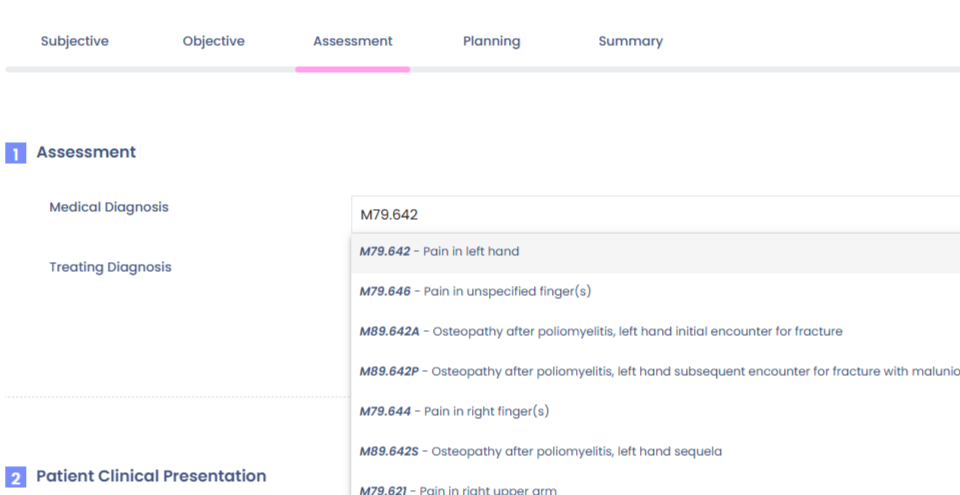
Step 2: View the results that match the entered code.
Alternatively, search using a description:
Step 1: Type the description into the search bar.
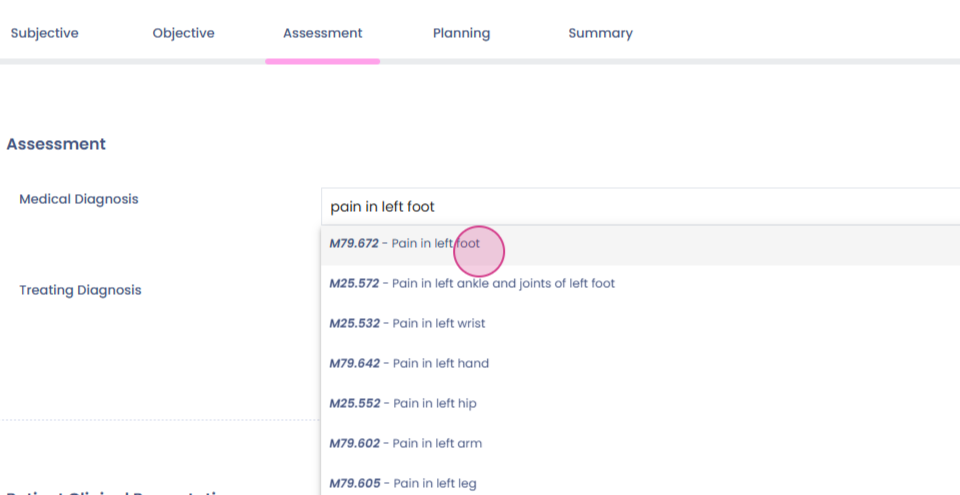
Step 2: Even if the spelling is incorrect, the search feature will suggest the correct description from the dropdown menu.
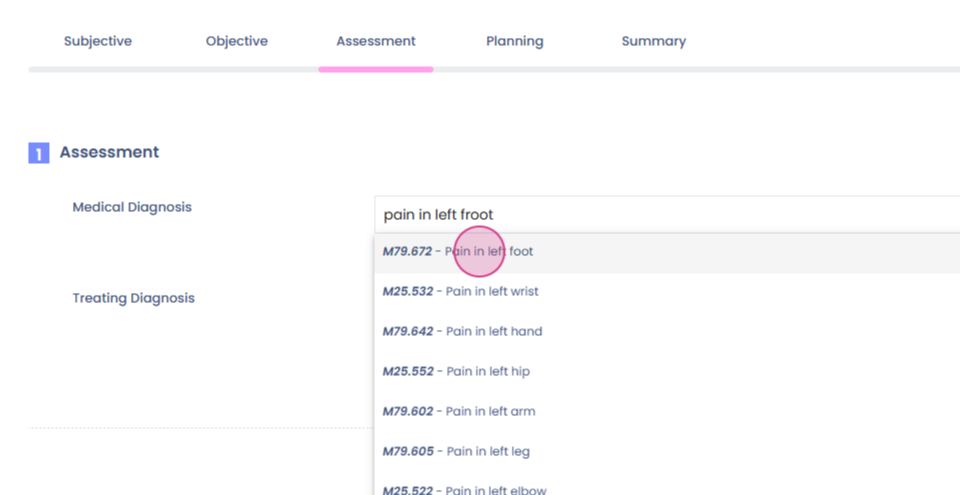
The search feature also allows for a combination of code and description:
Step 1: Enter the code and description into the search bar.
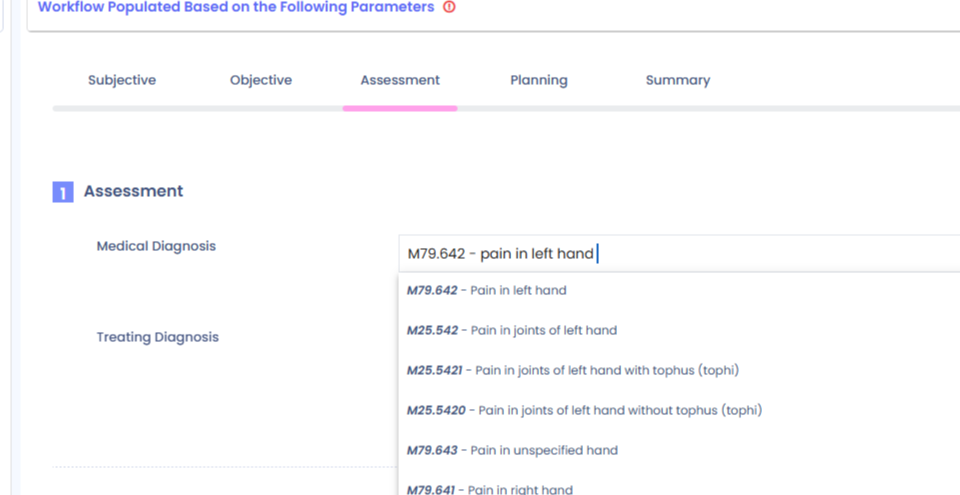
Step 2: Even if there are errors such as extra spaces, dots, or colons, the search feature will still provide the correct results.
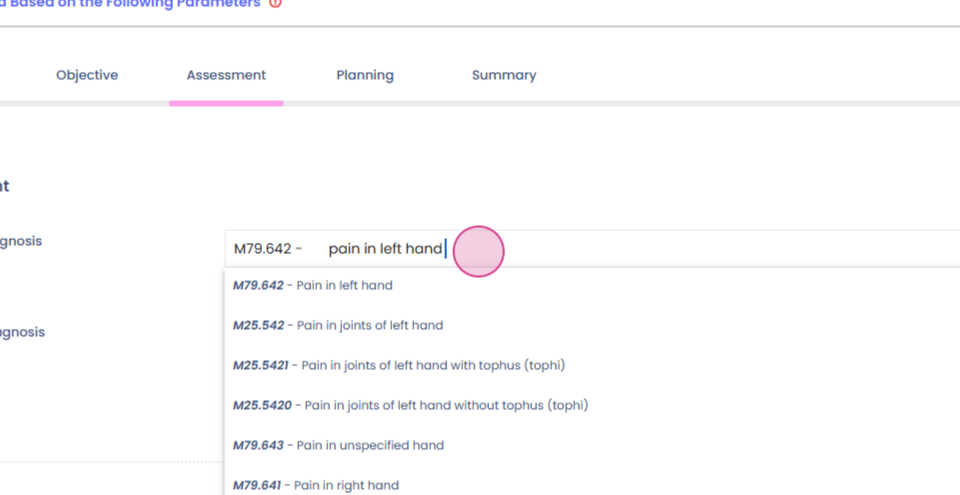
Step 3: View the correct results from the dropdown menu.