
Partial Payment Feature Setup
How to Enable the Partial Payment Option in the Patient Portal
The partial payment option lets patients pay a portion of their invoice instead of the full amount at once. Set up this feature in your billing settings to give your patients more flexibility and improve payment collections.
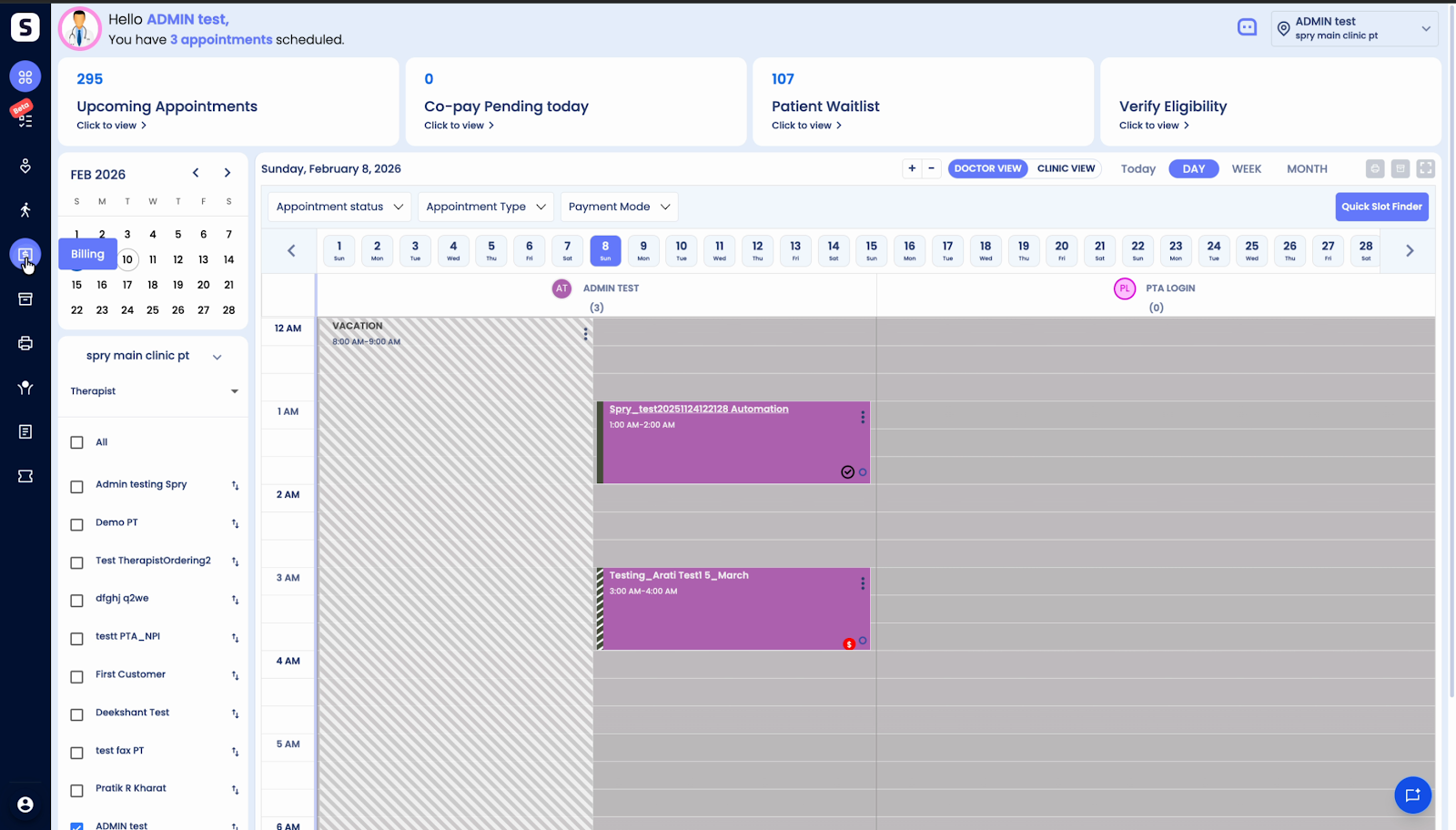
Step 1: Go to Billings.
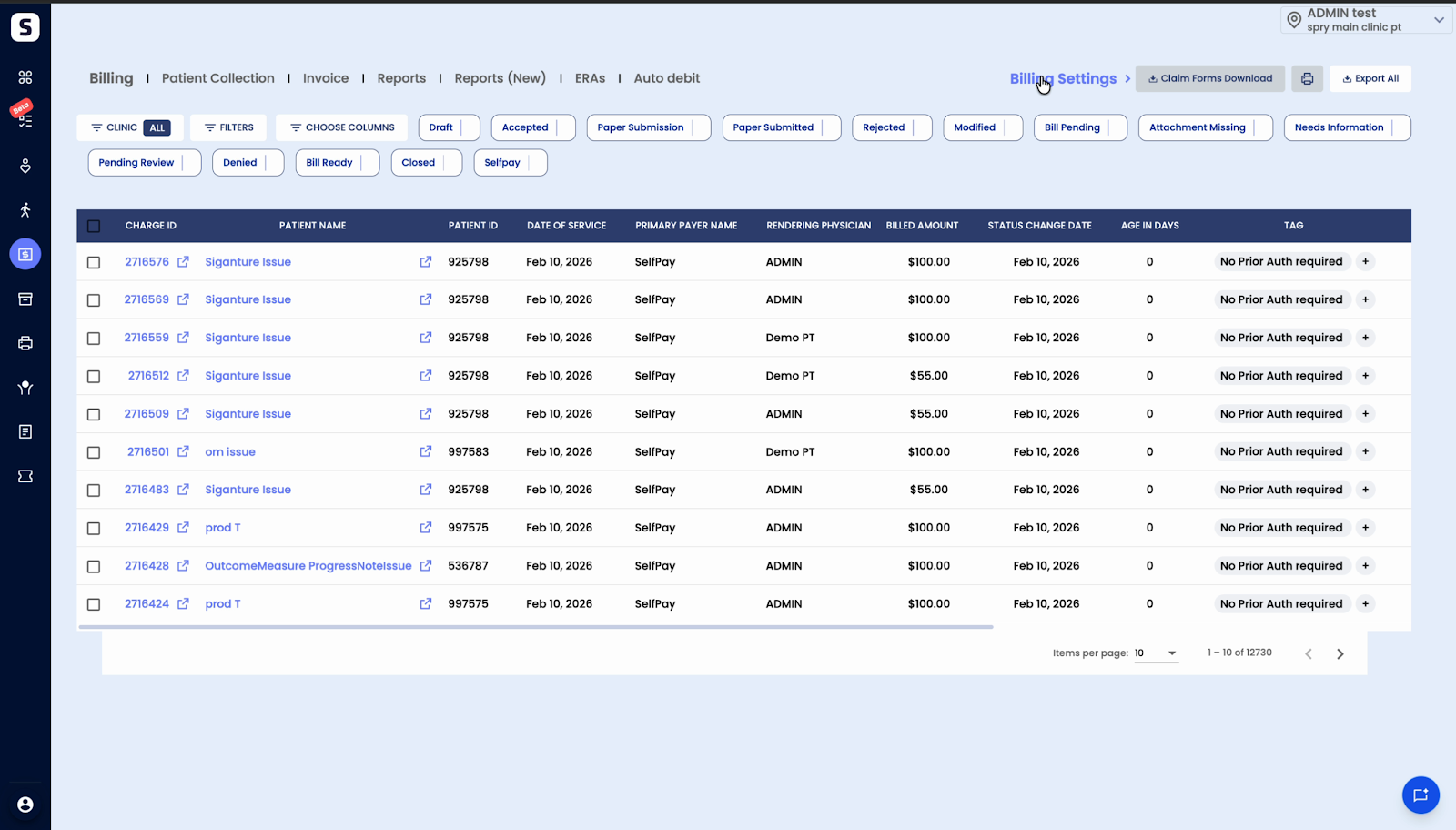
Step 2: Click on Billing Settings.
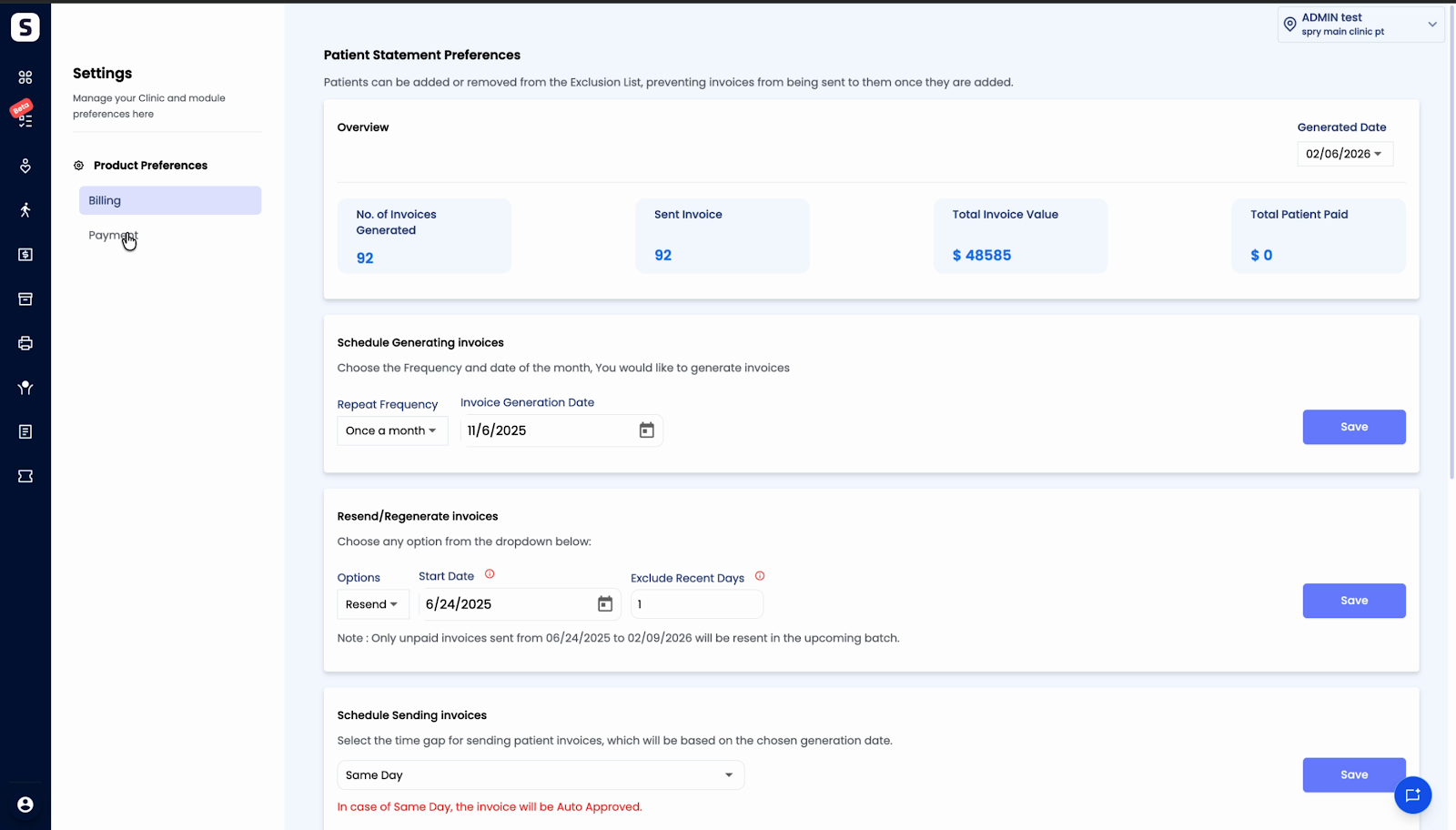
Step 3: Open the Payment tab.
Step 4: Find the Partial payment setting and use the toggle to enable it.
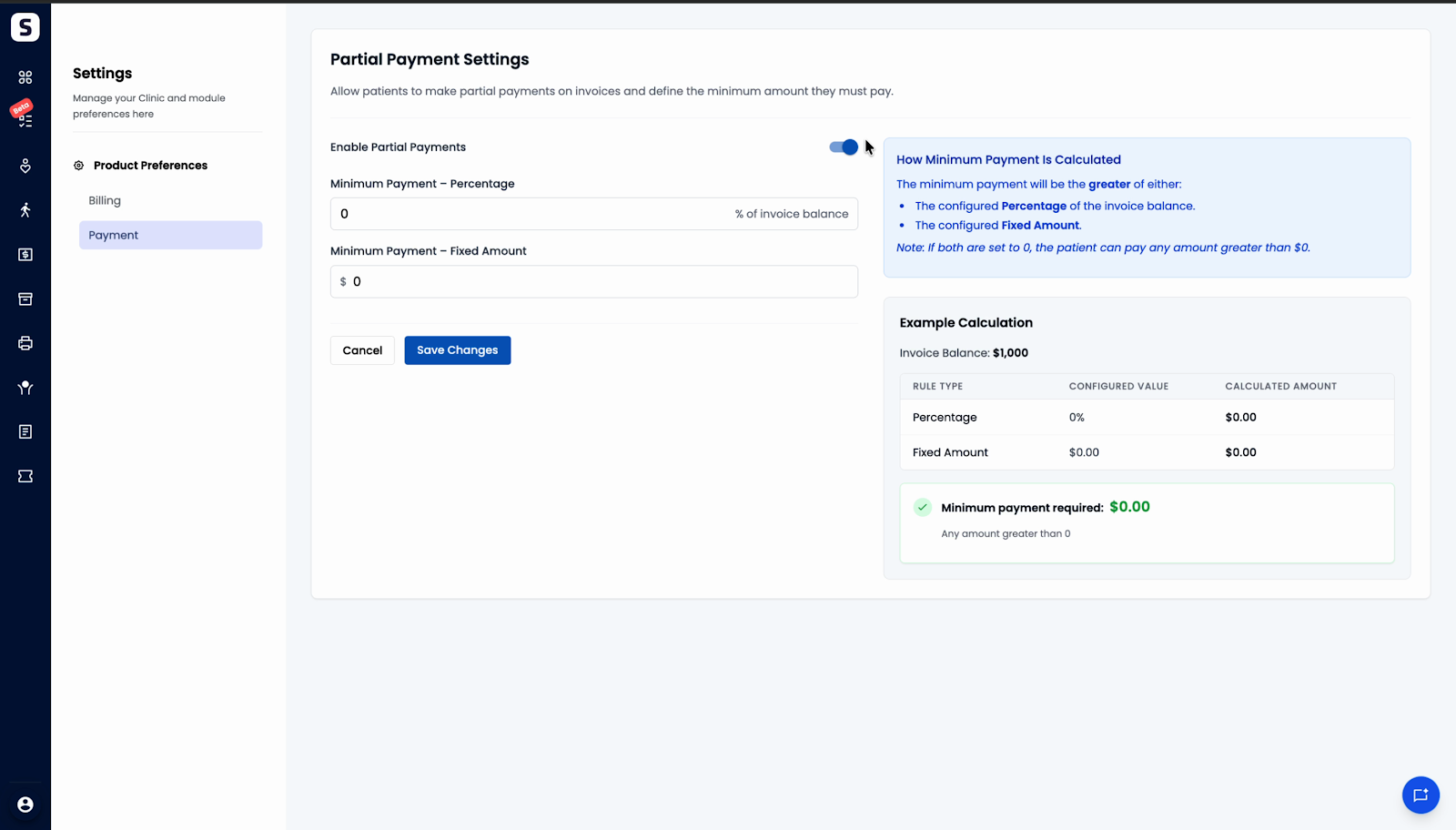
Step 5: Set your minimum payment preferences:
- Enter a minimum percentage amount (e.g., 10% of the invoice).
- Enter a minimum fixed amount (e.g., $50).
- Set either or both options. The system will require patients to pay the greater amount as the minimum.
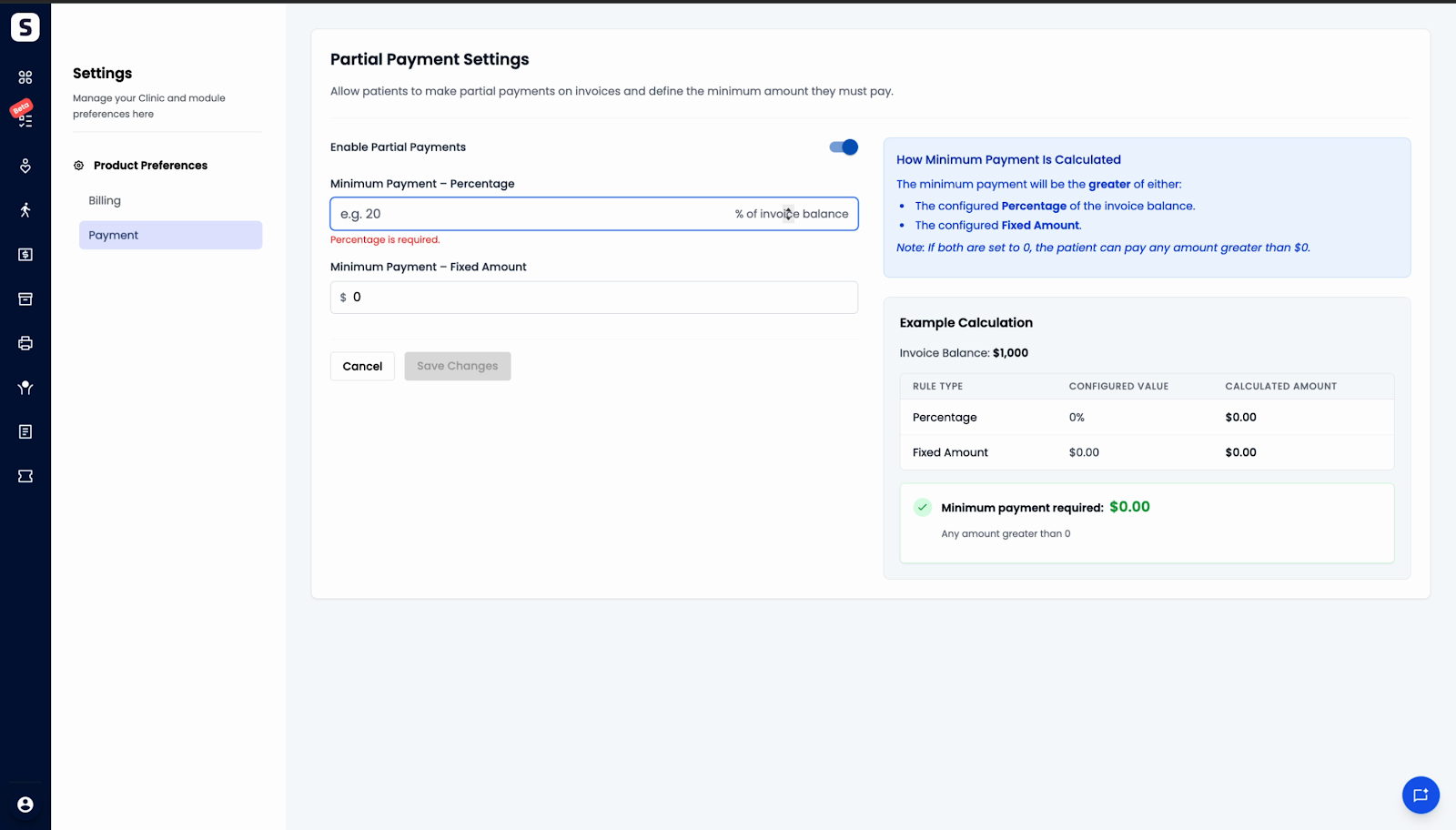
Step 6: Click Save changes.
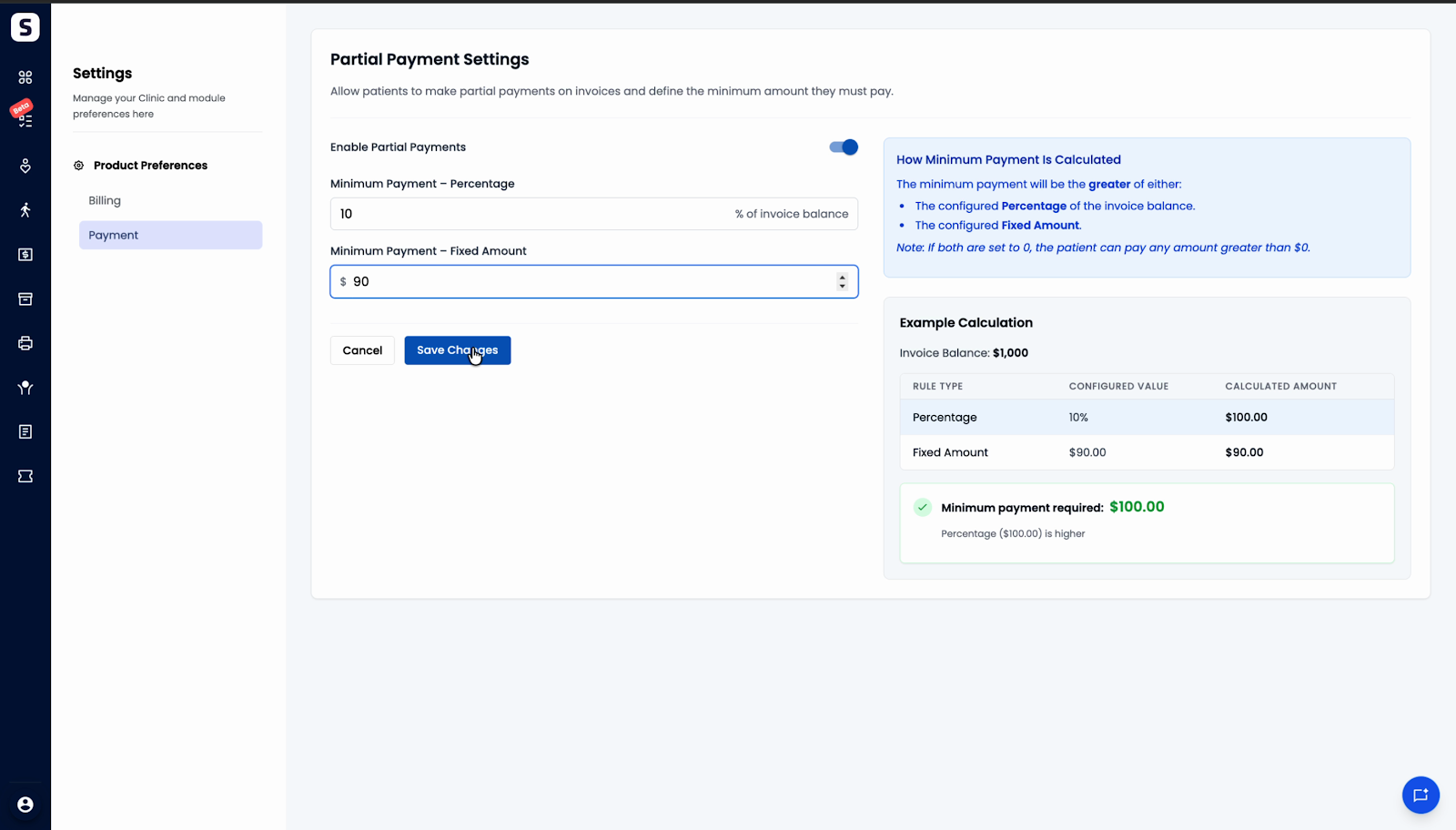
When patients pay invoices through the portal, they’ll see the minimum payment set here. If both percentage and fixed amounts are set, the higher value applies. If you set the minimum to zero, patients can pay any amount above zero.
Enabling partial payments creates a smoother payment process and can help patients manage their bills more effectively. Try tailoring the minimum amounts to fit your clinic’s needs.