
How To Add CPT Codes, Interventions and Flowsheet
Easily Manage CPT Exercises and Reorder Items in the Flowsheet.
Recent updates make it simple to add specific exercises to CPT codes and organize exercises directly in the flowsheet. Here’s how to use these features to streamline your session note workflow and keep everything well organized.
Introduction
Now lets you assign exercises to CPT codes and quickly reorder them in your flowsheet. This makes planning and documenting treatment sessions faster and more accurate.
Step 1: Open the patient note and scroll to the Planning section.
Step 2: Go to Current Visit Procedures.
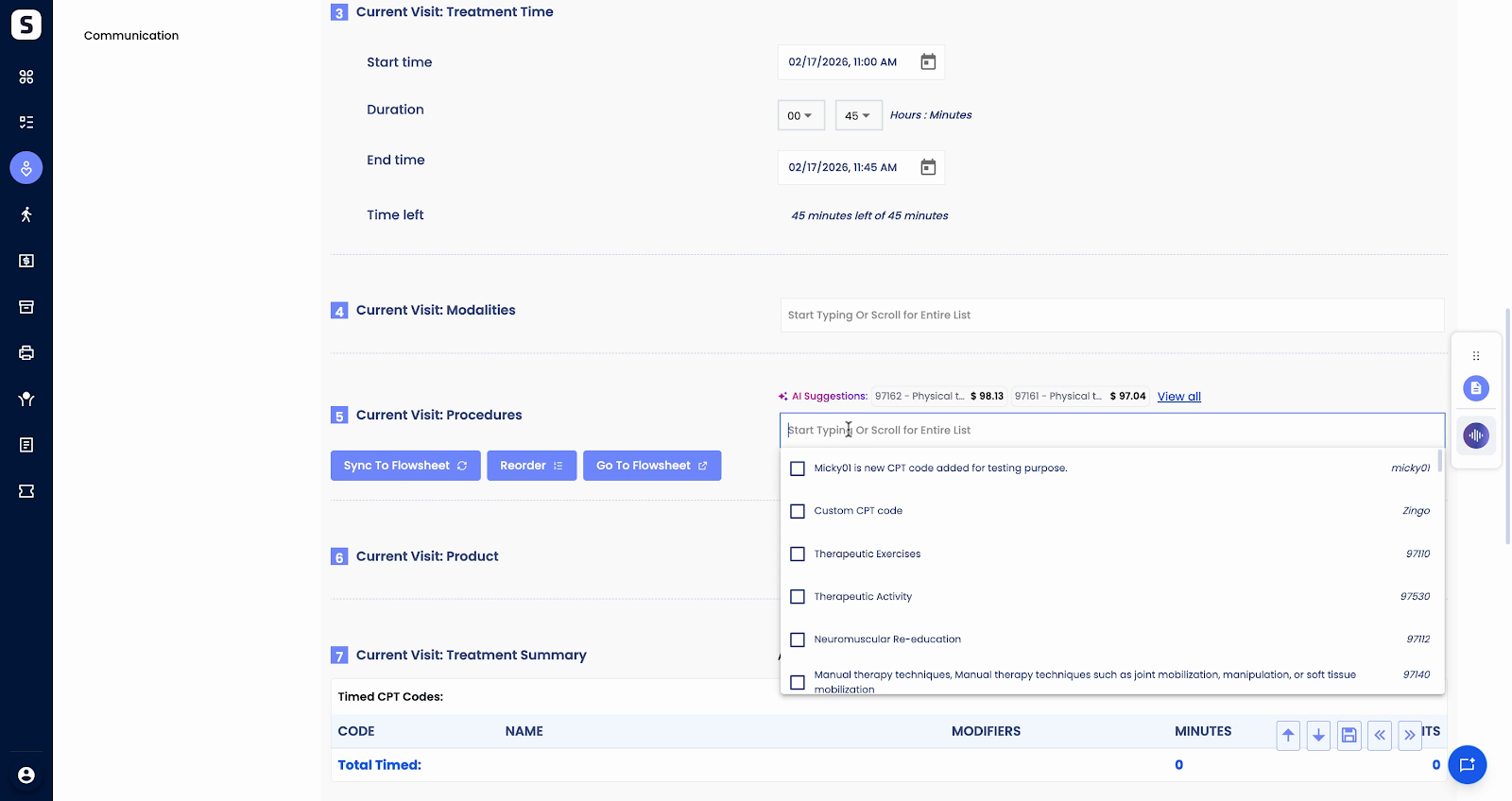
Step 3: Add the required CPT code by clicking the appropriate option.
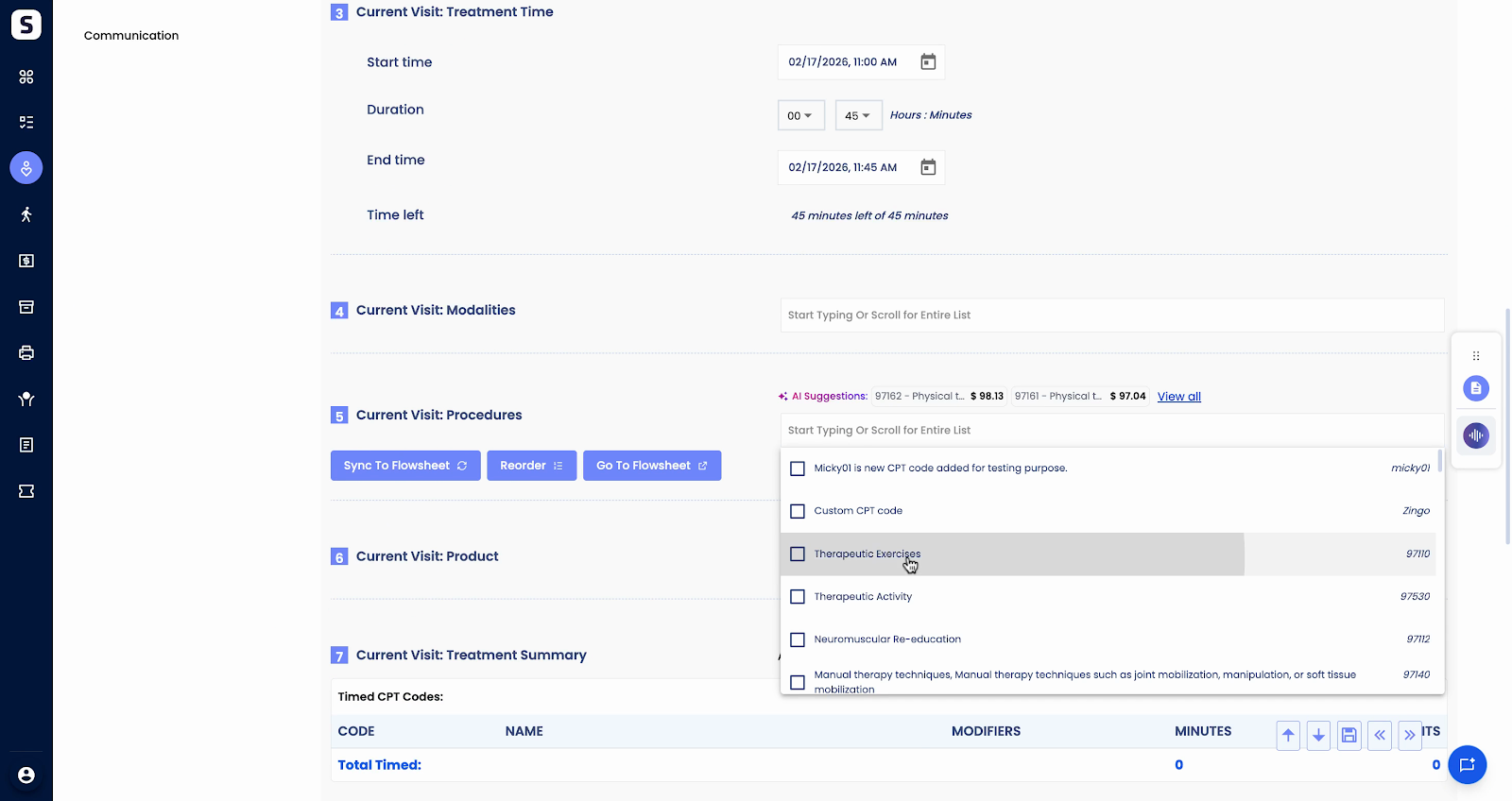
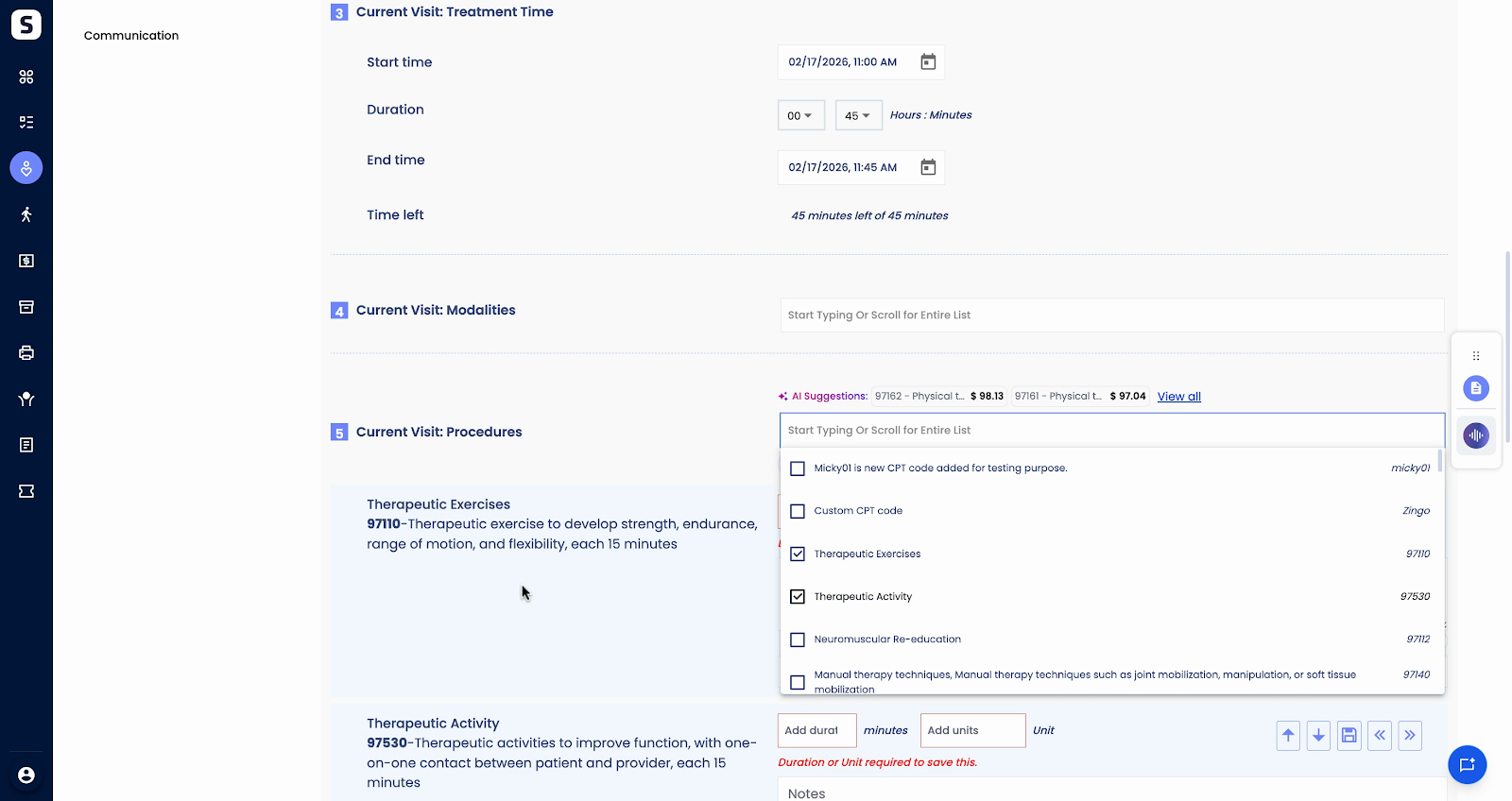
Step 4: After adding the CPT code, you’ll see the option to add exercises. Click Add Exercises.
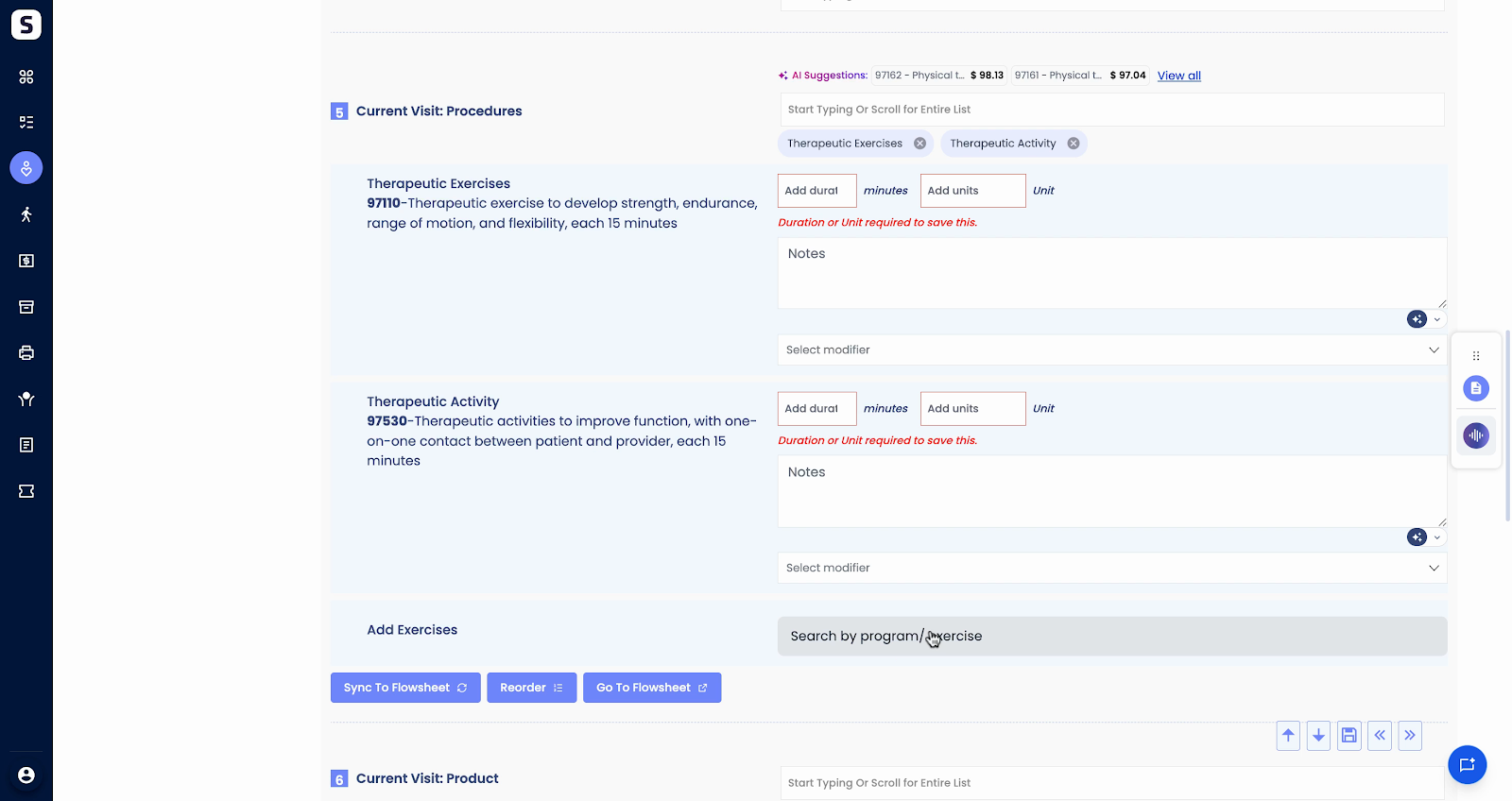
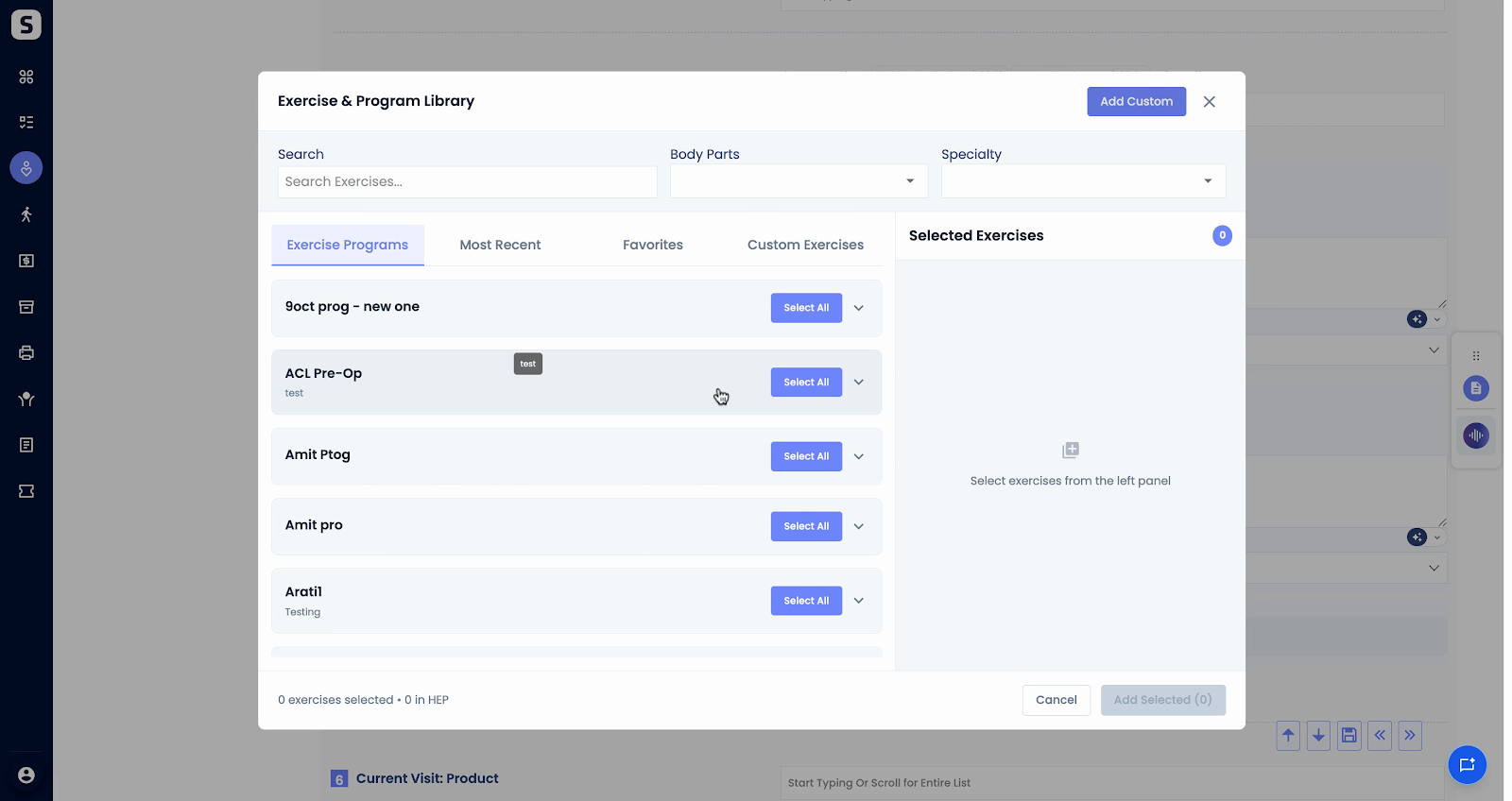
Step 5: Select the exercises you want to associate with your CPT code. You can choose multiple exercises.
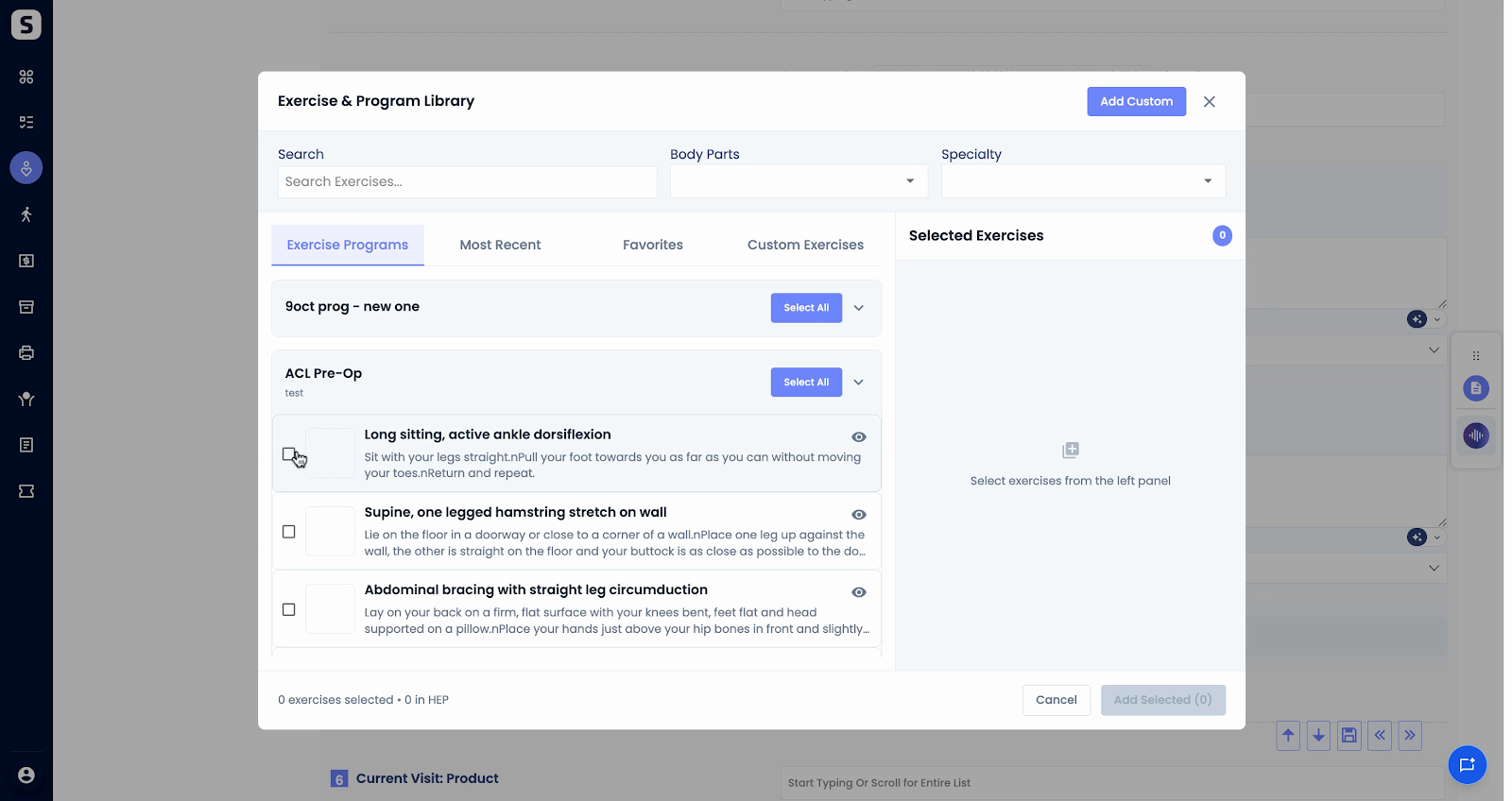
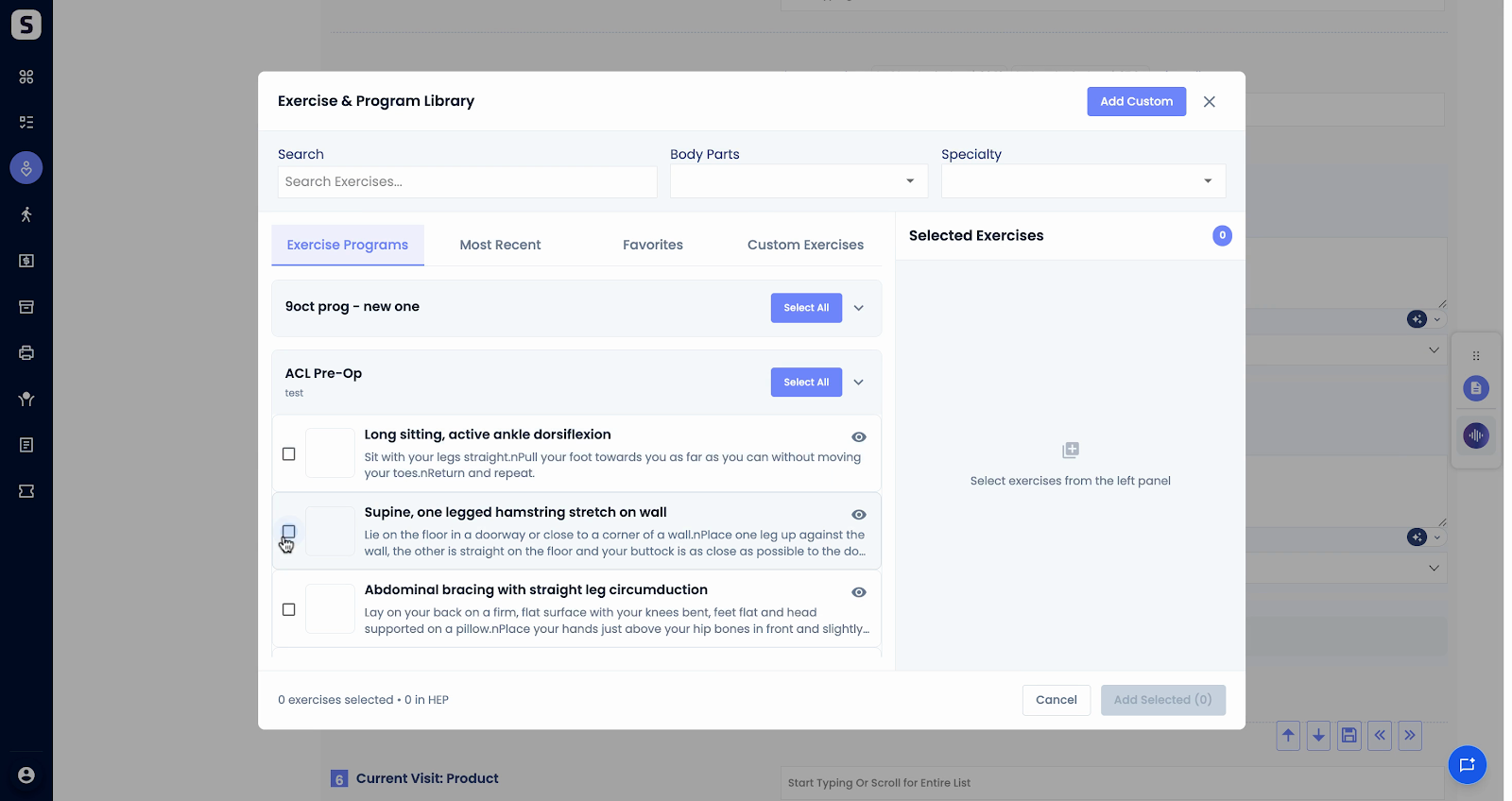
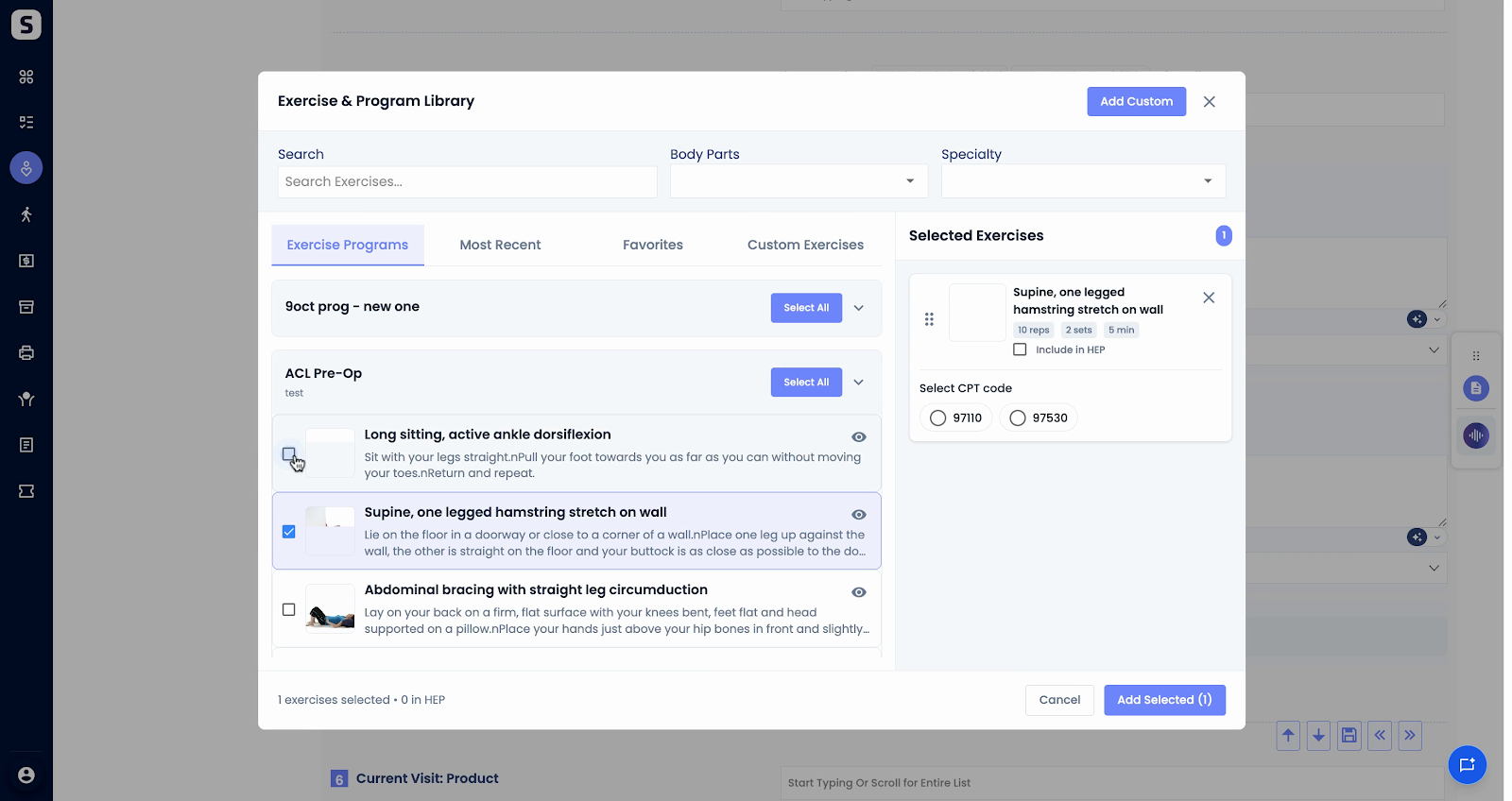
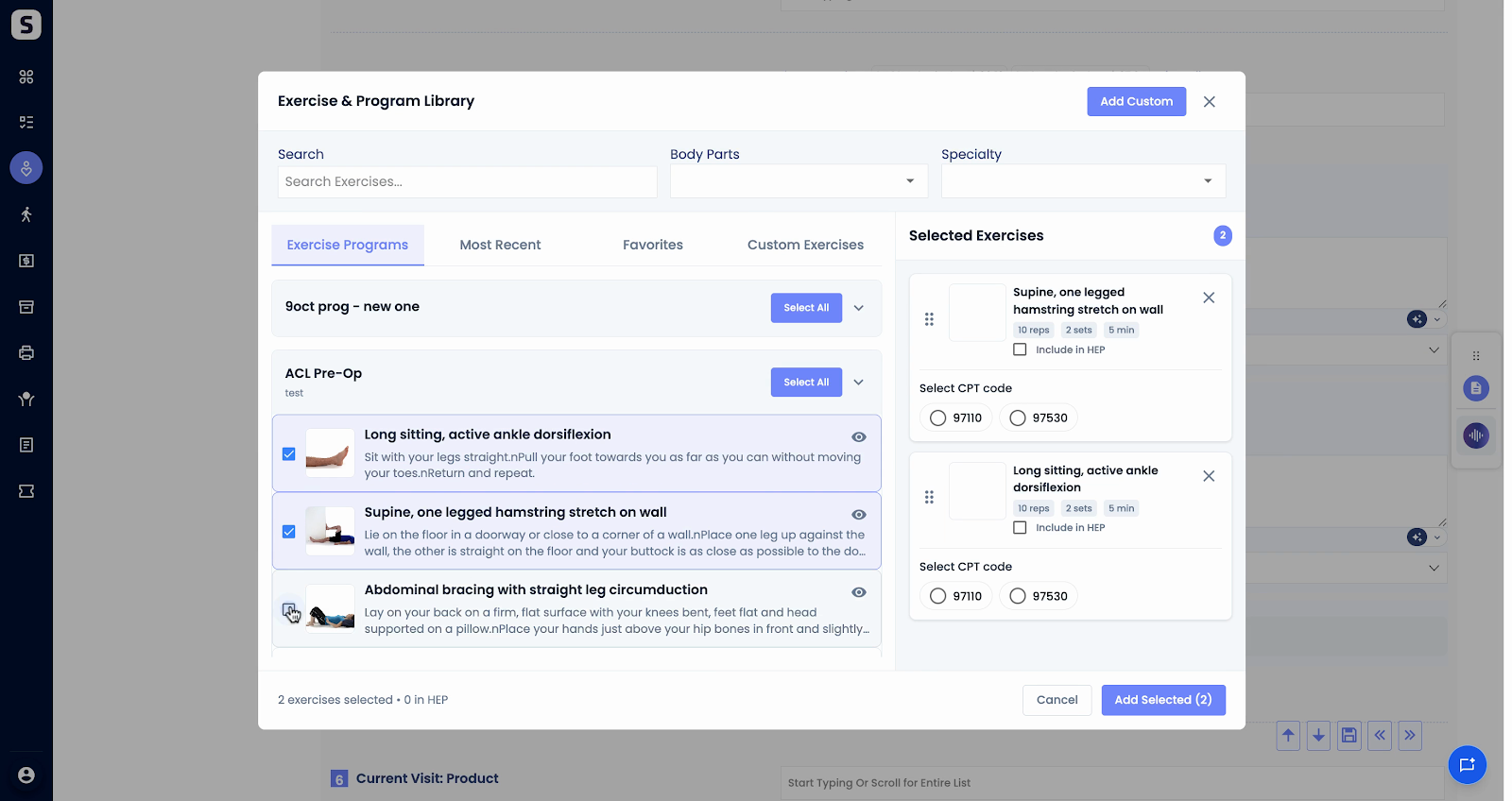
Step 6: For this example, select four exercises to demonstrate assigning exercises to different CPT codes.
Step 7: Once your exercises are selected, assign each one to a specific CPT code as needed. This ensures accurate tracking.
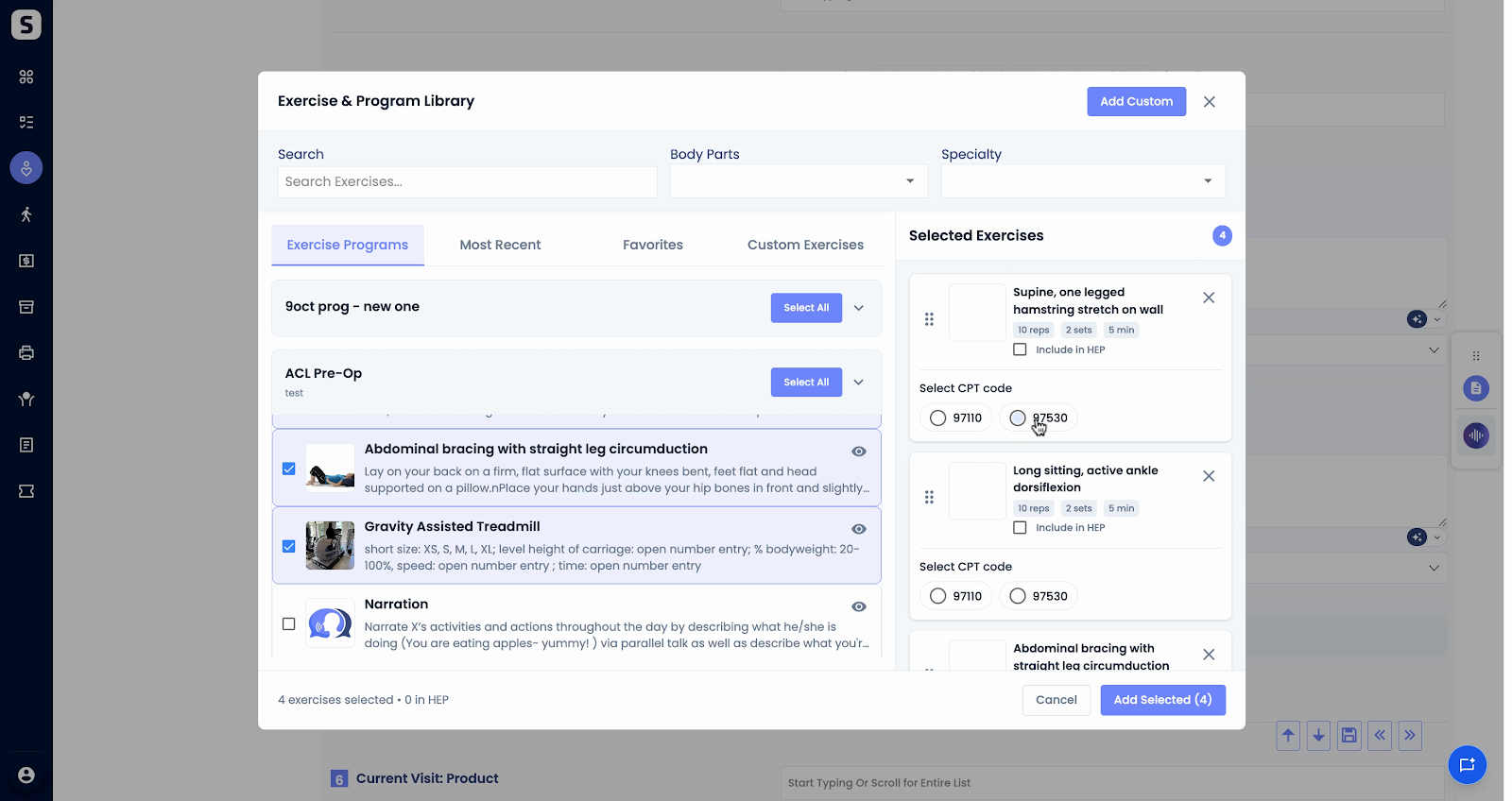
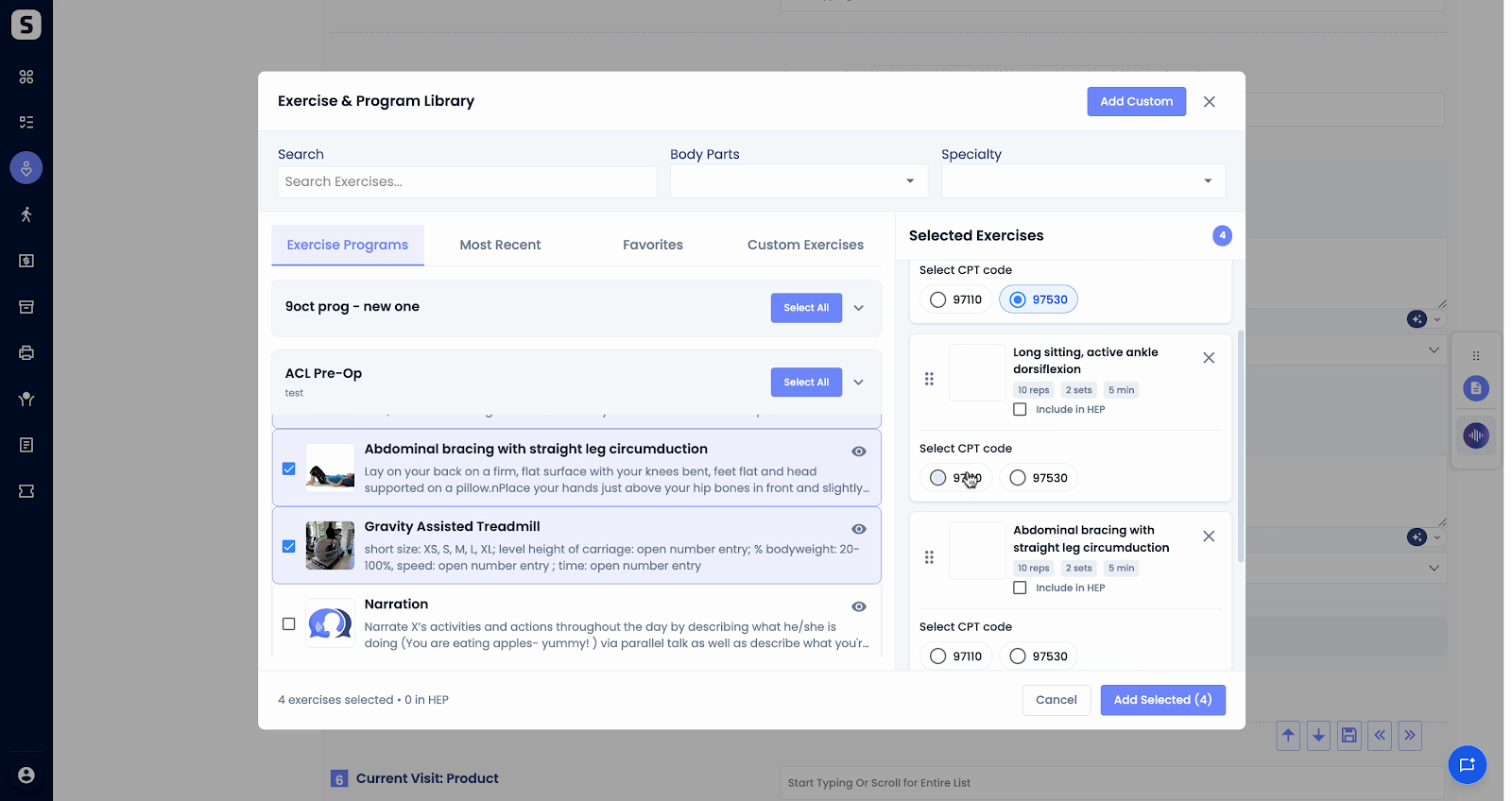
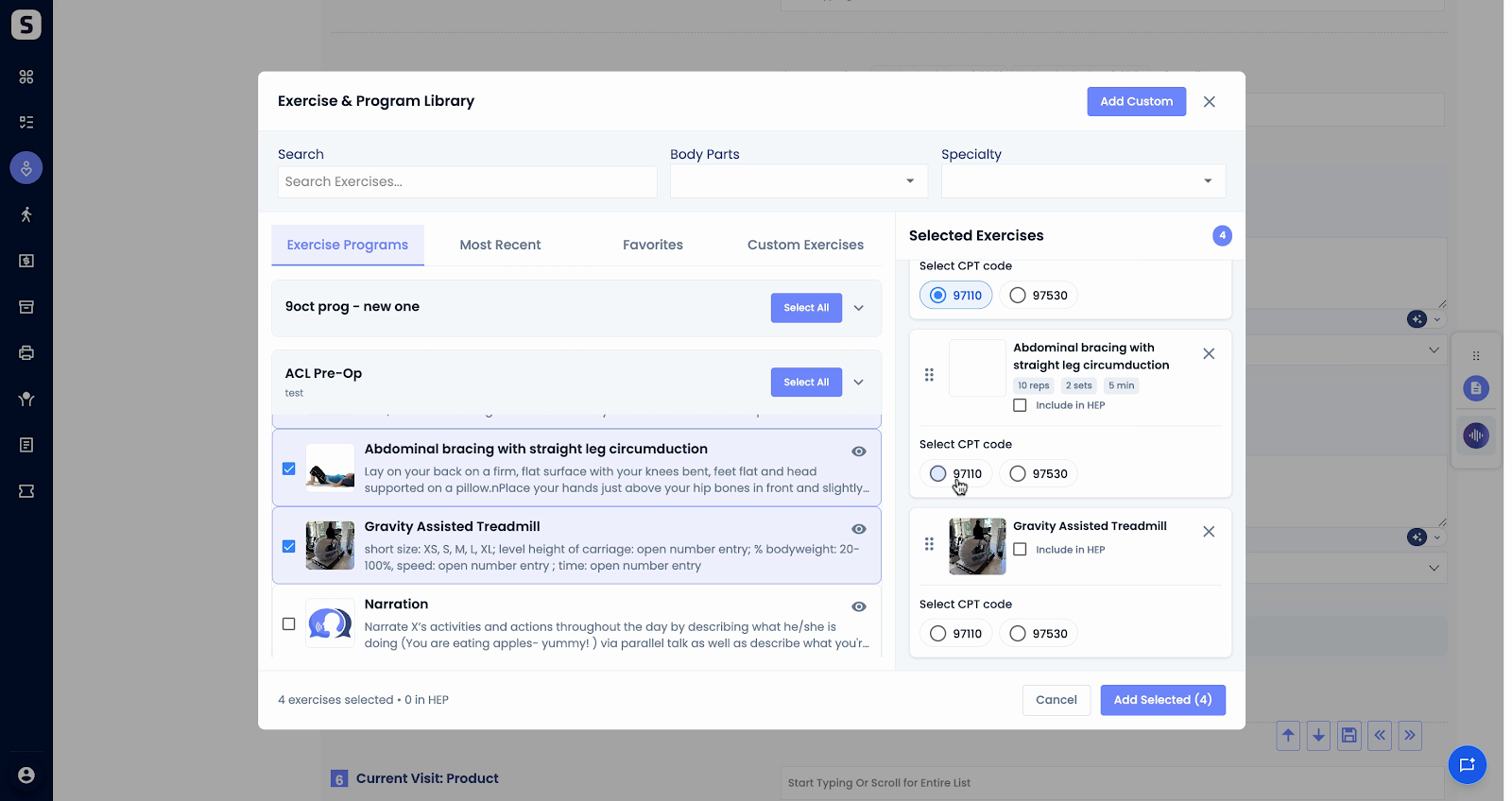
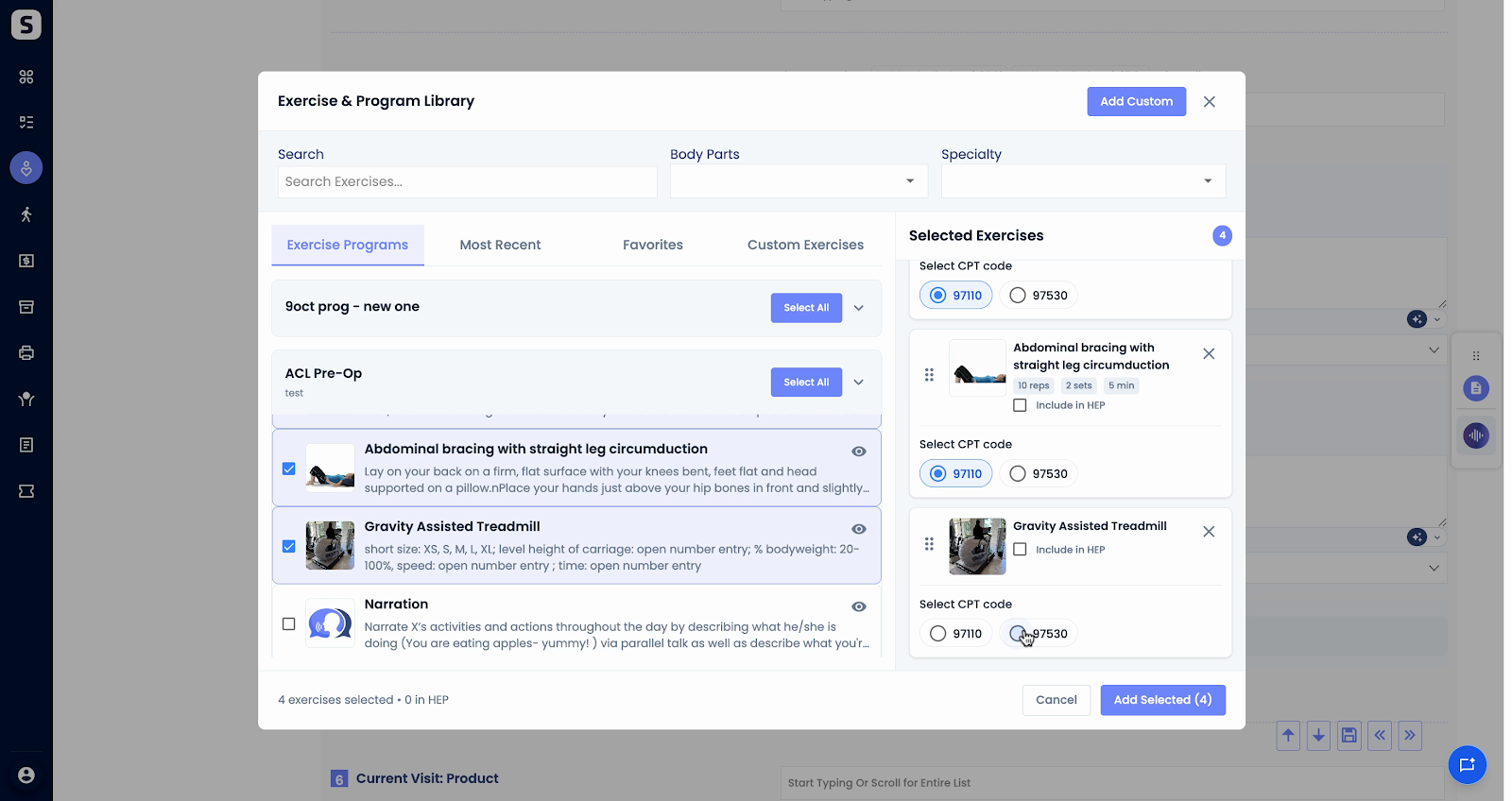
Step 8: Add your selected exercises. They’ll appear together, ready for further planning or tracking.
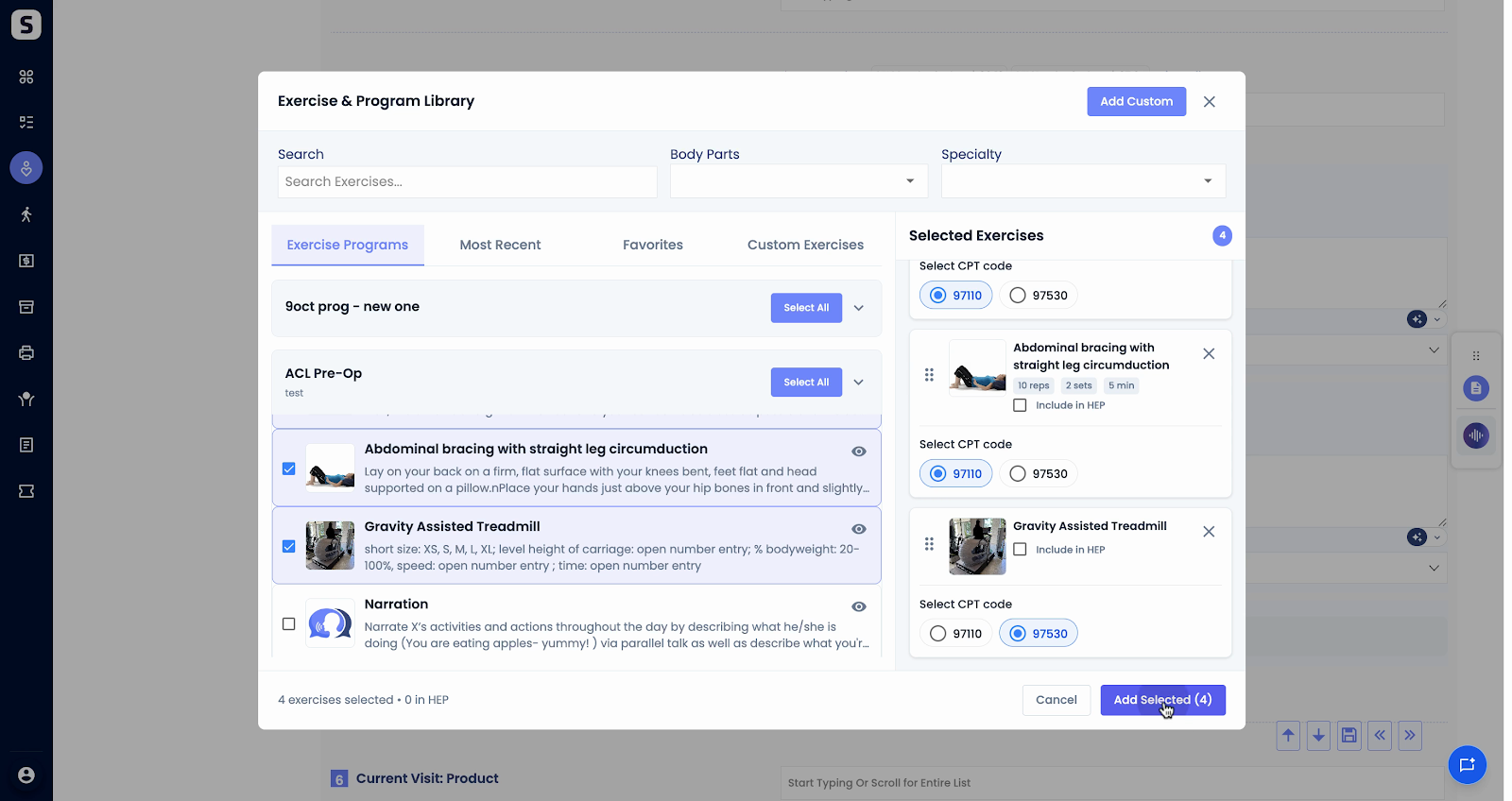
Step 9: Sync all selected exercises to the flowsheet. This keeps your documentation current and organized.
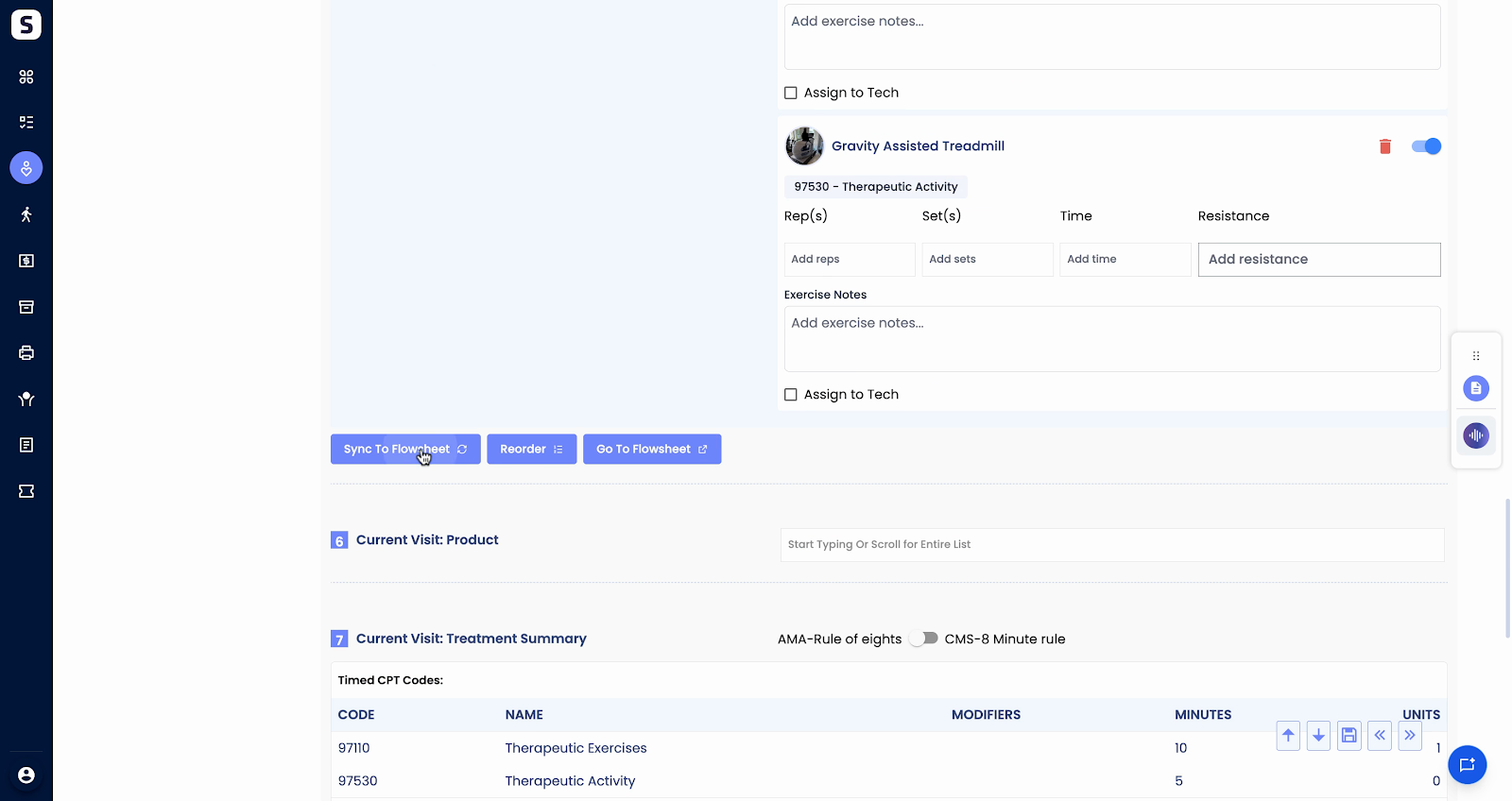
Step 1: Open the Flowsheet after syncing exercises.
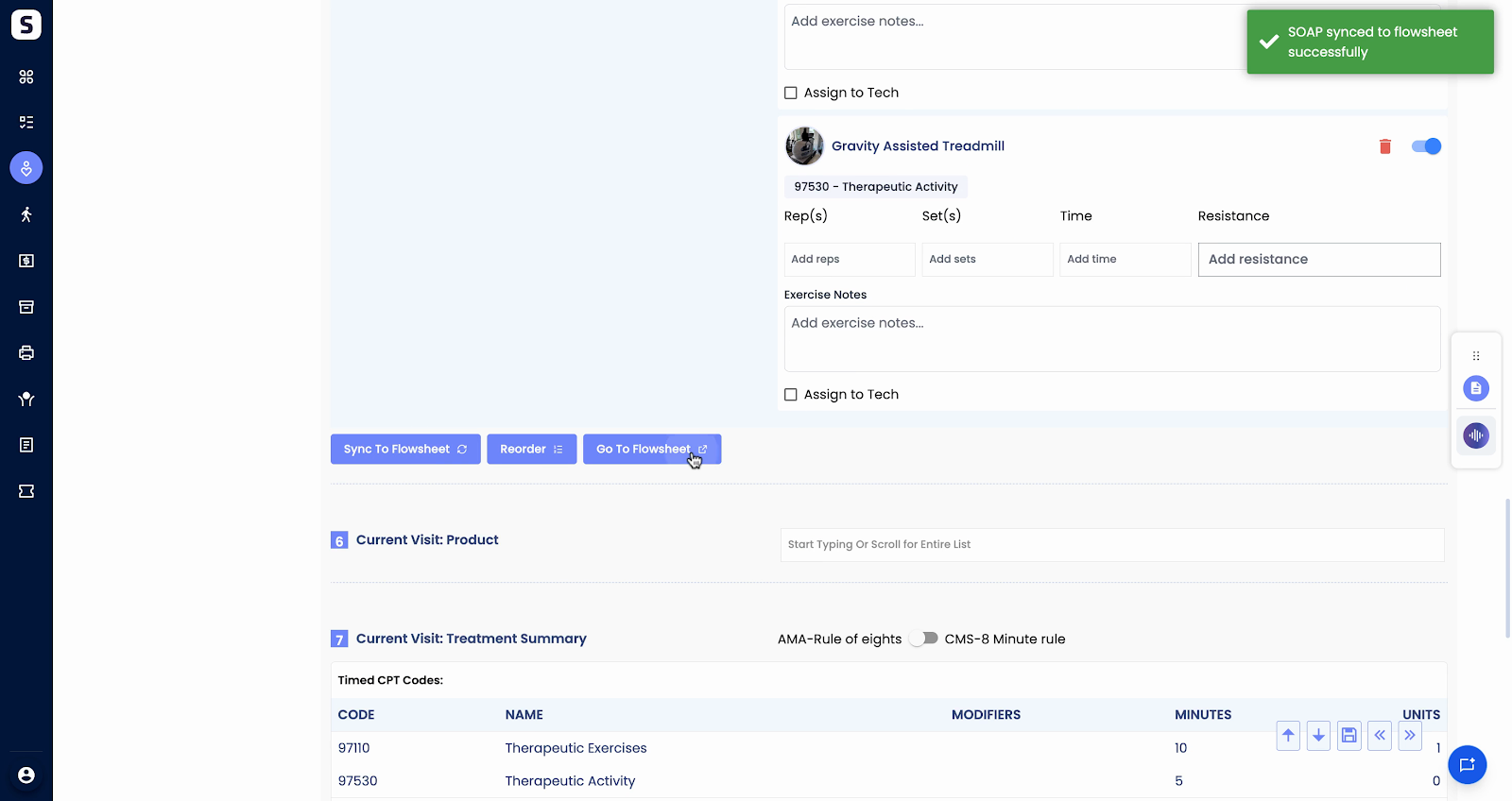
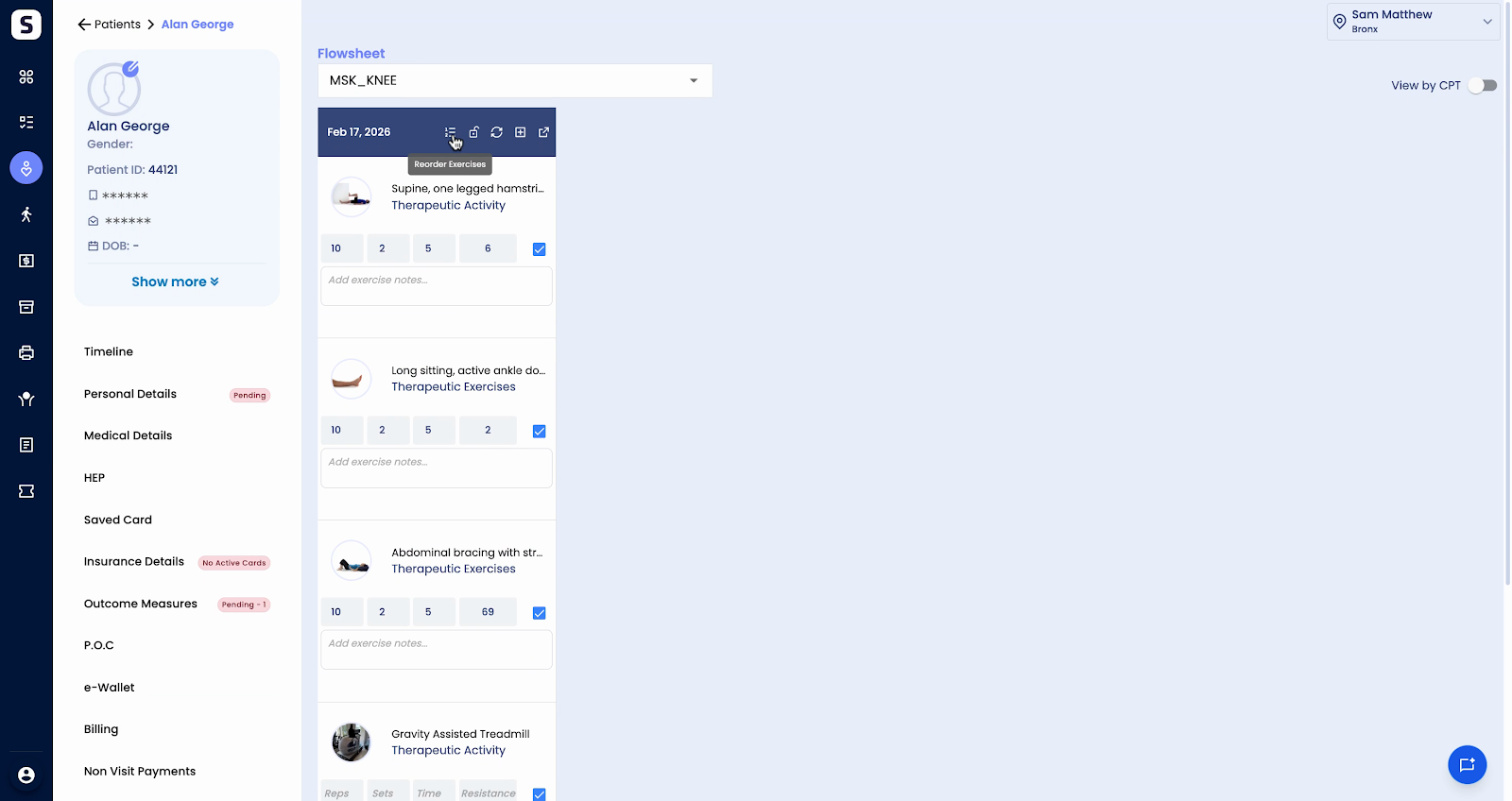
Step 2: In the upper right, use the View by CPT toggle. Turn it off to focus on only the exercises you’ve just added in this session.
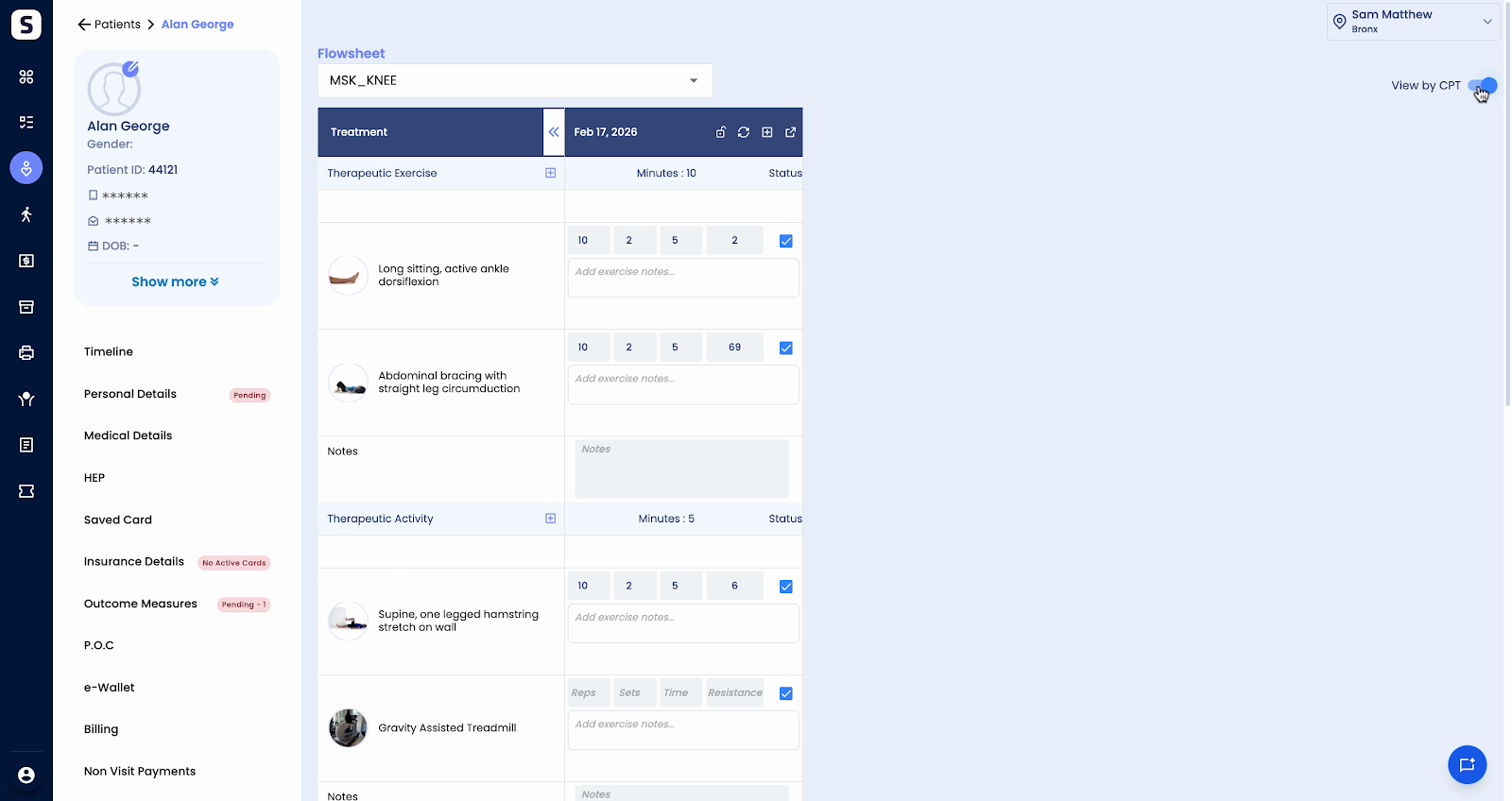
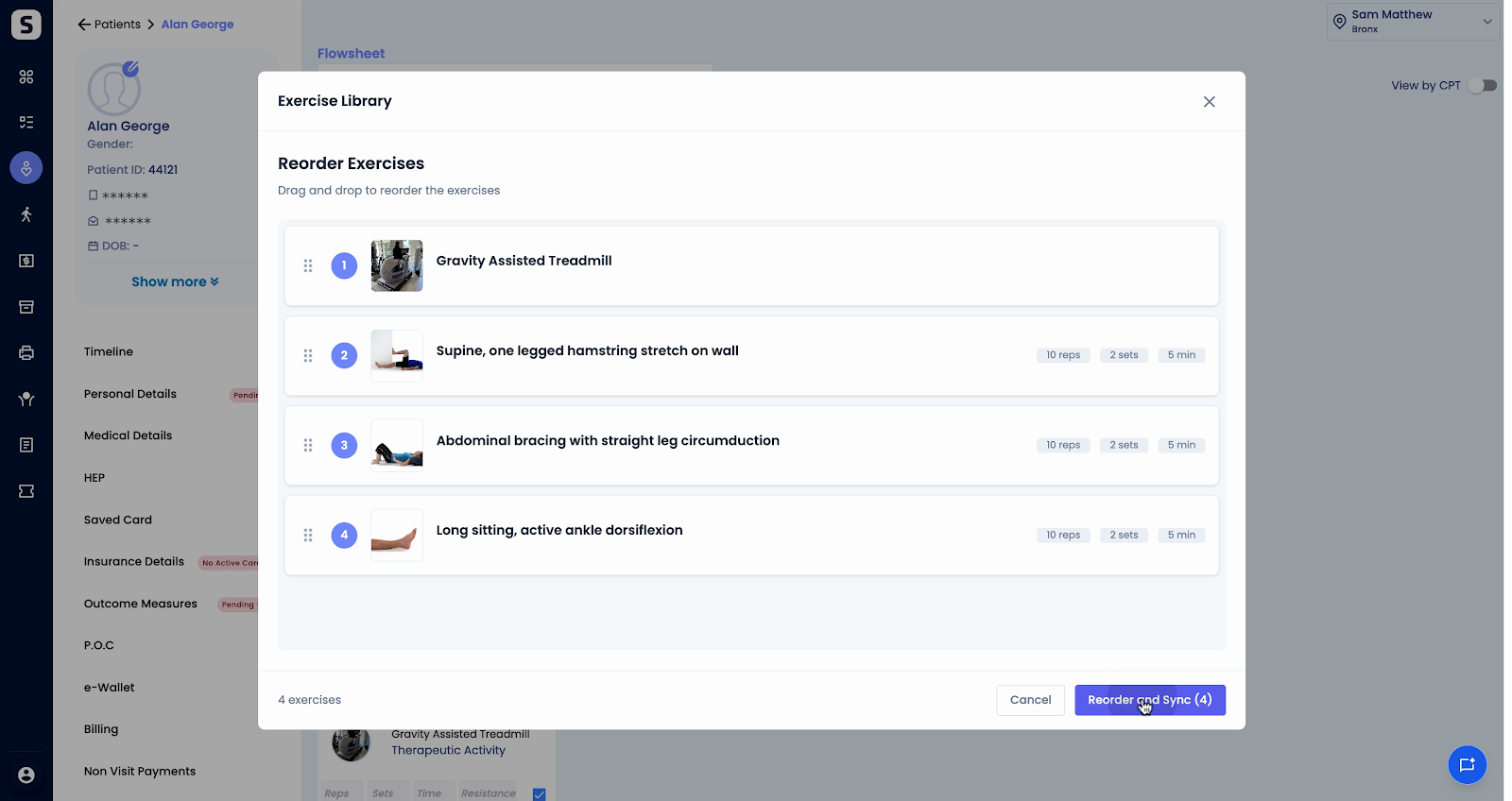
Step 3: To reorder exercises in the flowsheet, click on Reorder Exercises. Drag and drop each exercise into the desired order.
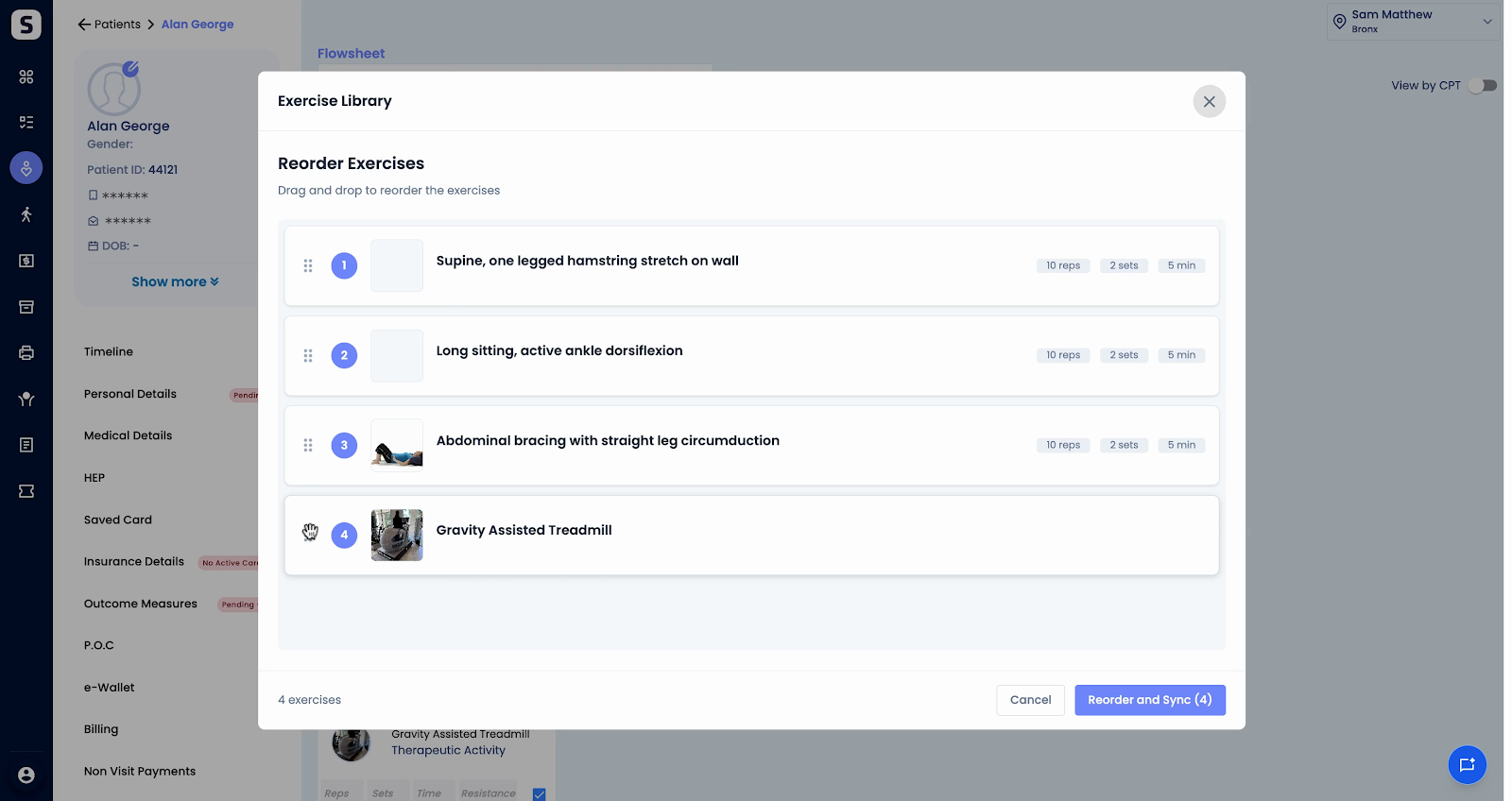
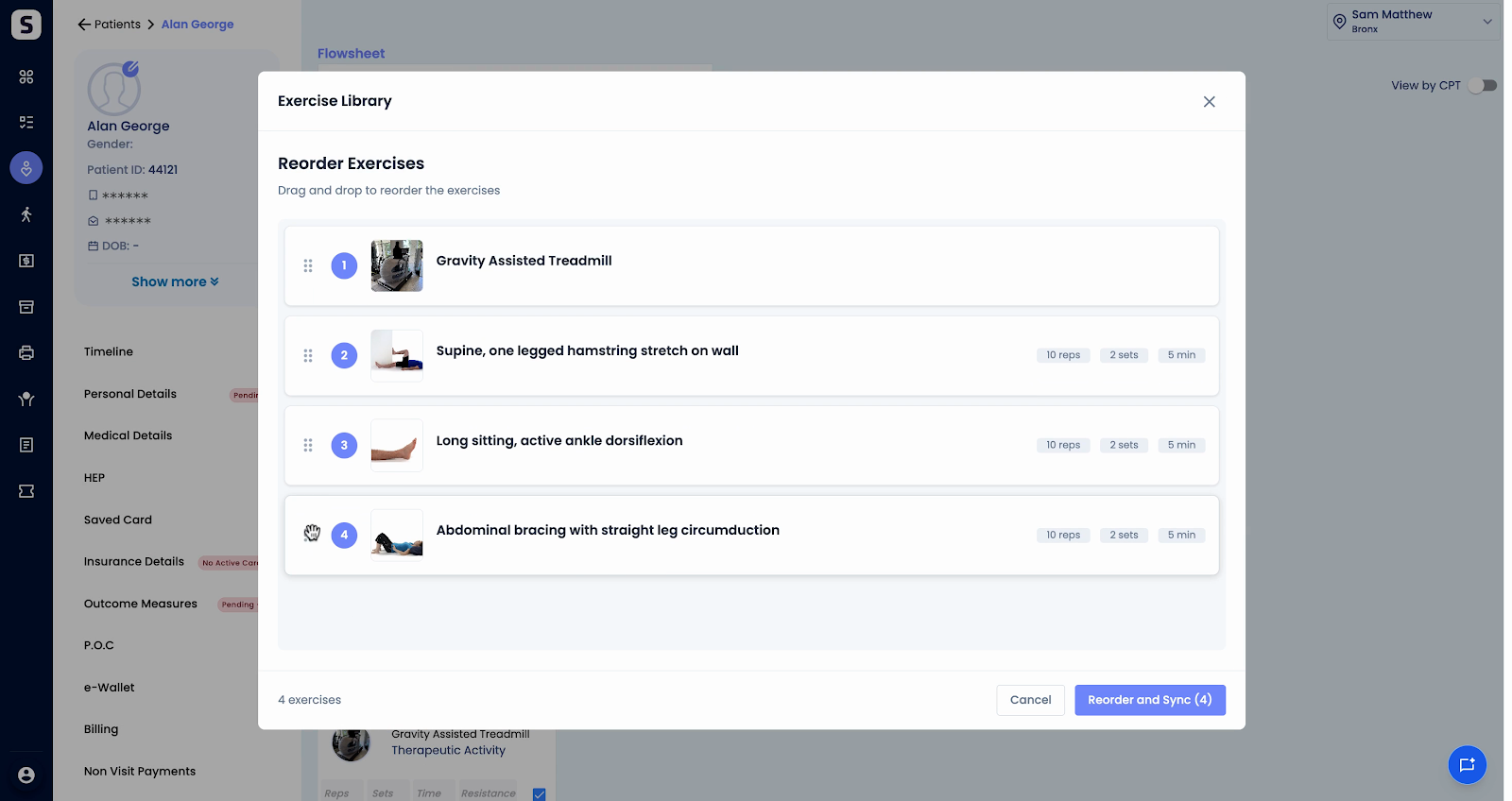
Step 4: Click Reorder and Sync to save your changes.
Step 5: Your flowsheet now shows exercises in the new order. The note will update to reflect these changes so your documentation stays synced.
Conclusion
TIER’s enhancements to exercise management within CPT codes and flowsheets make planning and session documentation smoother. Assign, customize, and reorder exercises with ease for a more streamlined workflow.
Thank you for using TIER to improve your patient care planning!